bizhub C652/C552 5-21
5.4 Application
5
Cover Sheet
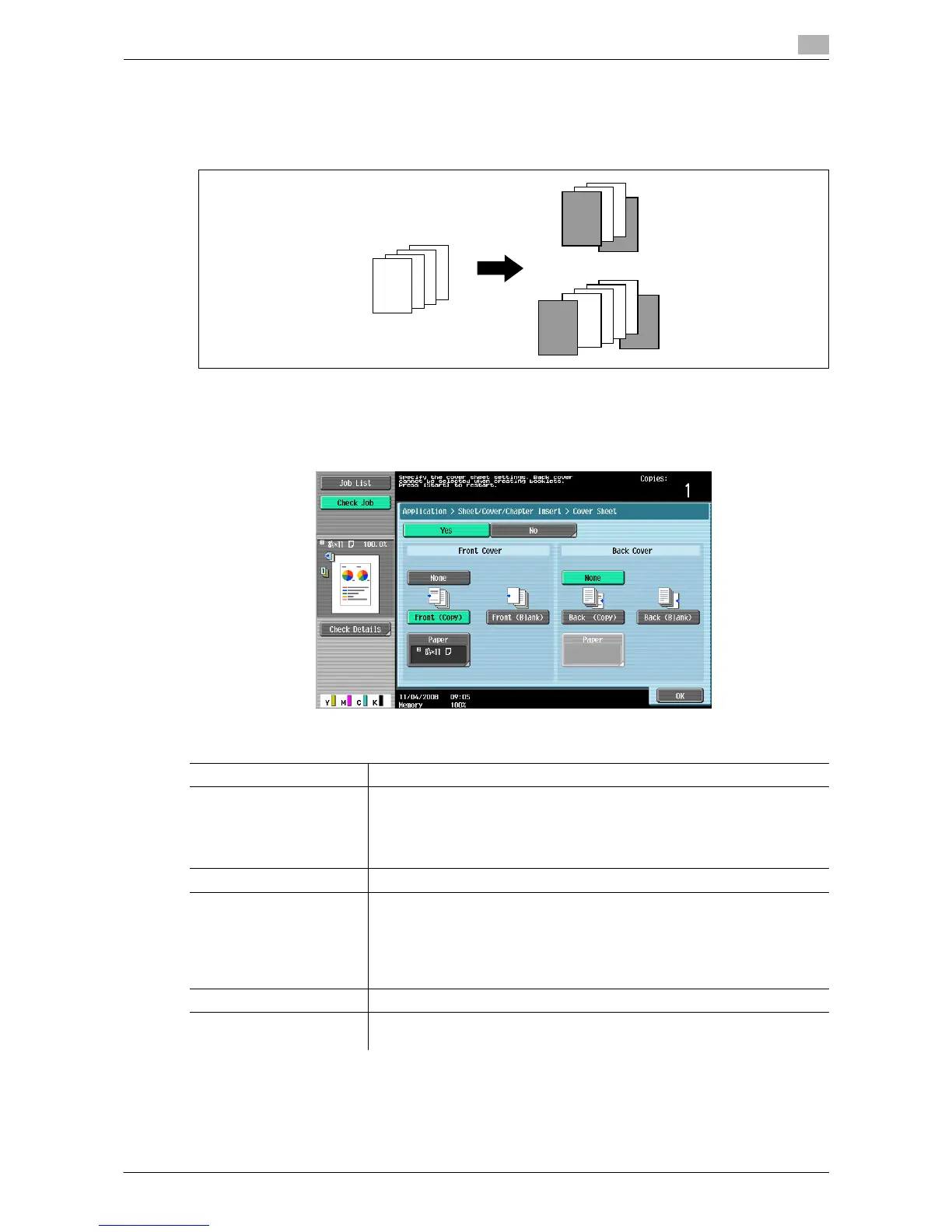
Copies the front and back cover sheets onto separate paper when copying an original with a front/back cover
sheet. When the original to copy does not have a front and back cover, you can insert blank sheets of paper
as the front and back covers.
0 Use paper of the same size for the body text and cover sheets, and ensure the same orientation of
paper for both purposes.
% Press [Application] ö [Sheet/Cover/Chapter Insert] ö [Cover Sheet].
d Reference
To configure the 2-sided copy mode:
Press [Basic] ö [Duplex/Combine].
Settings
None Disables copying of the front/back cover and blank sheet insertion.
Front (Copy) For 1-sided copy:
Copies the first page of the original onto paper for the front cover sheet.
For 2-sided copy:
Copies the second page of the original onto the back of the paper for the
front cover sheet.
Front (Blank) Adds paper for the front cover sheet as the first page of the copy.
Back (Copy) For 1-sided copy:
Copies the last page of the original onto the back cover page.
For 2-sided copy:
Copies the last two pages of the original the 2-sided copy mode onto both
sides of the paper for the back cover when copying an original with an even
number of pages.
Back (Blank) Add paper for the back cover sheet to the last page of the copy.
Paper Select the paper tray loaded with the paper for the front/back cover page or
blank cover pages.
4
4
3
3
2
2
1
1
REPORT
4
4
3
3
2
2
1
1














 To Next Page