bizhub C652/C552 9-11
9.3 If print quality is deteriorated
9
9.3 If print quality is deteriorated
Cleaning the electrostatic charger wire
If the electrostatic charger wire is dirty, streaks will appear though the printed images. If this occurs, follow
the procedure described below to clean the electrostatic charger wire.
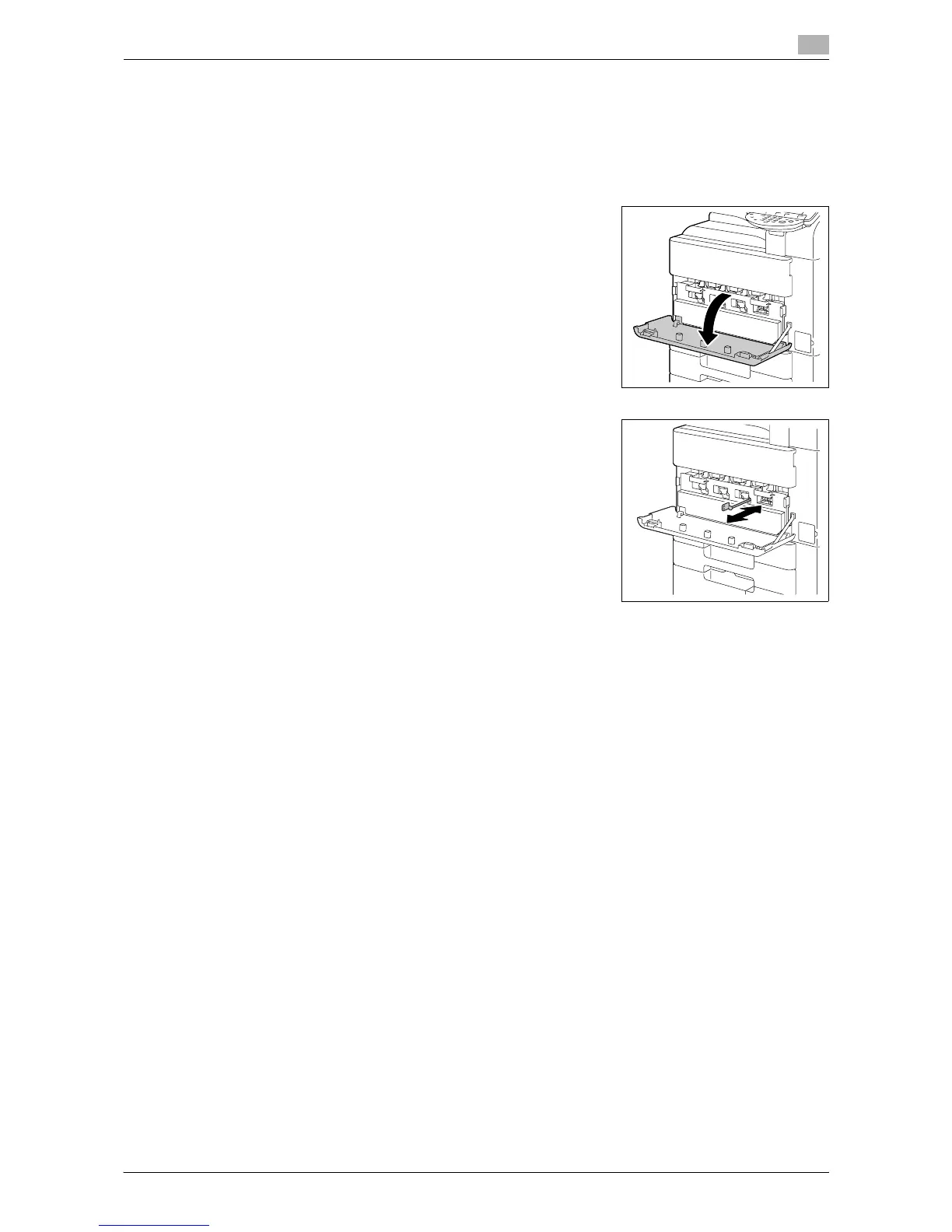
1 Open the machine's lower front door.
2 Slowly pull out the charger-cleaning tool as far as possible. Next,
slowly push in the charger-cleaning tool as far as possible.
Repeat the above operations three times.
3 Securely insert the charger-cleaning tool, and then close the front door.














 To Next Page