bizhub C652/C552 5-6
5.1 Basic
5
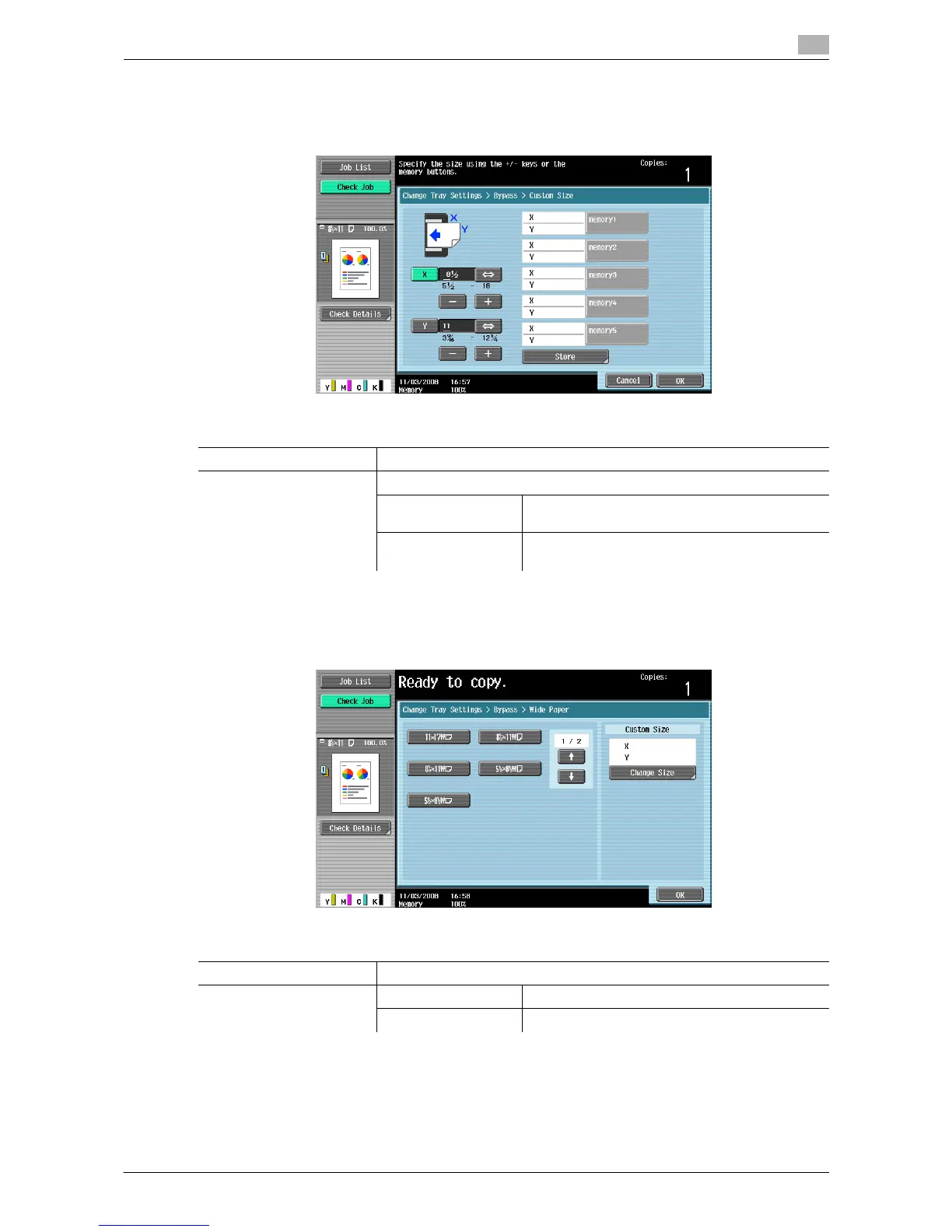
Configuring a custom size
% [Basic] ö [Paper] ö [Bypass Tray] ö [Change Tray Settings] ö [Custom Size].
Configuring wide paper
% [Basic] ö [Paper] ö [Bypass Tray] ö [Change Tray Settings] ö [Wide Paper].
Settings
X/Y Configure the length [X] and width [Y] with pressing [+] and [-].
Store Register custom paper sizes.
memory 1 to 5 Select the memory button where the paper size is
to be stored.
Change Custom Size
Name
Rename memory button names.
Settings
Wide Paper Select the size of the paper to be loaded.
Change Size X/Y Enter the length [X] and width [Y] of the paper.
Preset Paper Sizes Enables 12 e 18 w to be selected.














 To Next Page