bizhub C652/C552 10-19
10.1 Using an authentication unit (biometric type)
10
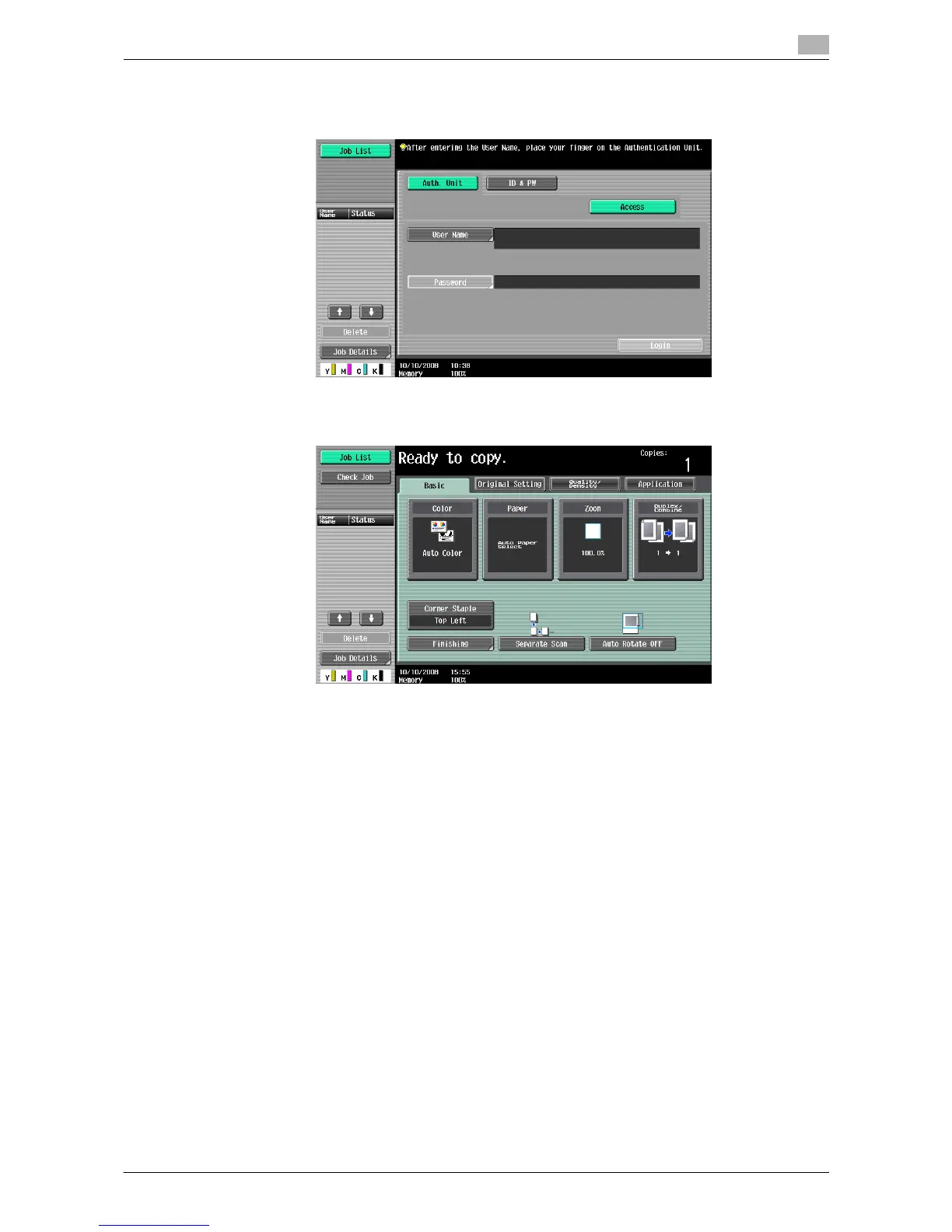
When 1-to-1 authentication has been specified
1 Enter "User Name".
2 Place the registered finger on the authentication unit.
% You are authenticated, and then the basic settings screen appears.
NOTICE
If an authentication failure frequently occurs, authentication data may not be registered properly. Retry
to register the target user.














 To Next Page