bizhub C652/C552 8-10
8.2 Consumables
8
Viewing counters
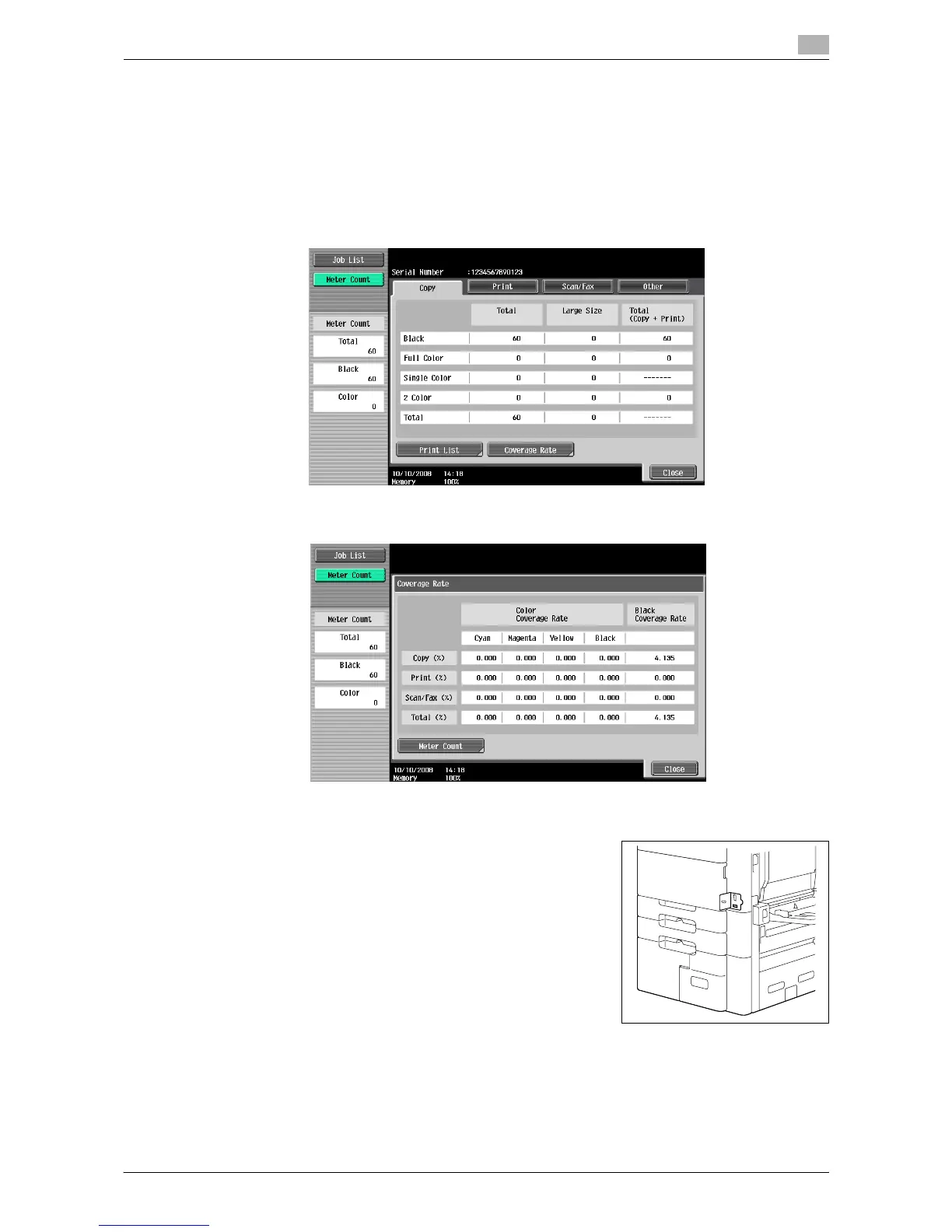
In the Meter Count screen, you can check the total number of prints since counting started. In the Coverage
Rate screen, the consumed amount of toner can be viewed.
1 Press the [Utility/Counter] key.
2 Press [Meter Count] ö [Check Details].
% To print the counter list, press [Print List], select paper, and then press the [Start] key.
% To display the Coverage Rate screen, press [Coverage Rate].
Checking the total number of pages printed
Pressing Total Counter displays the total number of pages printed to
date.














 To Next Page