bizhub C652/C552 5-3
5.1 Basic
5
5.1 Basic
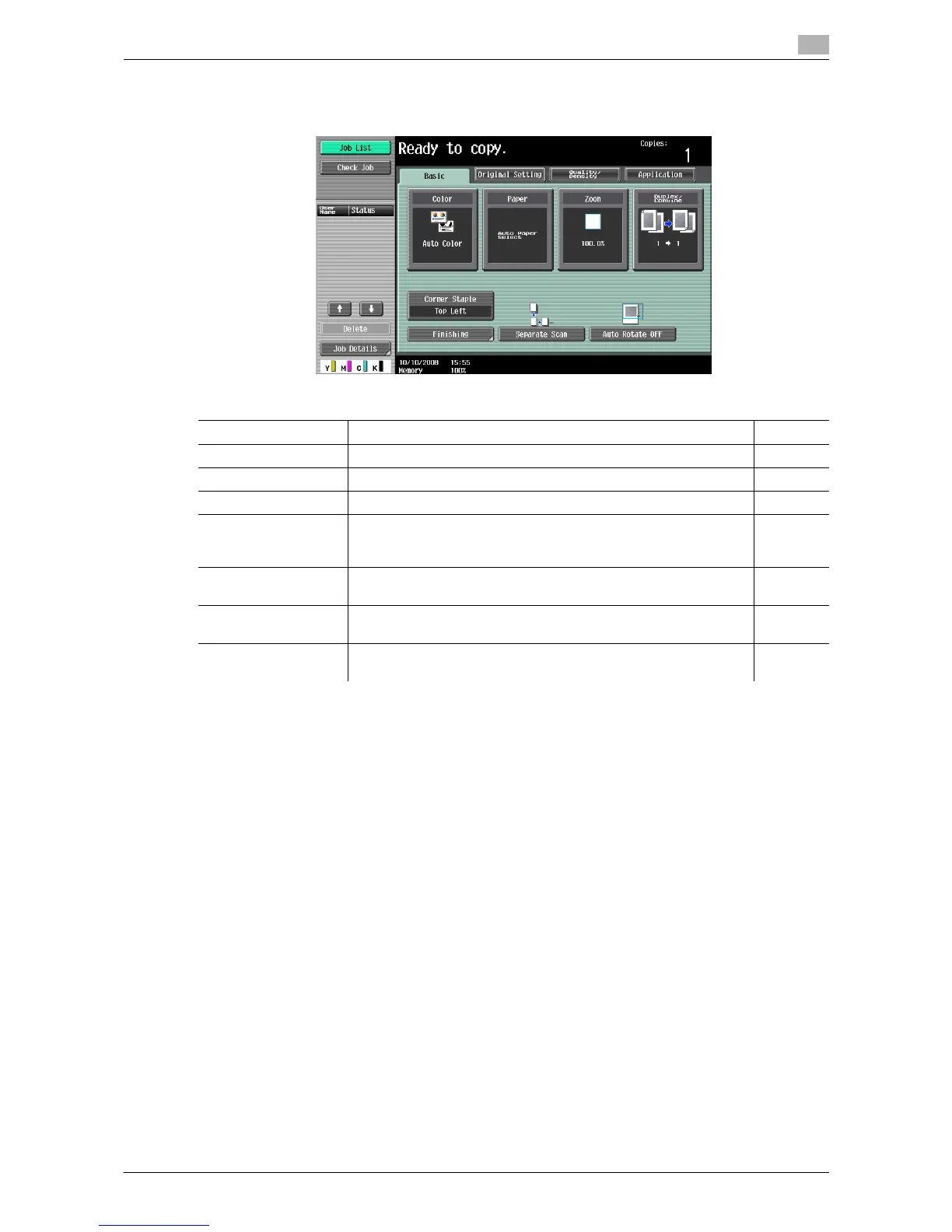
Configure the basic settings for making copies.
Item
Color Specify the print color for making copies. p. 5-4
Paper Select the paper type to be printed on and paper tray. p. 5-5
Zoom Select the zoom ratio of the image to be copied. p. 5-7
Duplex/Combine Configure the 2-sided copy and combined copy settings. p. 5-8
(Finishing program
button)
Configure frequently used offset and finishing settings in advance.
You can activate preferred finishing functions by simply pressing
this button.
p. 6-8
Finishing Press this button to select the settings for offsetting and finishing
copies.
p. 5-10
Separate Scan Select this item to divide a large original and scan it in a number of
batches.
p. 5-12
Auto Rotate OFF Select this item to copy the original according to the paper orien-
tation without rotating the image.
p. 5-13














 To Next Page