bizhub C652/C552 4-7
4.3 The [Utility/Counter] key
4
4.3 The [Utility/Counter] key
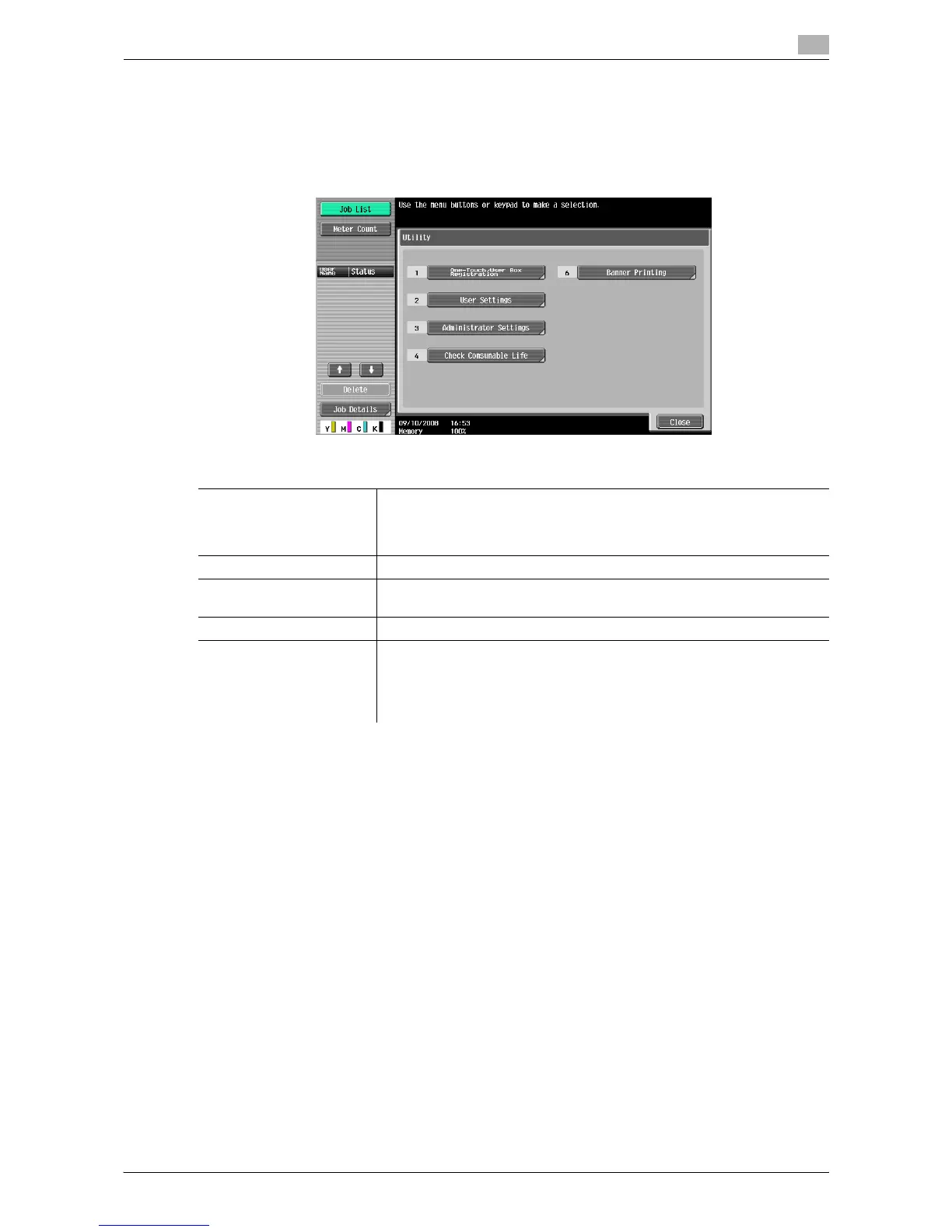
Press the [Utility/Counter] key to display the Utility screen. You can configure the machine settings and check
its use status in the Utility menu screen.
% Press the [Utility/Counter] key.
Settings
One-Touch/User Box Reg-
istration
Allows you to register items related to the fax/scanner and User Boxes op-
erations.
For details, refer to the "User's Guide [Network Scan/Fax/Network Fax Op-
erations]" and "User's Guide [Box Operations]".
User Settings Provides setting items that can be operated by the user.
Administrator Settings Provides setting items that can only be operated by the administrator of the
machine.
Check Consumable Life Allows you to check the status (usage level) of consumables.
Banner Printing Allows you to select whether to enable or disable printing on long sheets
of paper.
This menu item appears when the optional finisher is not installed.
For details on long paper print, refer to the "User's Guide [Print Opera-
tions]".














 To Next Page