bizhub C652/C552 11-8
11.1 Using authentication unit (IC card type)
11
Setup
1 Turn the main power of this machine off, and disconnect the authentication unit from this machine.
2 Install IC Card Driver (USB-Driver).
Connect the authentication unit to the USB port of your computer.
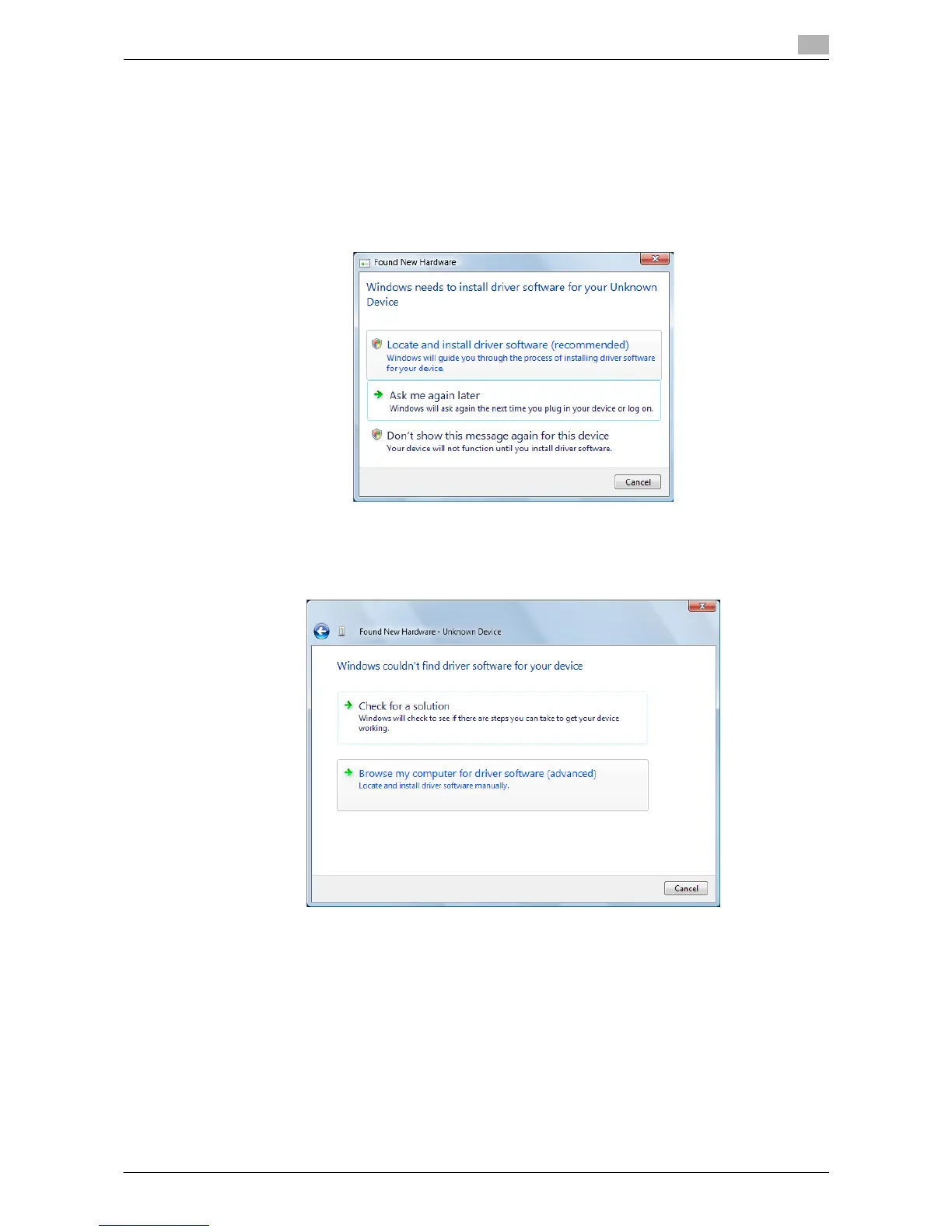
The "Found New Hardware" dialog box appears.
3 Select "Locate and install driver software (recommended)".
4 Insert the application CD-ROM provided with the authentication unit into the CD-ROM drive of the
computer.
5 Click the "Browse my computer for driver software (advanced)".














 To Next Page