bizhub C652/C552 4-9
4.5 The [Access] key
4
4.5 The [Access] key
If the administrator has configured user authentication settings/account track settings, only the users who
have been registered or the users whose accounts have been registered can use this machine.
If the administrator has configured a usage schedule, a user can use the machine by entering a password for
non-business hours.
Controlling access to the machine by user/account (user
authentication/account track)
0 With the user authentication/account track functions enabled, only the users who enter passwords for
users or for accounts can use this machine.
0 Thus, the number of copies among others can be managed by user/account.
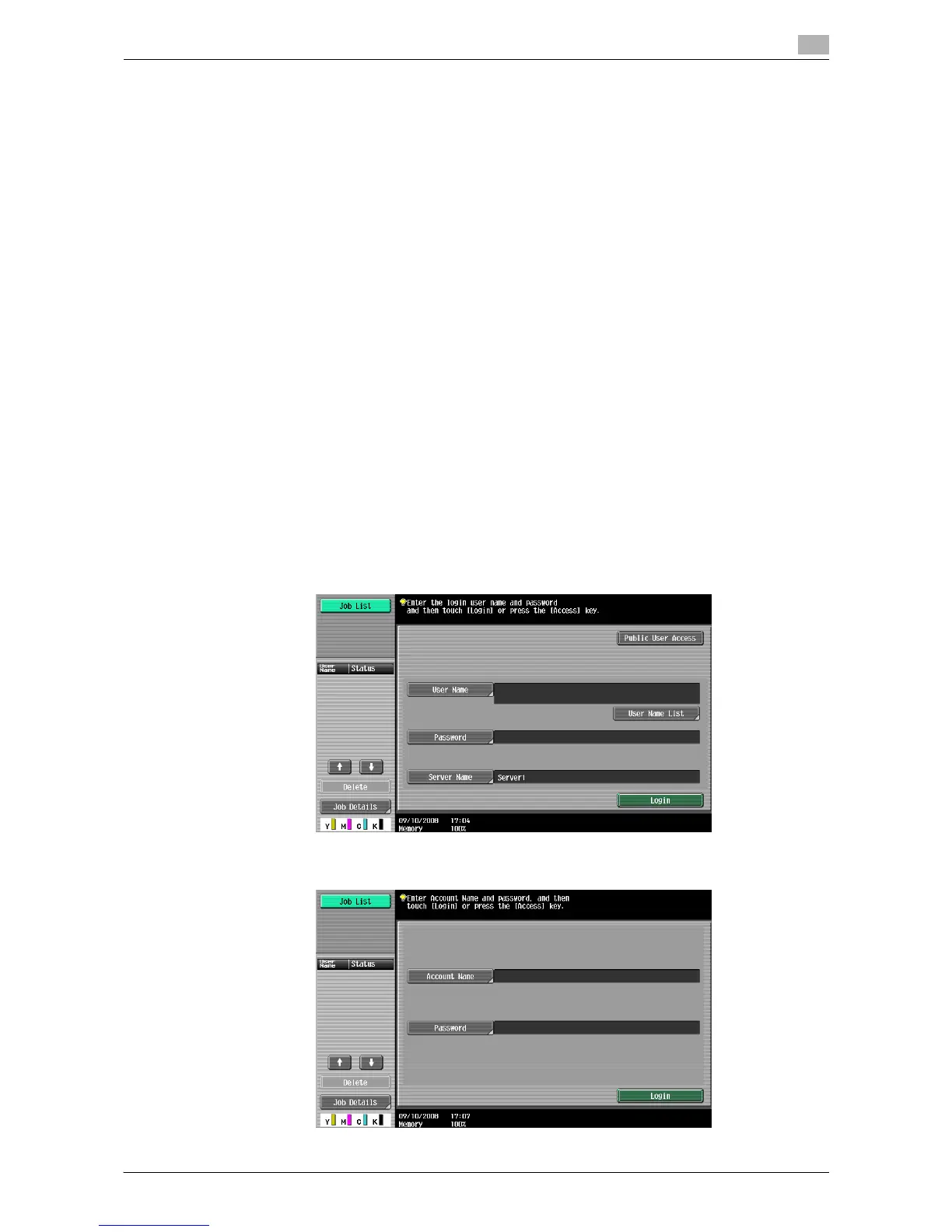
0 Contact the administrator for information on the user name, account name, password and server name.
0 The login page that appears may vary depending on the user authentication/account track settings.
0 The user authentication settings can be used together with the account track settings. If the User
Authentication/Account Track is set to [Do Not Synchronize], complete user authentication, and then
log in by using the Account Track screen.
0 If MFP authentication or external server authentication has been set, a total of 1,000 users and accounts
can be registered.
0 After copying is completed, press the [Access] key to log out from the machine.
0 To get permission to use the machine, you can use an authentication unit (biometrics type/IC card type)
for authentication.
0 If authentication is performed with PageScope Authentication Manager, check with your server
administrator for information on the login procedure.
% Press the [Access] key.
Screen for user authentication
Screen for account track














 To Next Page