bizhub C652/C552 5-10
5.1 Basic
5
5.1.5 Finishing
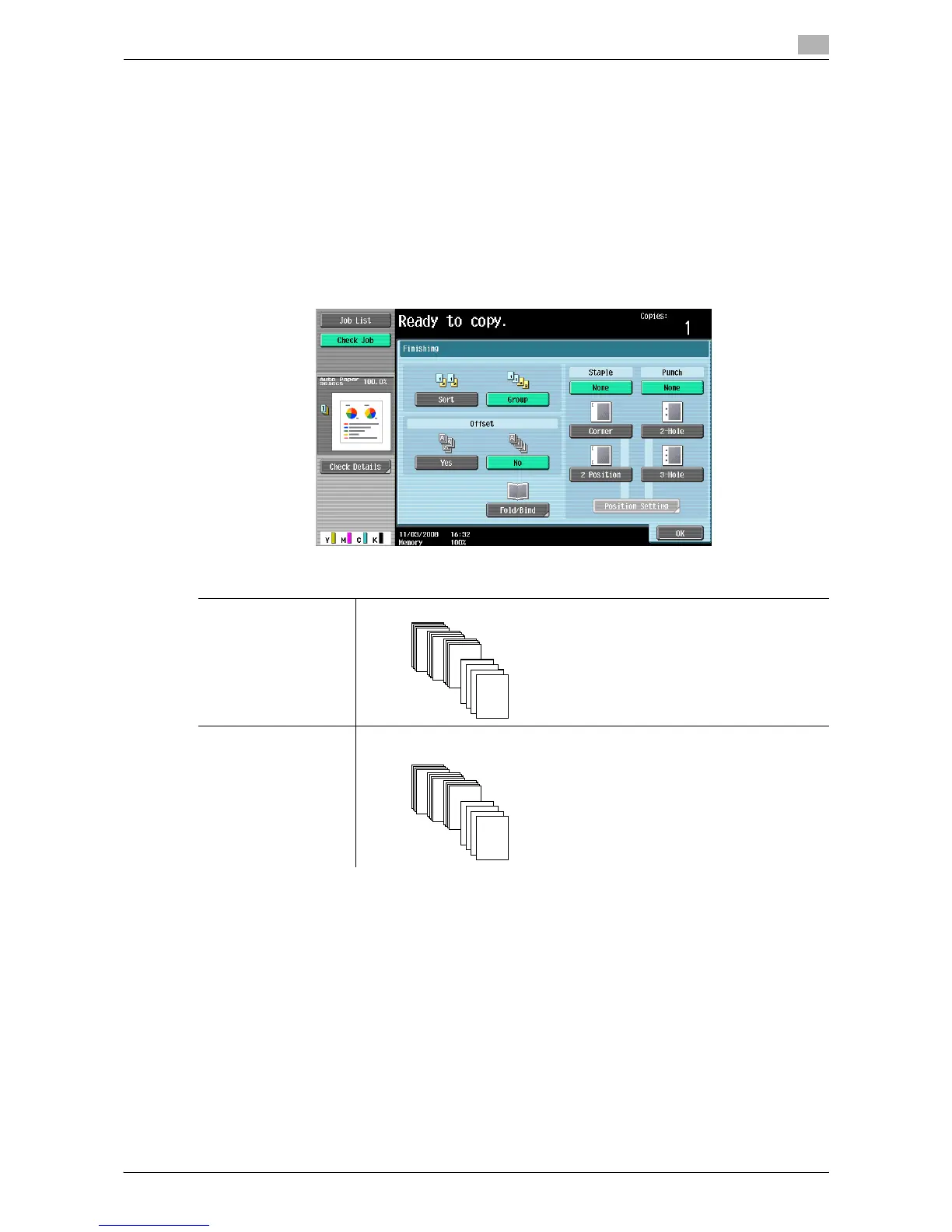
Various settings can be selected for sorting and finishing copies fed into the copy output tray.
0 The Staple settings are available only if the optional finisher is installed.
0 The Punch settings are available only if the punch kit is installed on the optional finisher.
0 The Half-Fold, Center Staple & Fold and Tri-Fold functions can be used when a saddle stitcher is
installed on the optional finisher.
0 "Staple" cannot be used together with "Offset".
0 The Half-Fold, Center Staple & Fold or Tri-Fold function cannot be used together with any of "Offset",
"Staple" or "Punch".
% Press [Basic] ö [Finishing].
Settings
Sort Prints the copied sets separately when a multi-page original is copied.
Group Makes multiple copies of each page when you make multiple copies of a multi-
page original.
1
1
1
4
3
2
1
4
3
2
1
1
1
1














 To Next Page