bizhub C652/C552 11-4
11.1 Using authentication unit (IC card type)
11
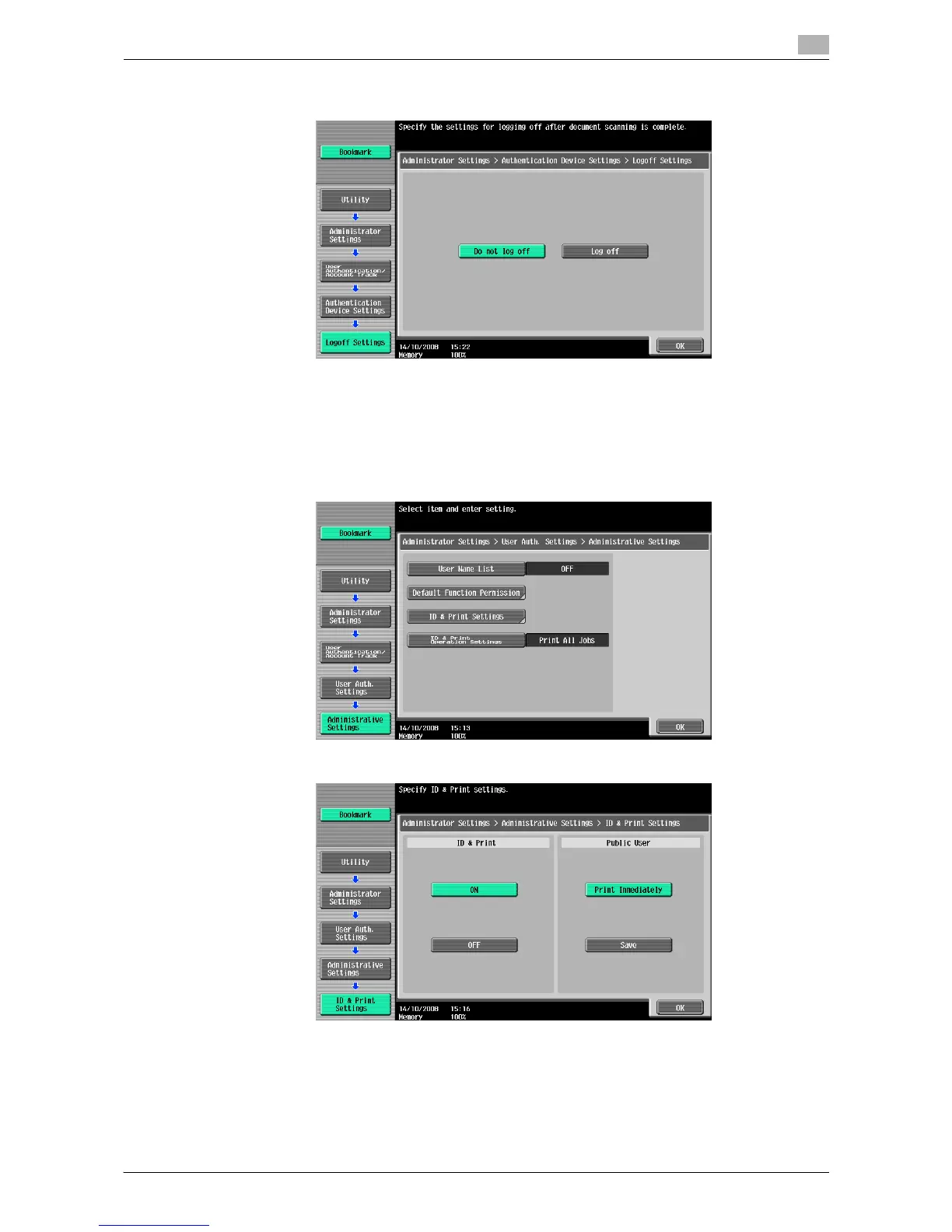
10 Specify whether to log out the user when scanning the original has finished after the user logged in with
the authentication unit.
11 Press [OK], then [Close].
12 Press [2 User Authentication Settings].
13 Press [1 Administrative Settings].
14 Press [ID & Print Settings].
15 Press [ON] under "ID & Print", and then press the [OK] button.
% [ON]: The ID & Print function is used.
% [OFF]: The ID & Print function is not used.
% [Print Immediately]: Any jobs of unauthenticated users or the public user are printed immediately.
% [Save]: Any jobs of unauthenticated users or the public user are saved in the ID & Print User Box.














 To Next Page