17-17
Maintenance > Replacement of Consumables
Disposing of the Punch Waste
When the waste punch box is full, the following messages will be displayed. Empty the punch waste box.
"Empty the punch waste box."
Leave the power switch on the machine switched ON while performing this procedure.
1
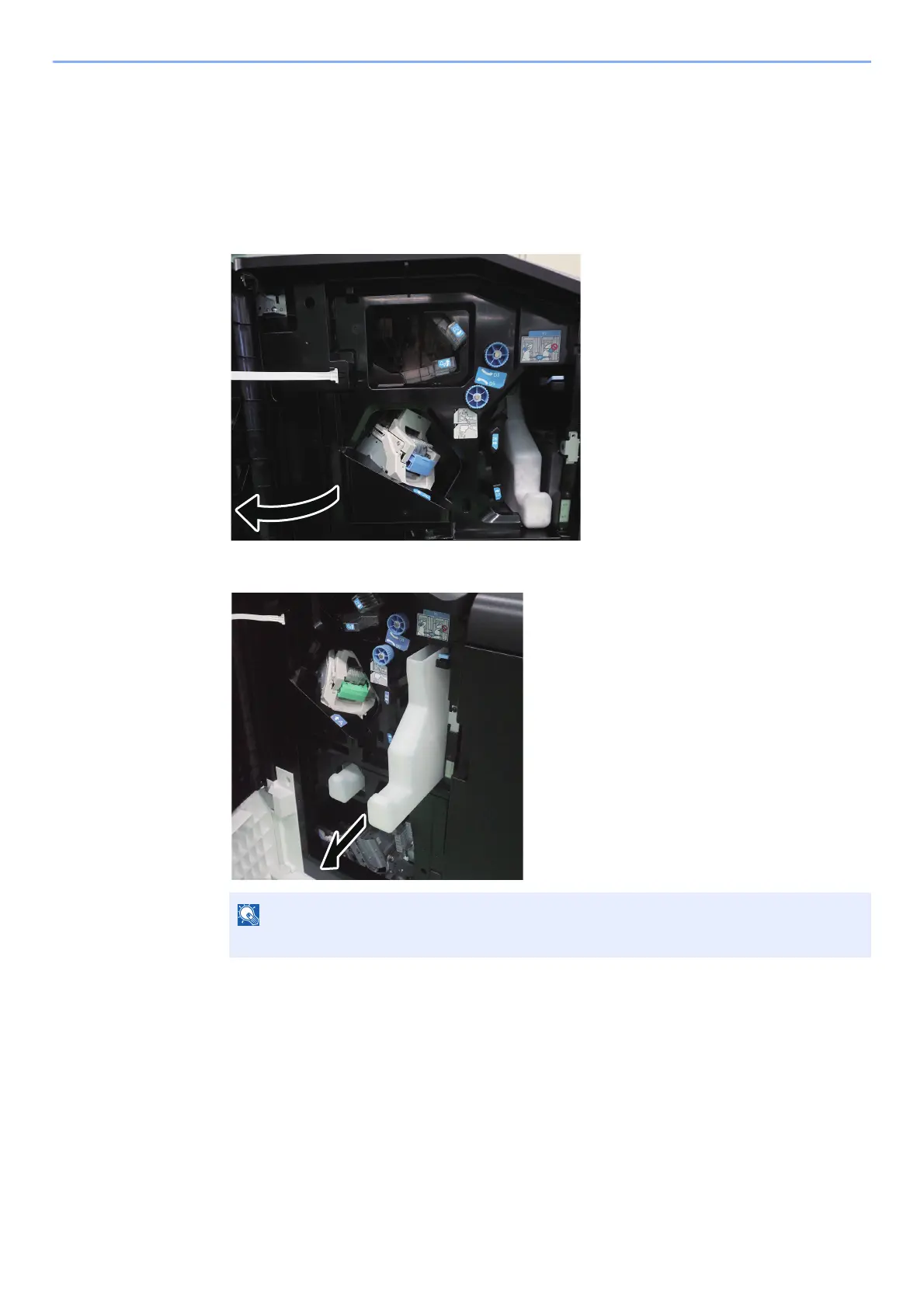
Open the finisher front cover 1.
2
Remove the Punch Waste Box.
Take care not to spill the waste hole punch scraps when removing the box.










 To Next Page