– Programming Manual 2. Front Panel 11
2.
FRONT PANEL
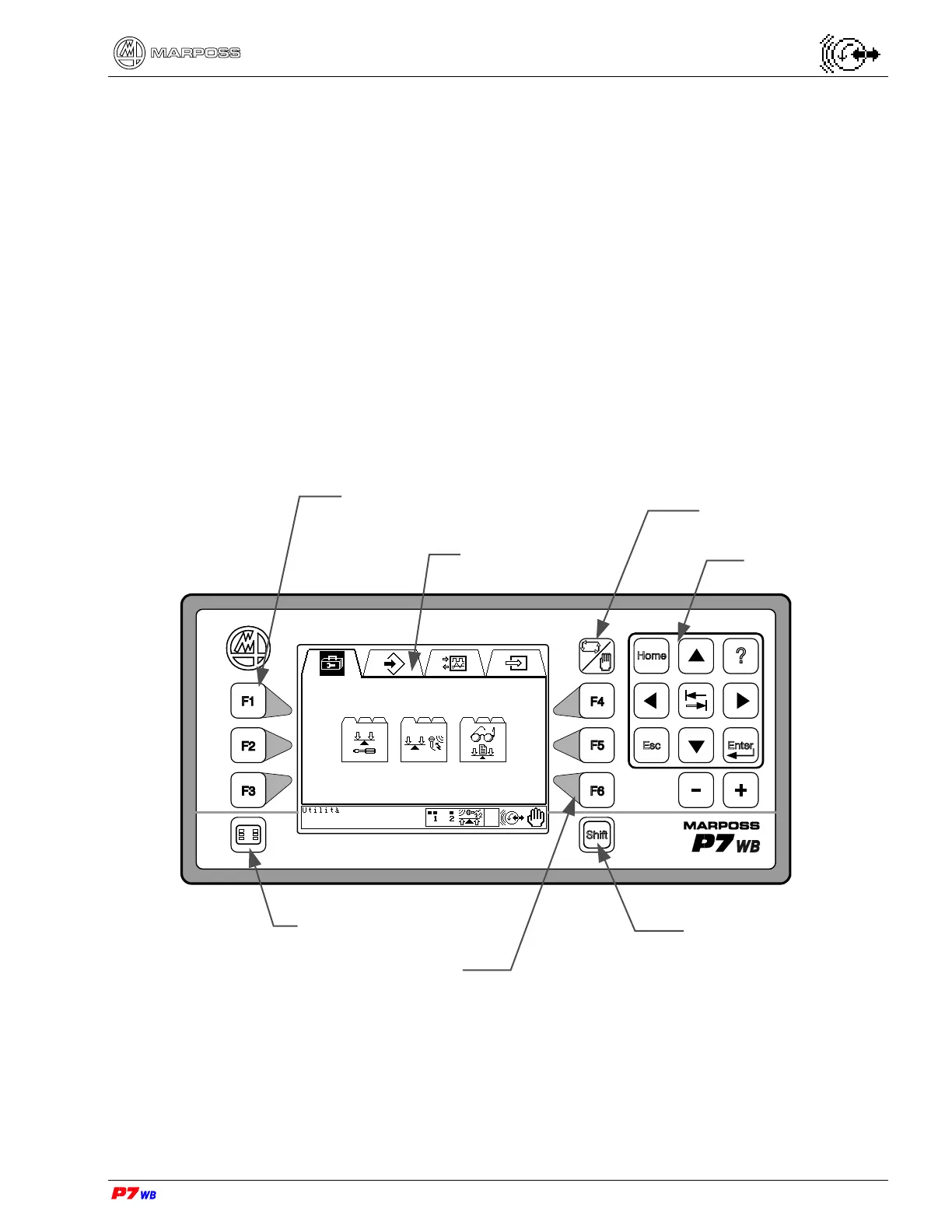
The front panel allows the programmer to customize the gauge system to a specific
measurement application. The keypad is used to access the various program pages.
Three types of front panel are available:
Standard panel (in local or remote version)
3HE 19" panel (in remote version only)
3HE ½19" panel (in remote version only)
The function of the panels is similar, they differ just in the keys arrangement.
Standard panel
Hot key menu
Shift key
F keys
Display
Manual/Automatic
key
Keypad
F keys


 To Next Page