116 18. Balancing heads Info – Programming Manual
Parameter programming: press to highlight the field of interest, press or
to view the desired value, and to confirm.
18.1.2.
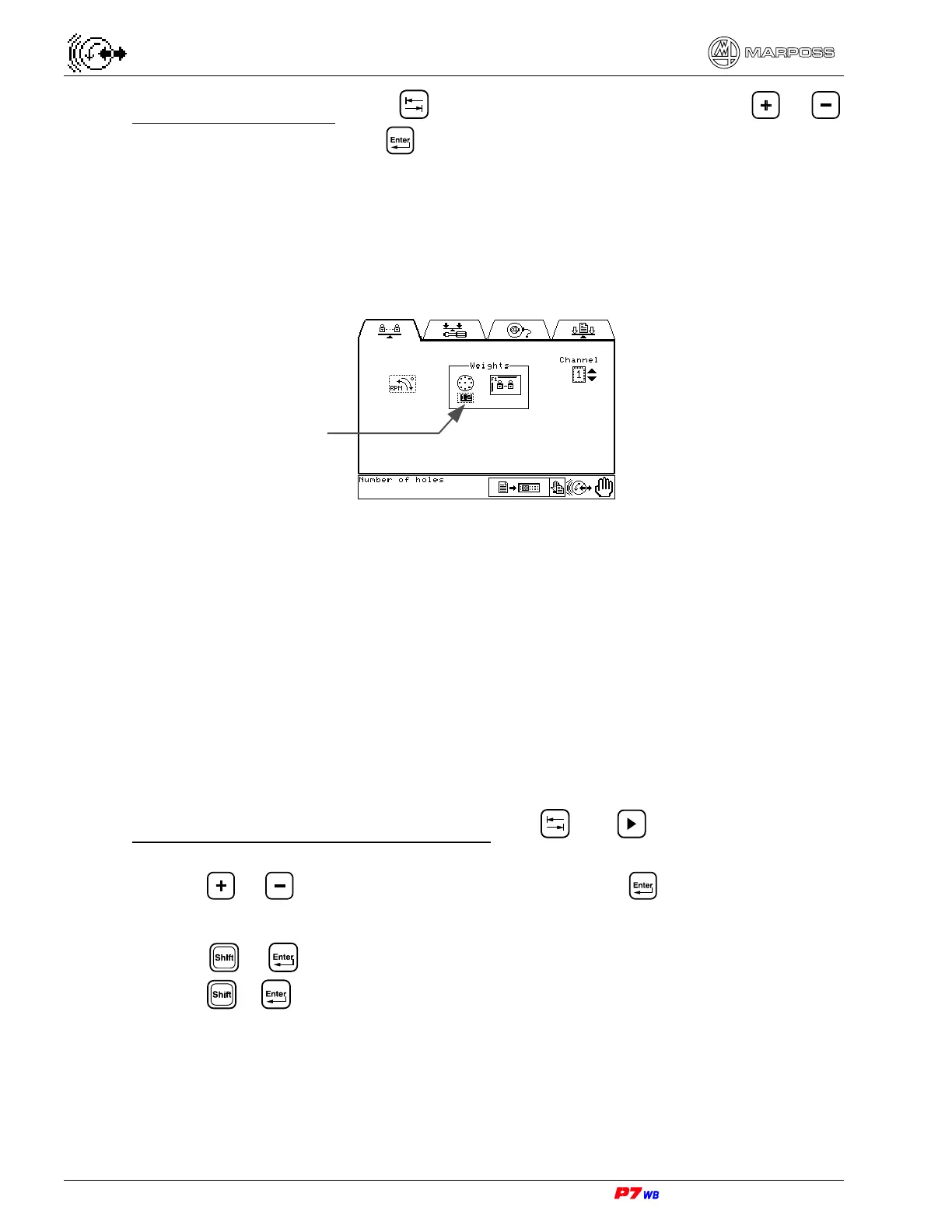
Number of holes
Number of equally spaced threaded holes present on the wheel flange (made by
Customer) in which commercial dowels with different weight are screwed for the
manual balancing procedure with variable weights / fixed angles.
Programming the datum “number of holes” also defines the type of manual balancing
with weights:
• Number of holes programmed to NO: manual balancing with fixes weights /
variable angles (the F1 key is disabled). See section 10.2.2 “Manual balancing
procedure with fixed weights/variable angles”, page 3.
• Number of holes programmed to a value between 6 and 90: manual balancing with
variable weights / fixed angles (see section 10.2.3 “Manual balancing procedure
with variable weights /fixed angles”, page 3). The F1 key is enabled to allow
access to the programming of the available weight values (see section 18.1.3,
page 3).
Programming the “number of holes” datum: use and to highlight the field of
interest, then:
• press or to view the desired value (6 to 90), and to confirm;
or
• press + to program the datum to NO (to reset the datum programming
press
+ again).
Number of holes



 To Next Page