64 11. Measurement adjustment – Programming Manual
11.5.
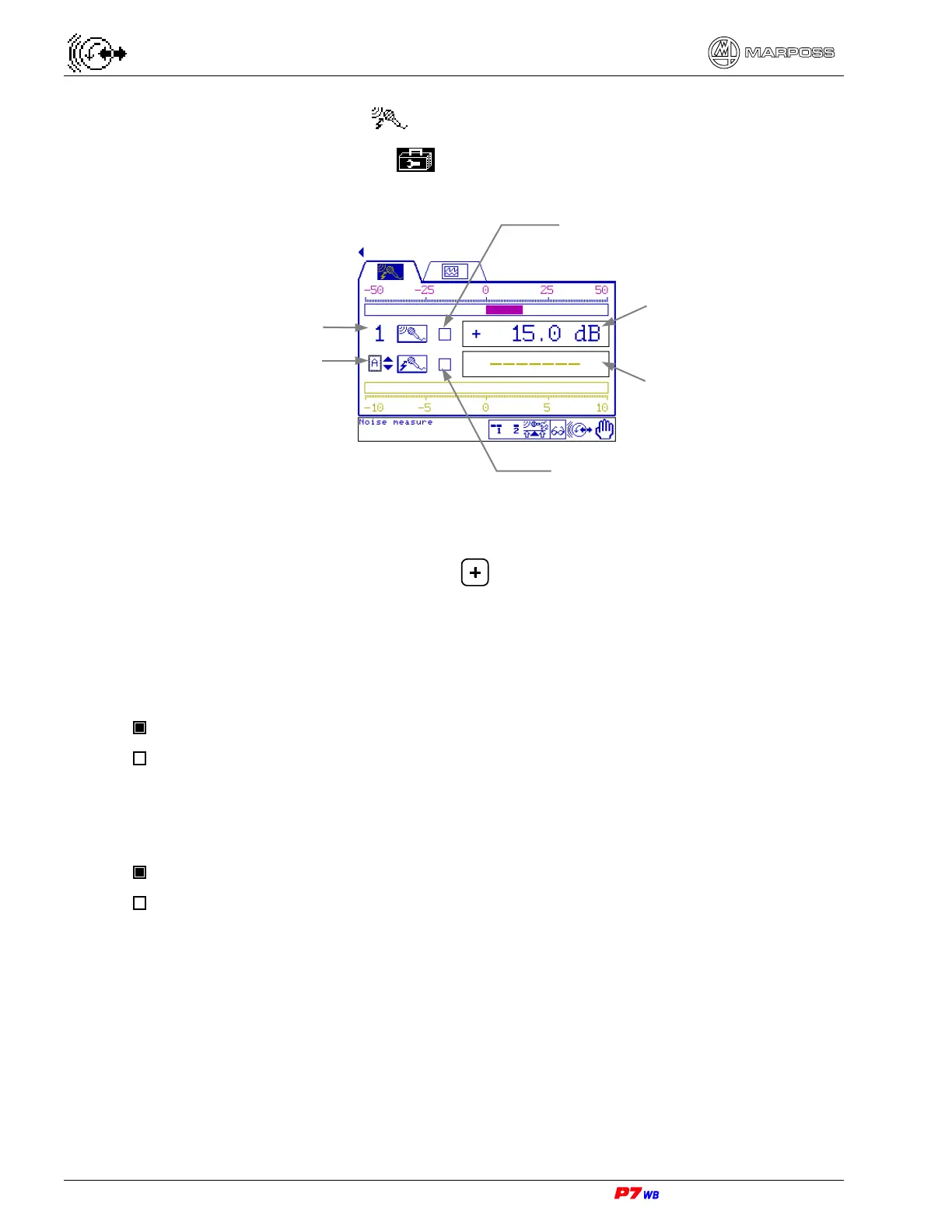
Noise measurement
Page C6 of the “Utilities” folder menu map (section 8.1, page 3).
(1) Measurement selection: present only in the applications with two logical
channels.
With the field highlighted, press to select the desired measurement (the
number of the corresponding physical channel, 1 or 2, is displayed).
Status of the Gap control
The Gap control status is displayed by LED:
LED lit: Gap control triggered
LED not lit: Gap control NOT triggered
Status of the Crash control
The Crash control status is displayed by LED:
LED lit: Crash control triggered
LED not lit: Crash control NOT triggered
Measurement selection - A or B
(1). (logical channel)
No. of physical channel
Noise value of
Gap control
Noise value of
Crash control
LED: status of Gap control
LED: status of Crash control



 To Next Page