– Programming Manual 2. Front Panel 13
2.1.
Keys
ICON NAME FUNCTION
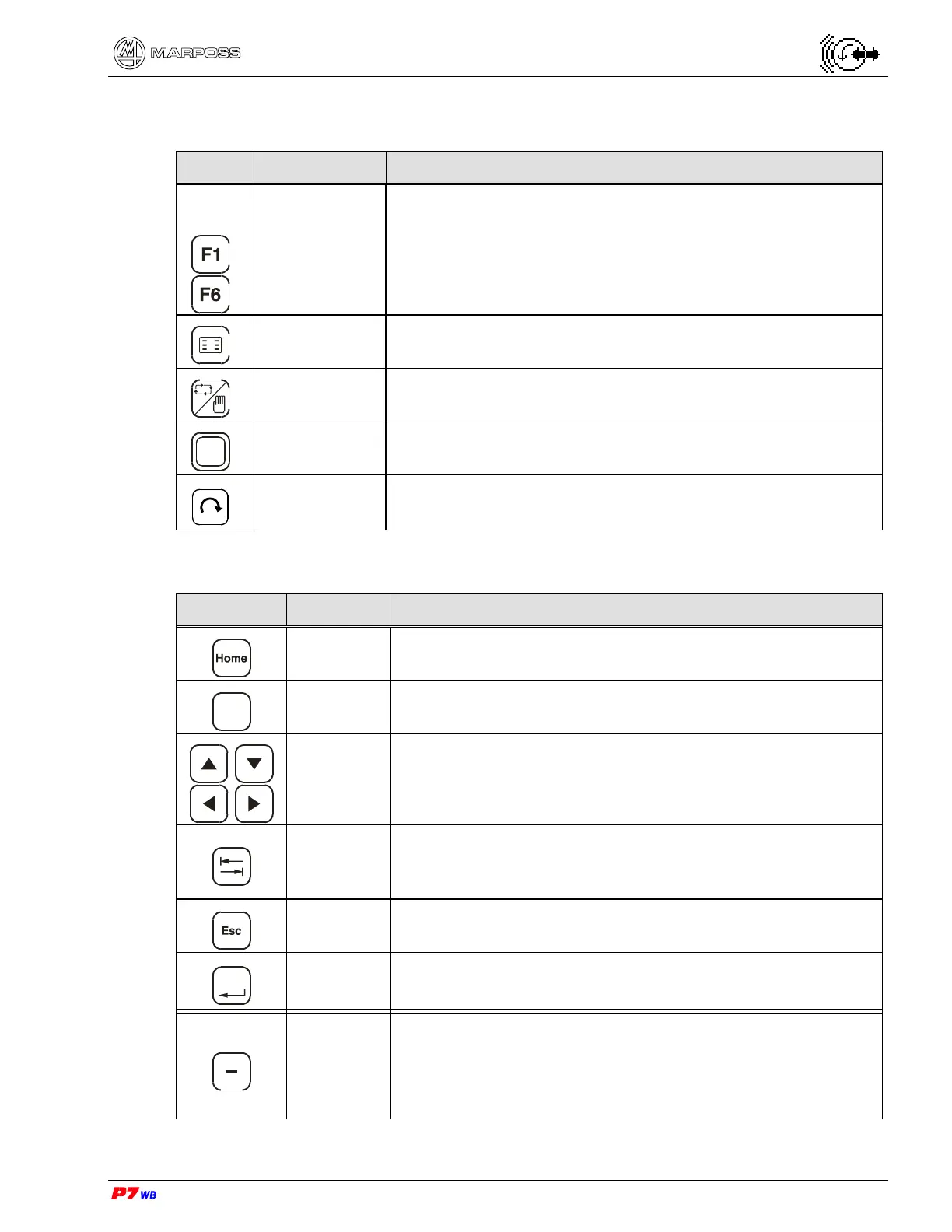
F Keys
F1 to F6 keys can be used in two ways: as Hot keys or as
Function keys. Hot keys are shortcuts for moving through
the various pages and can be assigned by the operator
using the keypad, see section 4.1.1. Function keys are
predefined to do a one task on page.
Hot Key
Menu
Display the Hot keys on the screen and removes them.
Automatic
Manual
Switch the gauge system between Automatic and Manual
modes.
Shift
Shift
Key used with other keys (see section 2.3 “Combination
of keys“, page 3).
-----------
NOT enabled key
2.2.
Keypad
ICON NAME FUNCTION
Home
Return the program to the Home page. The Home page
can be defined using the keypad, see section 4.2.3
?
?
View the software version number at power up and test
the panel (see section 2.4 on page 3).
Arrows
Move the cursor around the screen.
TAB
Move the cursor through data groups on page. Used with
the Shift key to choose the Wheel/Cycle, see section 6.3
page 3.
Esc
Move up one level of the program. During a programming
session aborts all changes made.
Enter
Enter
Enter data. Move down one level of the program.
Minus
Decrease data values one digit at a time (with autorepeat
function).
In case of predefined data, allow scrolling parameters or
icons to view the desired one.



 To Next Page