– Programming Manual 23. Gap & Crash Function 155
3. Bring the wheel almost in contact with the workpiece, or with the reference pin if
the GAP control is used to check position, etc., as in normal working conditions
(wheel spinning at work speed, workpiece rotating, coolant on, etc.).
4. Highlight and press (the icon changes meaning becoming ).
5. With the gain adjustment area highlighted, adjust the sensitivity with keys
and , bringing the noise display on bargraph slightly below the threshold V
and just before the GAP control LED switches off.
6. Highlight and press .
7. To verify the programming perform a few cycles and verify that the GAP control
has triggered at the right time.
Note: The background noise acquisition time is 300 ms from the start cycle so it
is mandatory that the grinding wheel takes more time to reach the
workpiece.
Note: If the type of wheel, workpiece, etc. is changed it may be necessary to
reprogram the system.
23.2.3.
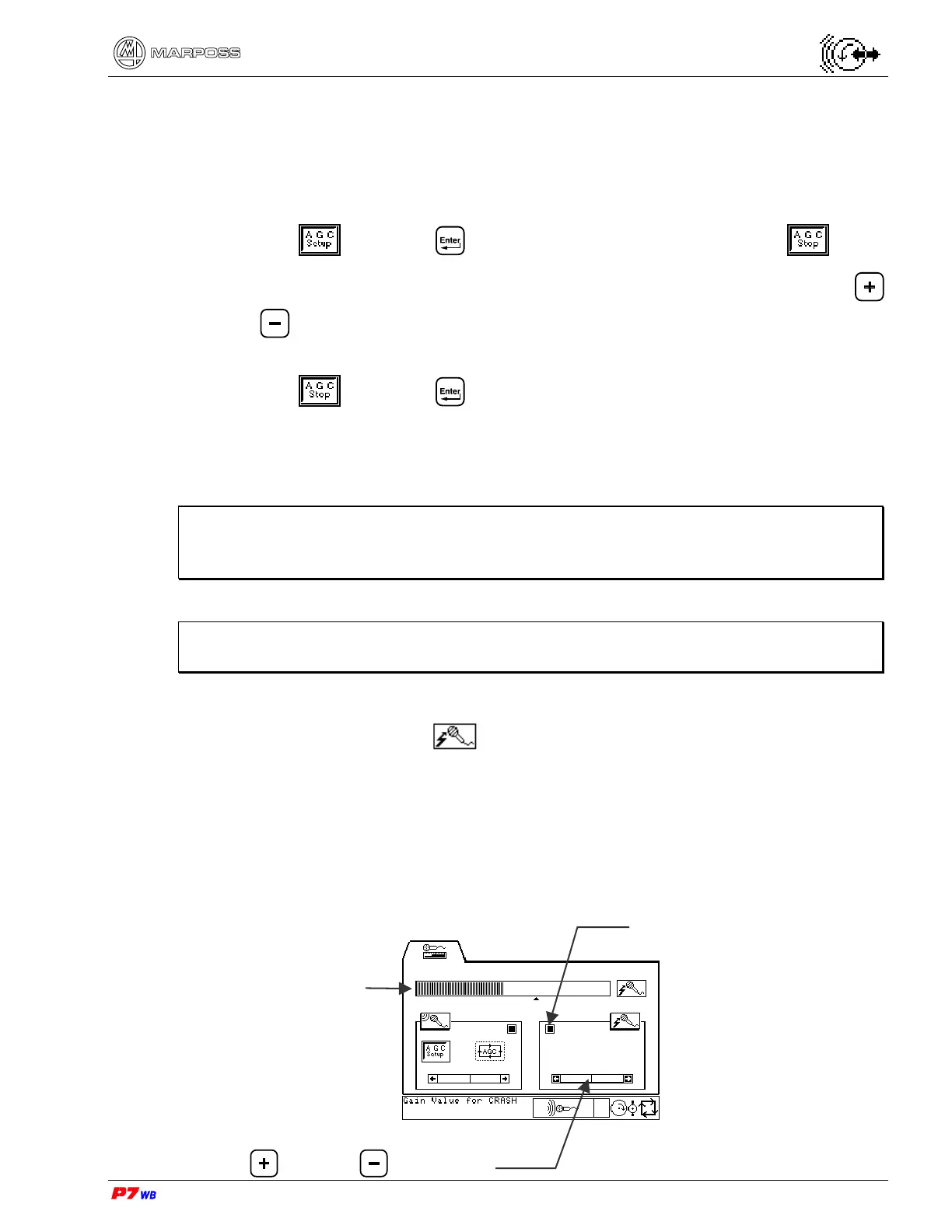
CRASH control setting
The CRASH control must be intended as an ALARM signal that is given when the
grinding wheel collides against the workpiece or other devices and/or parts of the
grinder due to a malfunction or to a bad programming.
Setting procedure
Scroll bar for gain value adjustment
Key
= / Key =
CRASH control LED
Bargraph



 To Next Page