58 11. Measurement adjustment – Programming Manual
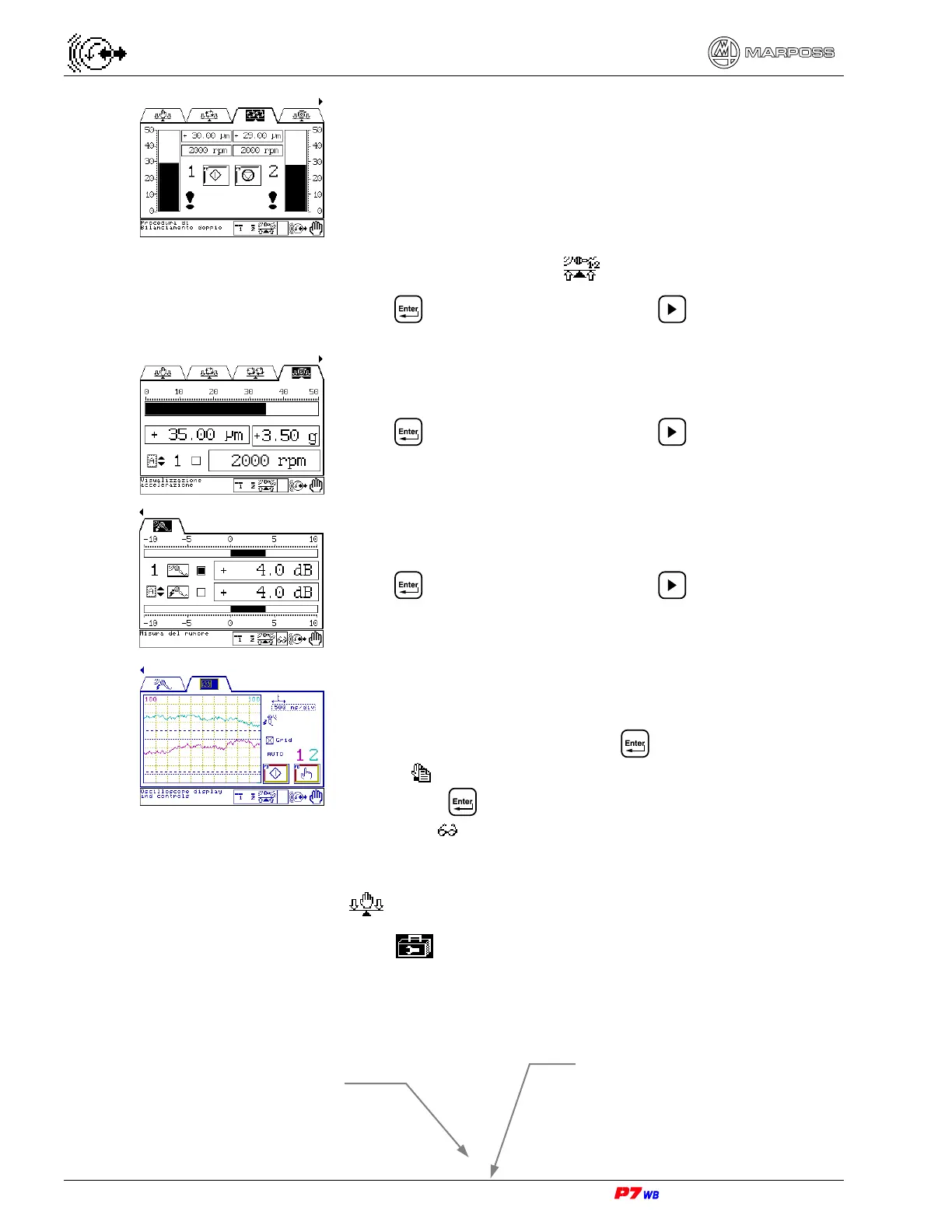
Double Automatic Balancing page (balancing on 2 channels
simultaneously) (section 11.3, page 3).
Note: page displayed only if:
- P7 system with “Two Channels Simultaneously”
balancer card
- the ”Dual Plane Balancing” software function
(system configuration) is enabled
- a two-channel set is selected.
Press to go to the page; press to switch to the
View Acceleration page.
View Acceleration page (section 11.4, page 3).
Press to go to the page; press to switch to the
Noise measurement folder.
Noise measurement page (section 11.5, page 3).
Press to go to the page; press to switch to the
Oscilloscope Display folder.
Oscilloscope Display page (section 11.6, page 3).
Request for **User’s password** (if active):
• type the password and press to program / change
data (
).
• Pressing without password gives access to data
viewing ( )
11.1.
Manual balancing
Page A5 of the “Utilities” folder menu map (section 8.1, page 3).
Wheel balancing with manual control of the motors that actuate the balancing heads
masses.
Measurement selection - A or B (1)
Logical channel → Physical channel
Vibration value (2)



 To Next Page