– Programming Manual 13. Programming 85
13.4.
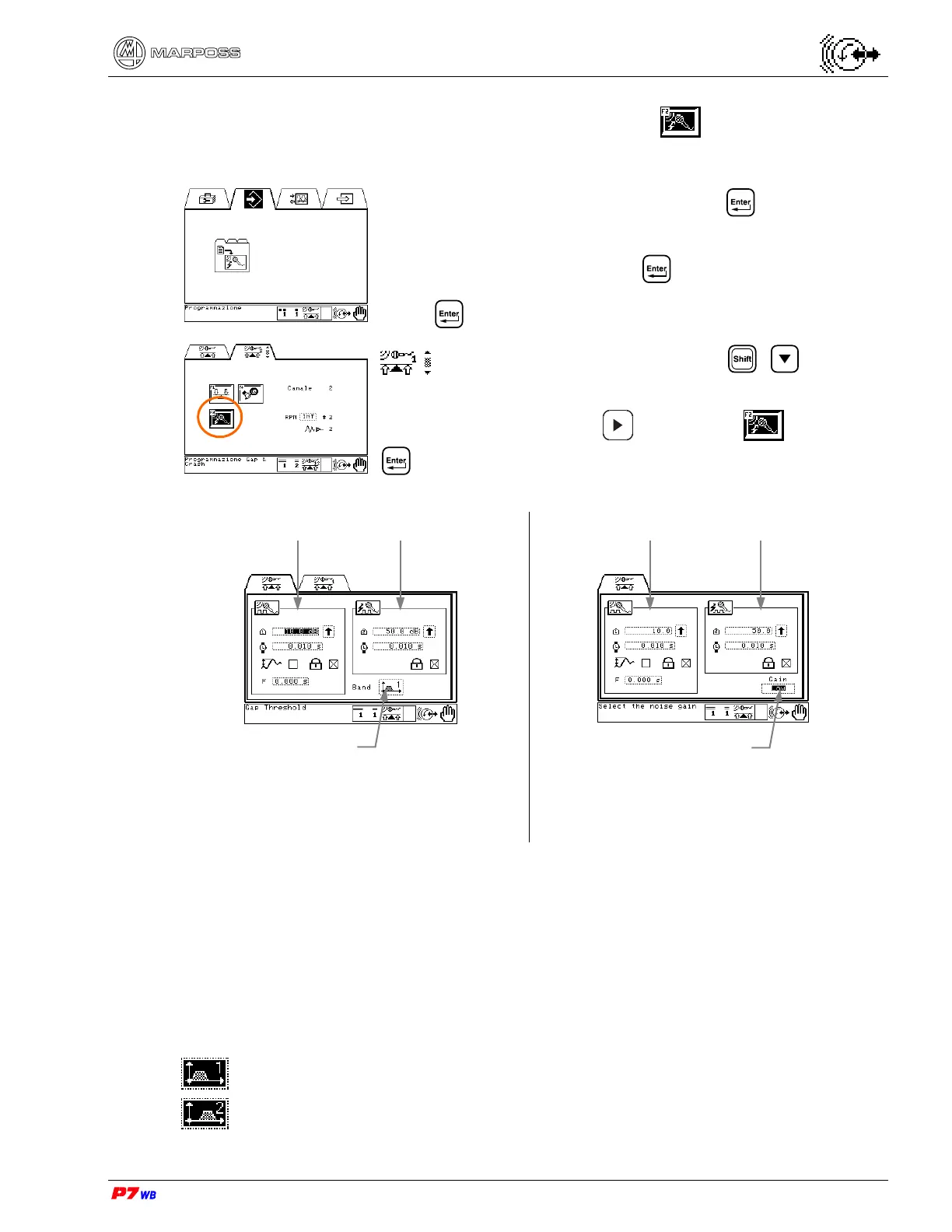
Programming the integrated Gap&Crash
Select the Programming folder and press .
With **User’s password** active, the password is asked:
• type the password and press .
Press .
Application with 2 channels: press + to select
Channel 1 or Channel 2.
Press function key F2 or to highlight and press
to access the data programming page.
Type of receiver/transmitter unit: E78N/E82 or
Compact
Type of receiver/transmitter unit: MINI CT
13.4.1.
Selecting a Frequency Band
Selection of the frequency band for filtering the contact noise.
The following icons indicate, with reference to the balancing head used, the different
frequency bands that can be selected.
FTHG / STHG balancing heads (type of receiver/transmitter unit: E78N/E82)
Band 1: 50 to 100 KHz
Band 2: 100 to 200 KHz
Frequency band
selection
Area of Gap
control data
Gain selection
Area of Crash
control data
Area of Crash
control data
Area of Gap
control data



 To Next Page