– Programming Manual 11. Measurement adjustment 57
11.
MEASUREMENT ADJUSTMENT
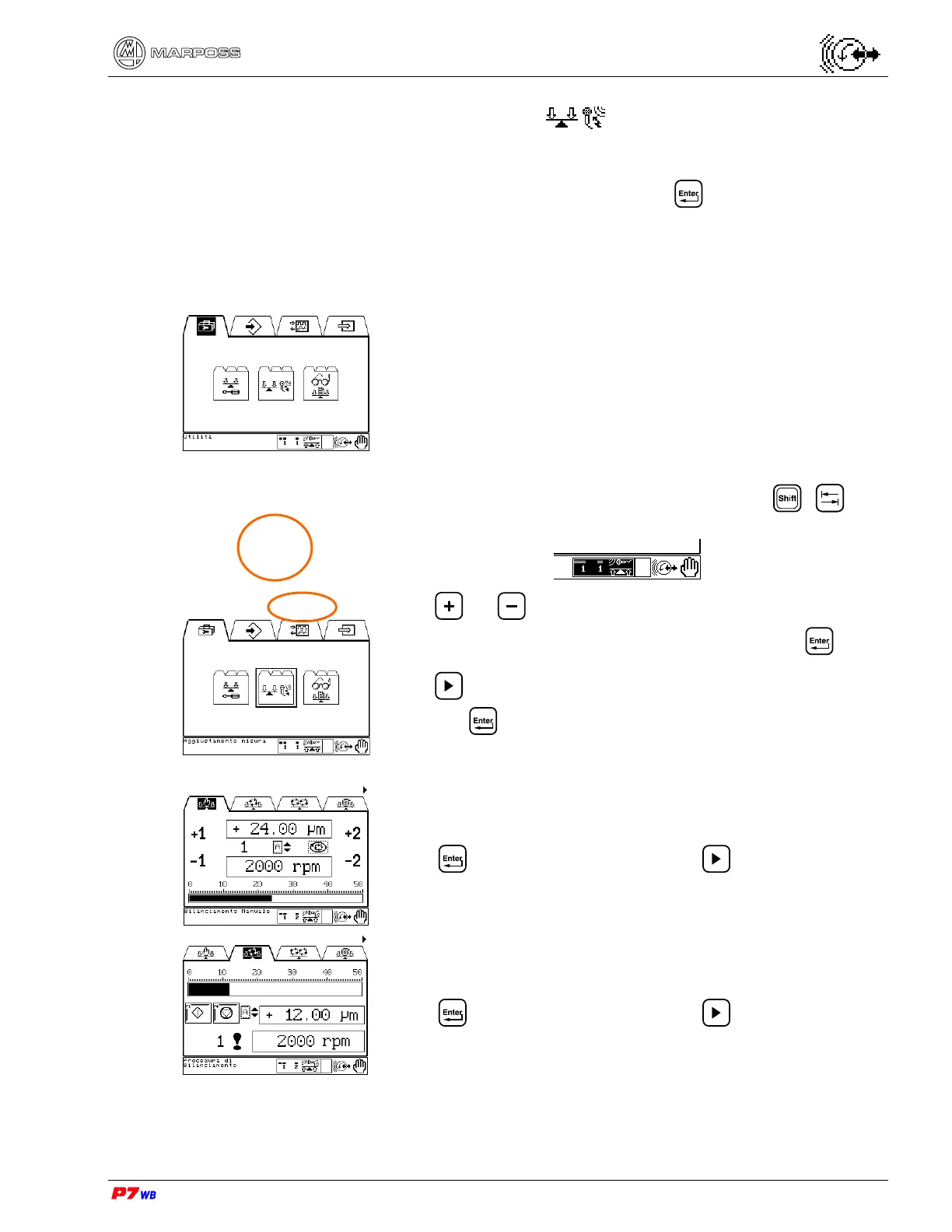
Manual operating mode
Select the Utilities folder and press
Should more Sets be programmed, use + to
highlight the set selection area:
press or to select the set on which measurement
adjustment operations will be performed and press .
Press to select the Measurement Adjustment sub-folder
and press .
Manual Balancing page (section 0, page 3).
Press to go to the page; press to switch to the
Automatic Balancing folder.
Automatic Balancing page (section 11.2, page 3).
Press to go to the page; press to switch to the
Double Automatic Balancing folder.



 To Next Page