– Programming Manual 14. I/O test 95
Field Bus test (Section 14.3)
Pages viewed only in case of
application with Field Bus
Functionality
Although it is possible to configure as wished how many and which inputs must be
viewed and how many and which outputs must be modified, the software
automatically carries out the following tests in order to prevent incorrect operations:
Based on the total number of I/O bits present on the card (or cards), the Operator
is not allowed to configure the screen with I/O bits that actually are not present.
For instance, if the I/O card of the gauge has a total of 32 I/O’s, it does not make
any sense viewing or changing bit number 35.
It is not allowed to change input bits: when a bit has been configured as input on
the Bit Test, it is not possible anymore to change the status of the led
representing the selected input.
In the case of hardware problems on a card, for instance an output in short circuit,
all the bits referring to that card are immediately disabled. This is very useful if
more I/O cards are used, since it is possible to directly know which card requires
intervention.
14.1.
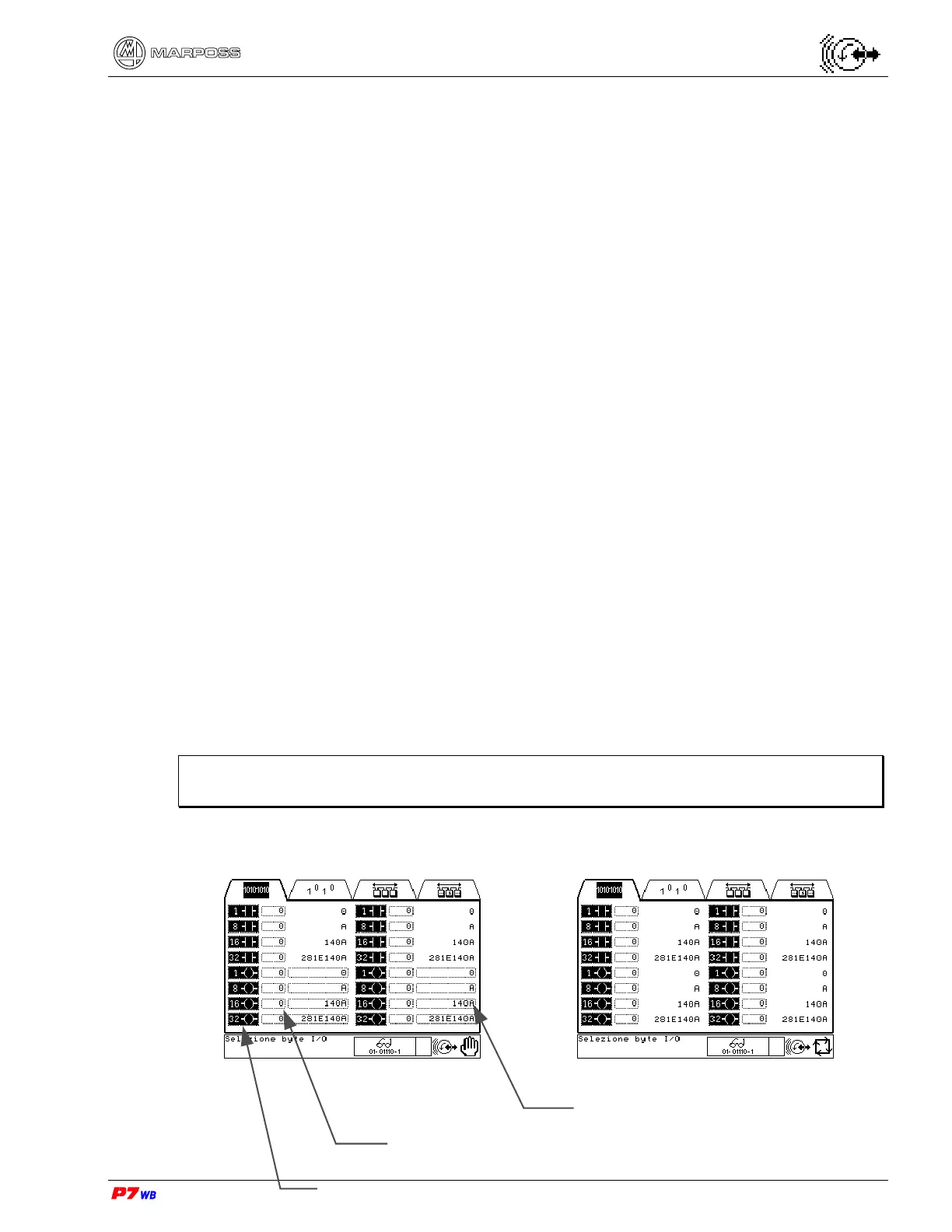
I/O Byte test
The aim of this page is viewing any physical input bit and viewing and/or changing
any physical output bit. Moreover it is possible to view and/or change all the I/O’s in
groups of 8 bits (byte), 16 bits (word) and 32 bits (double word).
Note: From here on, any individual bit, group of 8 bits (byte), 16 bits (word) and
32 bits (double word) will always be indicated with “I/O port”.
Manual Automatic
Type of I/O port
Value of I/O port
Number of I/O port



 To Next Page