50 10. Unit Set-up – Programming Manual
10.2.3.
Manual balancing procedure with variable weights /fixed angles
Page B7 of the “Utilities” folder menu map (section 8.1, page 3).
Wheel balancing using commercial dowels, with different weight, that are screwed on
the wheel flange where a number of equally spaced threaded holes were previously
made (by Customer).
Through a guided menu P7 supplies the values of the two weights and the relevant
angular position where they must be positioned in order to compensate the wheel
unbalance
Note: To be able to carry out this procedure the number of holes on the wheel flange
and the value of the available weights must have been already programmed (see
section 18.1.2 “Number of holes“, page 3 and section 18.1.3 “Weight value”, page 3).
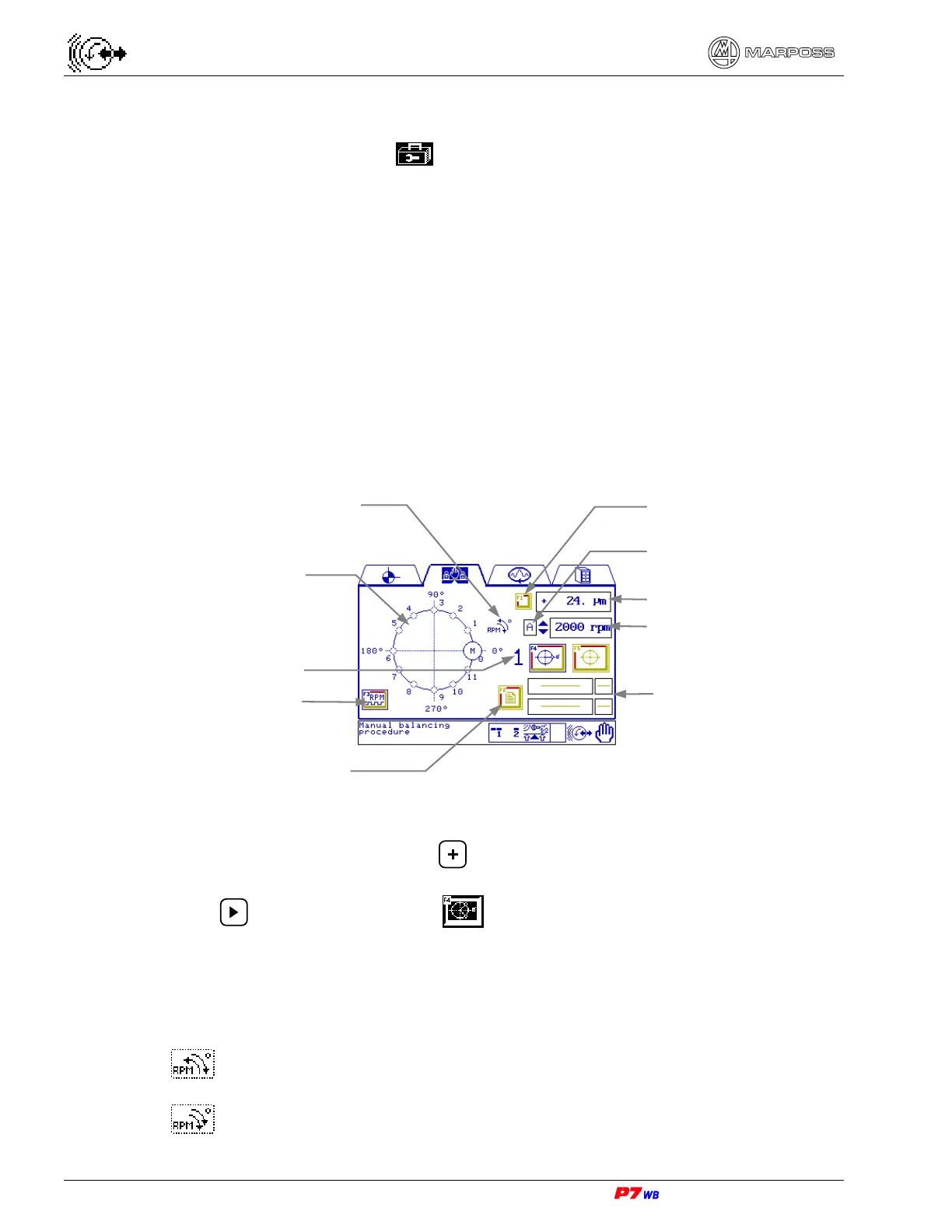
(1) Measurement selection: present only in the applications with two logical channels.
With the field highlighted, press to select the desired measurement (the No.
of the corresponding physical channel is displayed).
Press to highlight the F4 key .
(2) Wheel rotation direction (RPM) / Holes angular positioning direction (°): See
section 18.1.1 “Wheel rotation direction (RPM) / Angle evaluation direction (°)“,
page 3.
Wheel rotation → counter-clockwise
Holes angular positioning → clockwise
Wheel rotation → clockwise
Holes angular positioning → clockwise
Graphic representation of
holes angular position
Weight value and
(hole) fastening
position
Measurement selection (1)
Wheel rotation speed
Procedure repetition
Vibration value (3)
Wheel rotation direction / holes
angular positioning direction (2)
Function key NOT active
No. of physical channel
RPM sensor control



 To Next Page