– Programming Manual 6. Defining the Sets 25
6.
DEFINING THE SETS
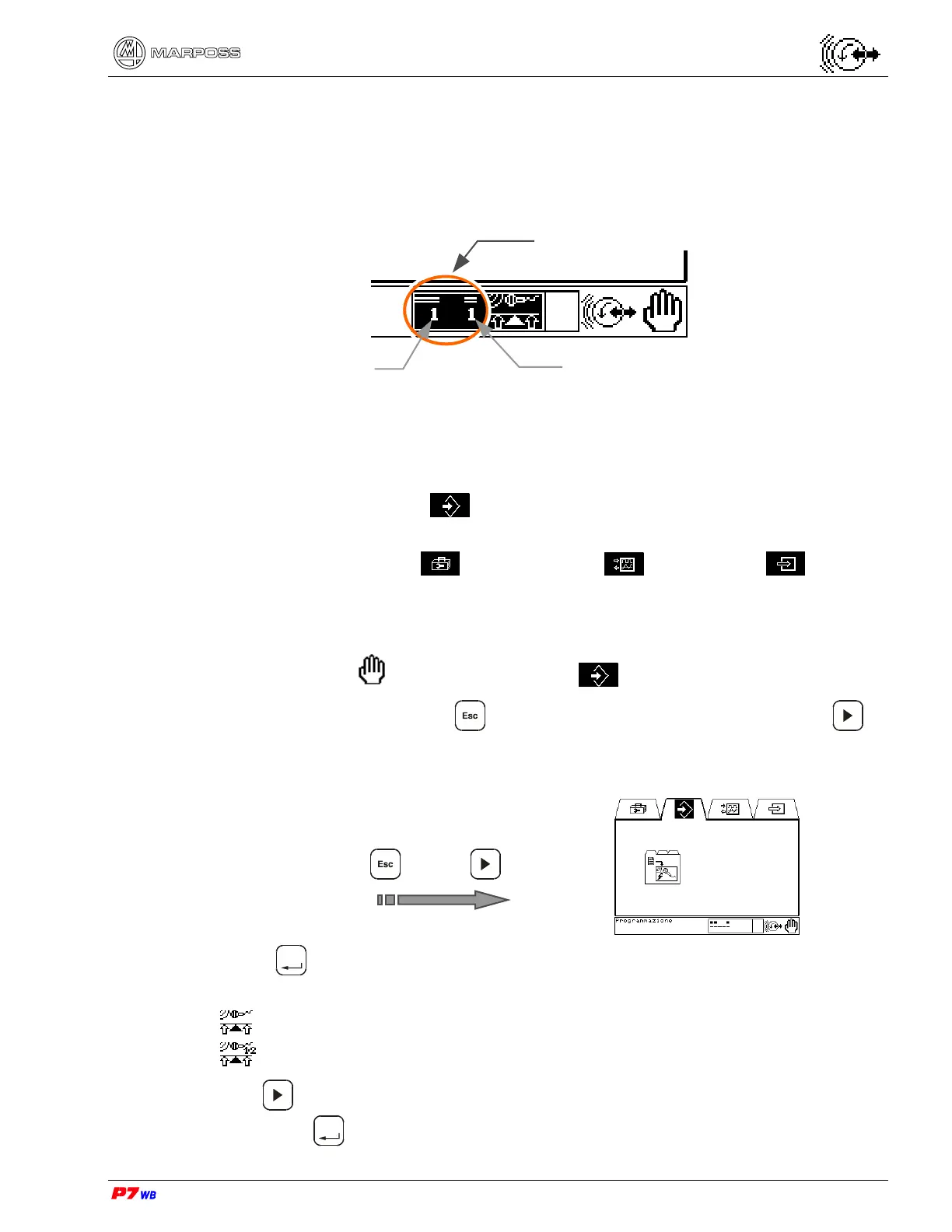
The work data are associated to a Set number: each Set is defined by the
combination of two numbers, each one programmable from 1 to 16, totaling 256
combinations (256 Sets).
Each Set can be combined with different types of wheels and/or numbers of cycle
based on the programming of the machine logic.
From the Programming page it is possible to define new Sets, delete already
existing Sets and change the active Set selection.
From the other pages (Utility , Inputs&Outputs , External Info ) it is only
possible to change the active Set selection.
6.1.
How to define the sets at the first power-on
In Manual mode and in Programming only.
1. At the first power-on, press until the main screen appears, then use to
highlight the Programming folder.
/……. /
2. Press
Enter
to reach the application programming screen. In case of application
with two logical channels, select the application to be combined with the set:
application with a channel
application with two channels
3. Use to select the measurement application to be combined with the set,
then press
Enter
. The Set selection folder is highlighted on the screen bottom.
1
st
Set no. (1 - 16)
2
nd
Set no. (1 - 16)
Set



 To Next Page