26 6. Defining the Sets – Programming Manual
Enter
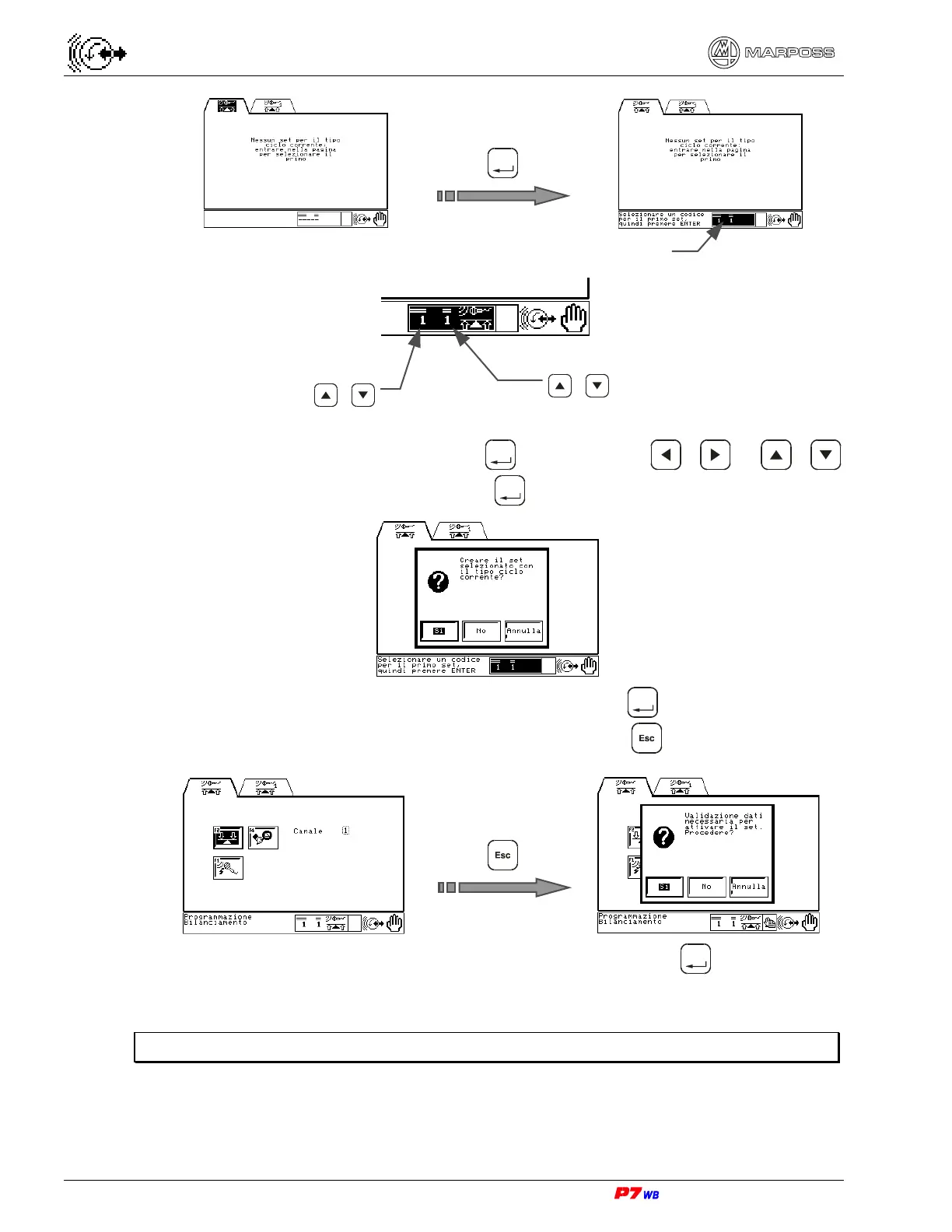
4. If 1/1 is the Set to be defined, press
Enter
, otherwise use / or /
to change the Set number, then press
Enter
.
5. A dialog box is displayed with “Yes” highlighted: press
Enter
.
6. The application programming page is displayed. Press .
7. Another dialog box is displayed with “Yes” highlighted: press
Enter
. In this way the
initial Set is defined.
Note: If you select “No”, the new Set is not defined.
Set selection
1
st
Set no.
/
2
nd
Set no.
/



 To Next Page