– Programming Manual 3. How the system is organized 17
3.2.3.
Sub-folders
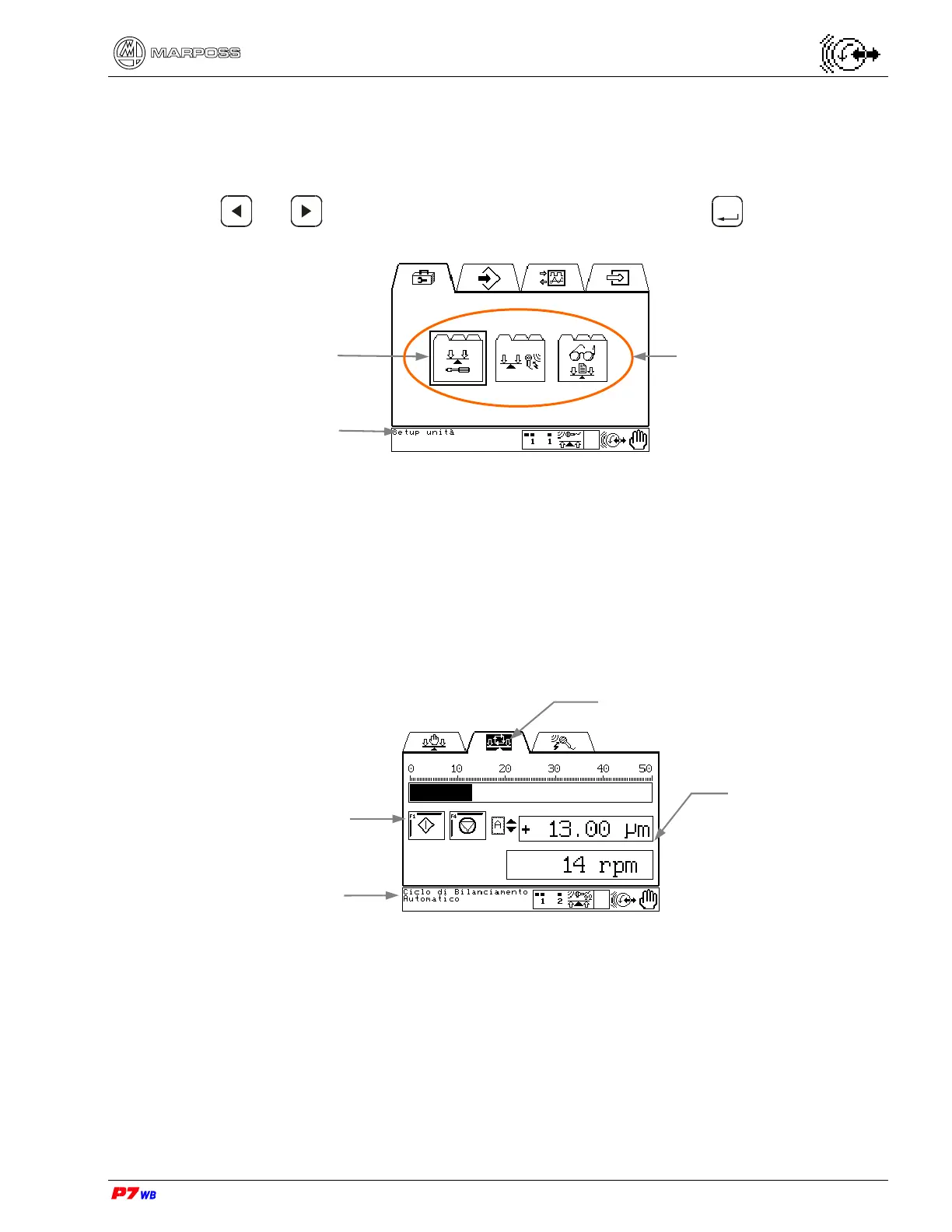
The sub-folders are the second level of the software structure and contain pages with
similar functions.
Use or to highlight the sub-folder icon and press
Enter
to access. The
message in the lower left is the name of the highlighted sub-folder.
3.2.4.
Pages
The pages are the third level of the software structure. Each contains a separate
function with information and function keys to perform that task.
Each page has three sections:
An icon at the top indicating the page function.
Function information in the middle including function keys.
Messages and information along the bottom.
Example:
The example above shows the page relevant to "Automatic balancing".
Selected
sub-folde
Sub-folders
Name of selected
sub-folde
Page data
Messages &
Information
Function Keys
Page icon



 To Next Page