– Programming Manual 11. Measurement adjustment 61
11.2.
Automatic balancing
Page B5 of the “Utilities” folder menu map (section 8.1, page 3).
Automatic wheel balancing cycle with manual control of start cycle (function possible
only when the proper logic enabling signal is present).
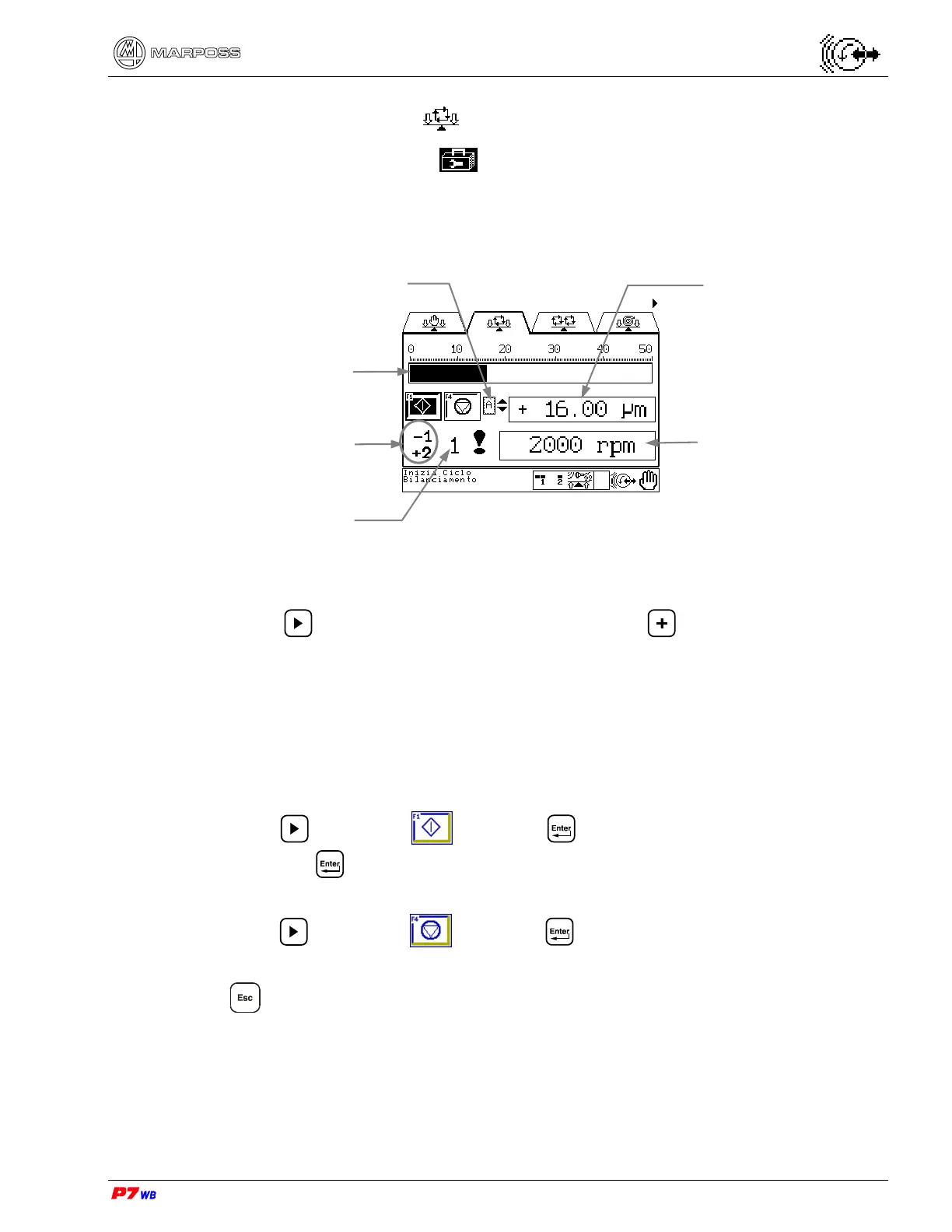
(1) Measurement selection: present only in the applications with two logical
channels.
Press to highlight the field, then press to select the desired
measurement (the number of the corresponding physical channel, 1 or 2, is
displayed).
(2) The vibration value can be displayed either as width (unit of measure "micron" or
"inch") or speed (unit of measure "mm/sec" or "inch/sec"). The display mode is
defined upon the application configuration.
Start balancing cycle
Press F1 or to highlight and press . A question box is highlighted; select
"Yes" and press
.
End balancing cycle
Press F4 or to highlight and press
or
Press .
Vibration value (2)
Measurement selection- A or B (1).
(logical channel)
Wheel rotation speed
Vibration value
Indication of motors
movement during cycle
No. of physical channel


 To Next Page