148 23. Gap & Crash Function – Programming Manual
Status of CRASH control
The status of CRASH control is indicated by a LED:
LED lit: CRASH control enabled
LED not lit: CRASH control triggered
23.1.2.1. GAP control programming
The GAP cycle can be controlled with the definition of an appropriate ultrasonic limit
value. This limit must be empirically defined according to the characteristics of the
application.
At first the grinding wheel must be in rest position, normally spinning and with the
coolant off. The microphone is already mounted and connected to gauge. The noise
displayed by the bargraph, in this particular condition is the background noise which
is a basic characteristic of the application.
With the proper frequency range already selected (see 23.1.1 “Hardware setup
” page 3), the value of the background noise displayed can be:
fairly stable and repetitive
variable and oscillating
Stable and repetitive background noise
1. Select the fixed gain control procedure.
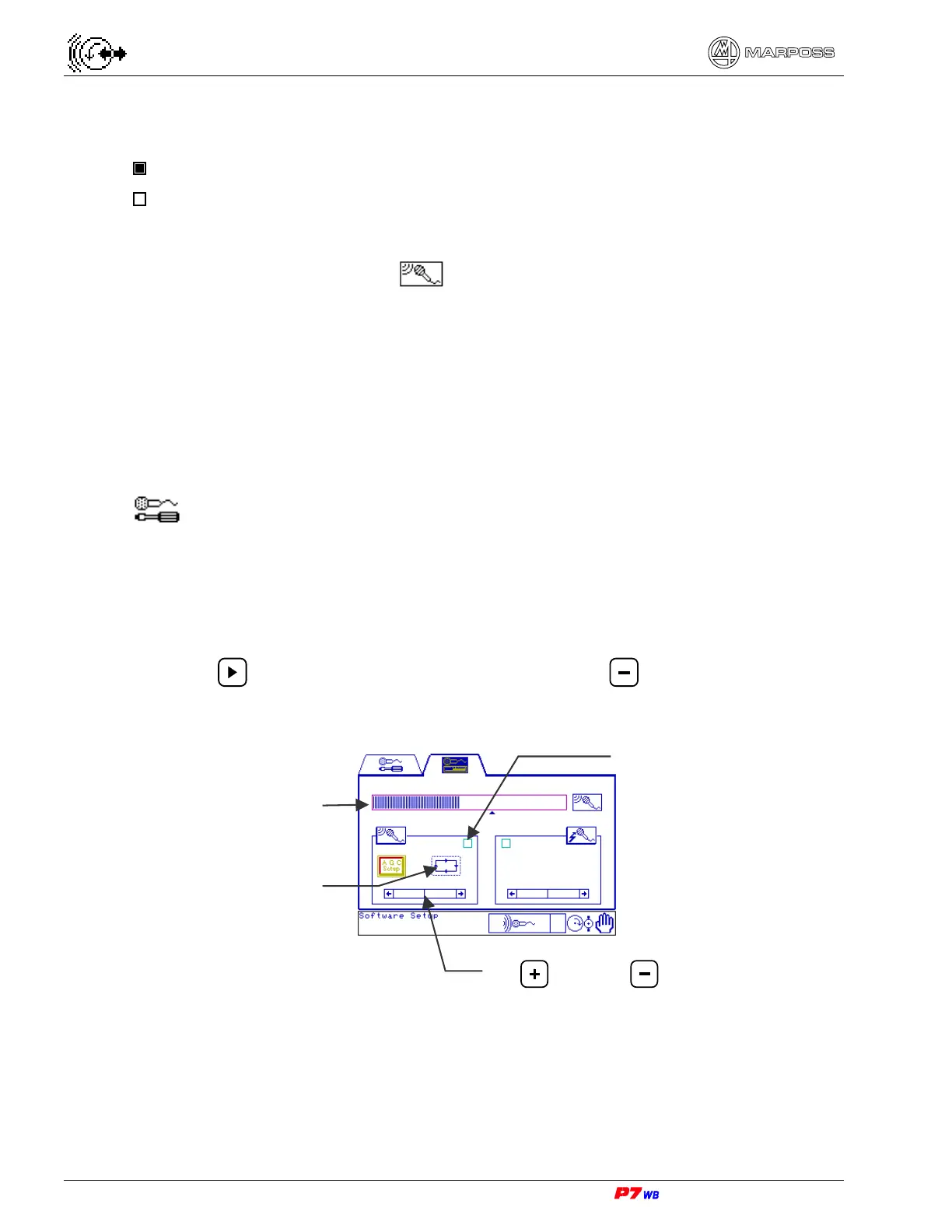
2. Use to highlight the gain adjustment area and to set the gain value to
zero (scroll bar of the scale completely on the left).
3. Bring the wheel almost in contact with the workpiece, or with the reference pin if
the GAP control is used to check position, etc., as in normal working conditions
(wheel spinning at work speed, workpiece rotating, coolant on, etc.).
Scroll bar for gain value adjustment
Key
= / Key =
GAP control LED
Fixed gain
Bargraph



 To Next Page