98 14. I/O test – Programming Manual
Value of I/O port
Viewing of the hexadecimal value of the I/O port being considered.
Inputs: (Manual/Automatic) it is only possible to read the value of the input port.
Outputs: (Manual) it is possible to change the hexadecimal value by forcing the output
port to take a determined configuration.
(Automatic) it is only possible to read the value of the output port.
In Manual mode, to change the value of the output port, press to highlight the
corresponding field, then change the value as indicated in section 5.2 ”Programming
numerical values“ (method 2) page 3.
14.2.
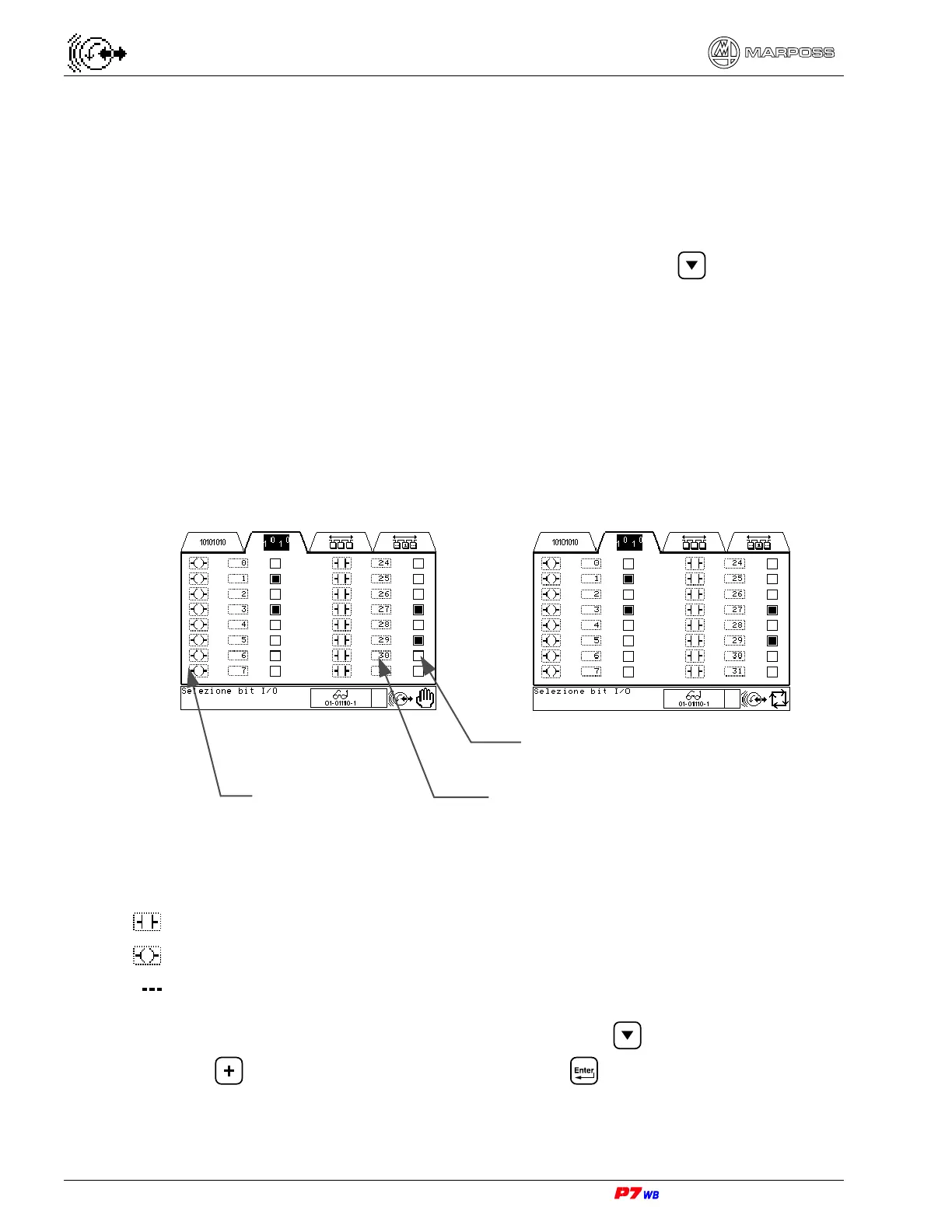
I/O bit test
The aim of this page is viewing any physical input bit and to view and/or change any
physical output bit.
Manual Automatic
I/O bit type
The meaning of the icons used is the following:
input bit
output bit
no I/O bit has been selected.
To select the type of bit to be viewed or changed, press to highlight the desired
field, and
to display the desired icon, then press to confirm.
I/O type
I/O bit status
Number of I/O logical bit



 To Next Page