78 13. Programming – Programming Manual
13.
PROGRAMMING
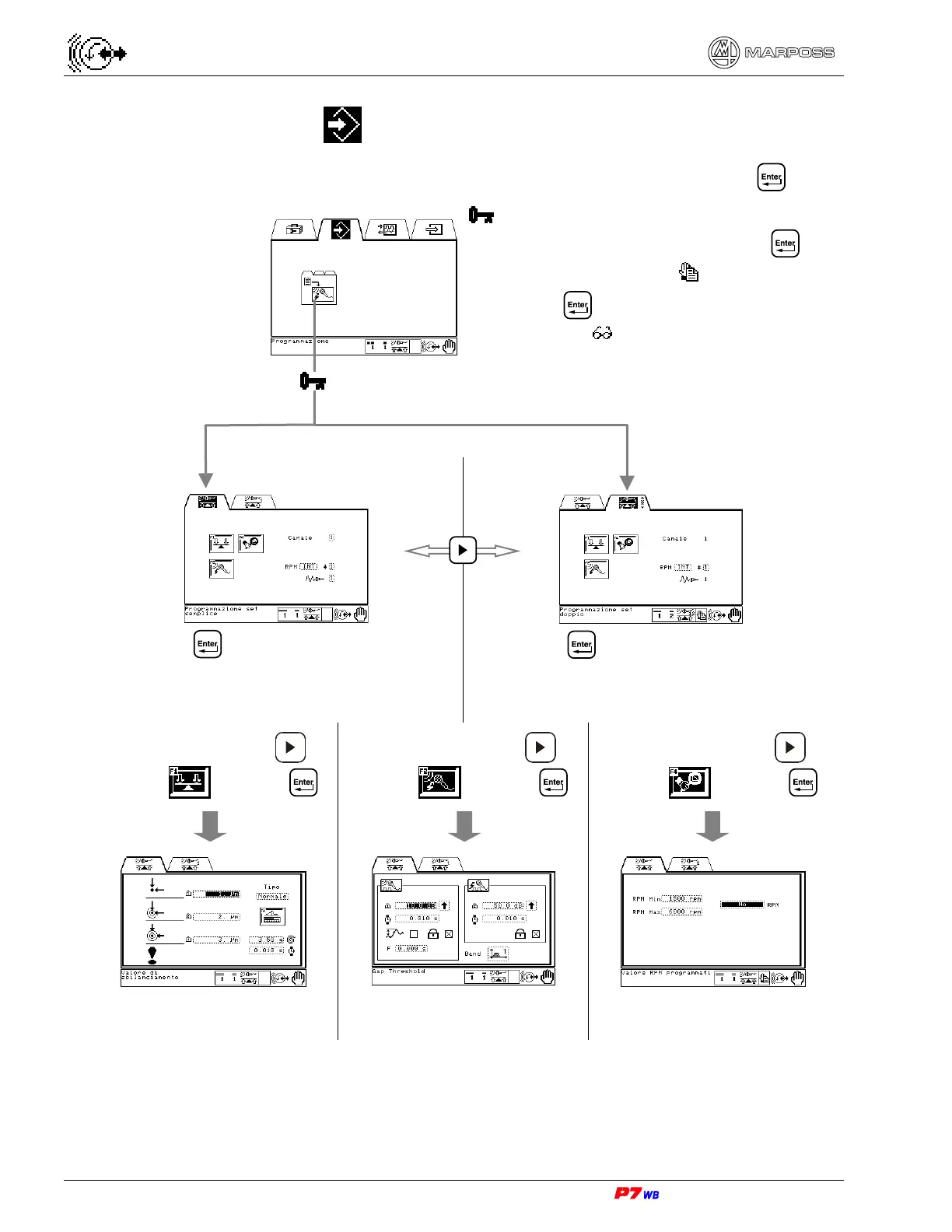
Select the Programming folder and press .
Request for **User’s password** (if active):
• type the password and press to
program/change the data (
).
• Pressing without password gives access to
data viewing (
)
Press to access the Simple Set
Programming (Sec. 13.1 page 3)
Press to access the Double Set
Programming (Sec. 13.2 page 3)
Press function key F1 or to
highlight
and press
Press function key F2 or to
highlight
and press
Press function key F4 or to
highlight
and press
Unbalance value programming
(Sec. 13.3 page 3)
Integrated Gap & Crash
programming
(Sec. 13.4 page 3)
Supervision programming
(Sec. 13.5 page 3)



 To Next Page