– Programming Manual 13. Programming 79
13.1.
Programming a simple set (1 logical channel)
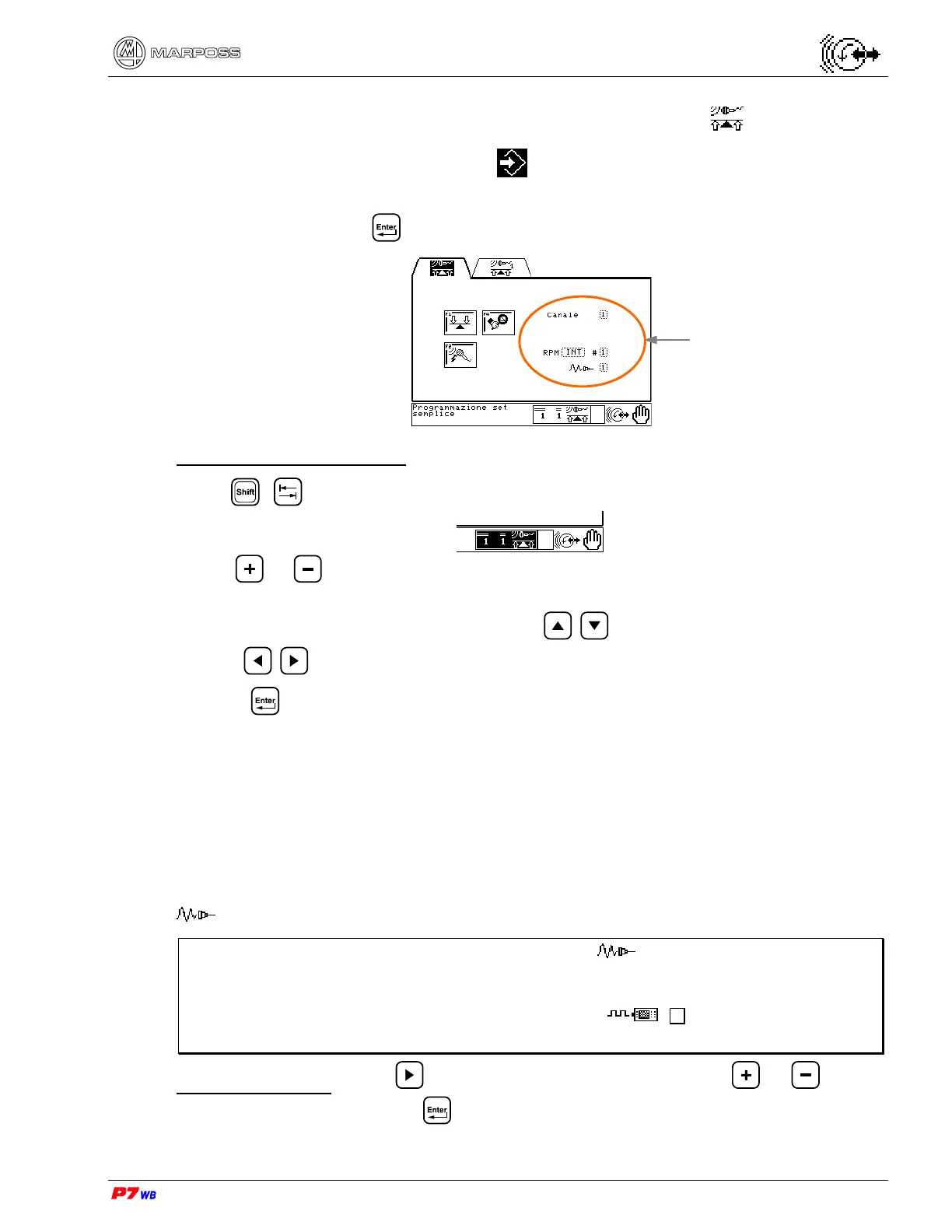
Page A2 of the “Programming” folder menu map (section 8.2, page 3).
This page allows defining the combination of logical channel and physical channel for
the selected set. Press to access the page.
Set (Wheel/Cycle) selection
Press + to highlight the wheel/cycle selection area:
• use or to select a set (wheel/cycle) already defined
or
define a new set (wheel/cycle): use keys / to define the wheel number, and
keys / to define the cycle number.
• press .
The following data must be programmed:
Channel Number of the physical channel associated to the logical channel
RPM Source of the RPM signal: INT= internal signal (rpm sensor on balancing
head); EXT= external signal (external sensor).
# Number of the physical channel of RPM signal (the desired RPM sensor
is used independently for each balancing head).
Number of the physical channel of vibration sensor (accelerometer).
Note: The programming of the RPM data and must be consistent with the
hardware programming (see section 17.1, page 3), otherwise "Error 5 –
Hardware RPM Ext. not present" is displayed at the exit of programming
(e.g. external RPM sensor not present : the programming of
RPM=EXT is not valid).
Data programming: press to highlight the involved field, press or to view
the desired value, then press to confirm.
Data relevant to the set



 To Next Page