– Programming Manual 12. View data 73
12.1.
Viewing data relevant to set (wheel/cycle)
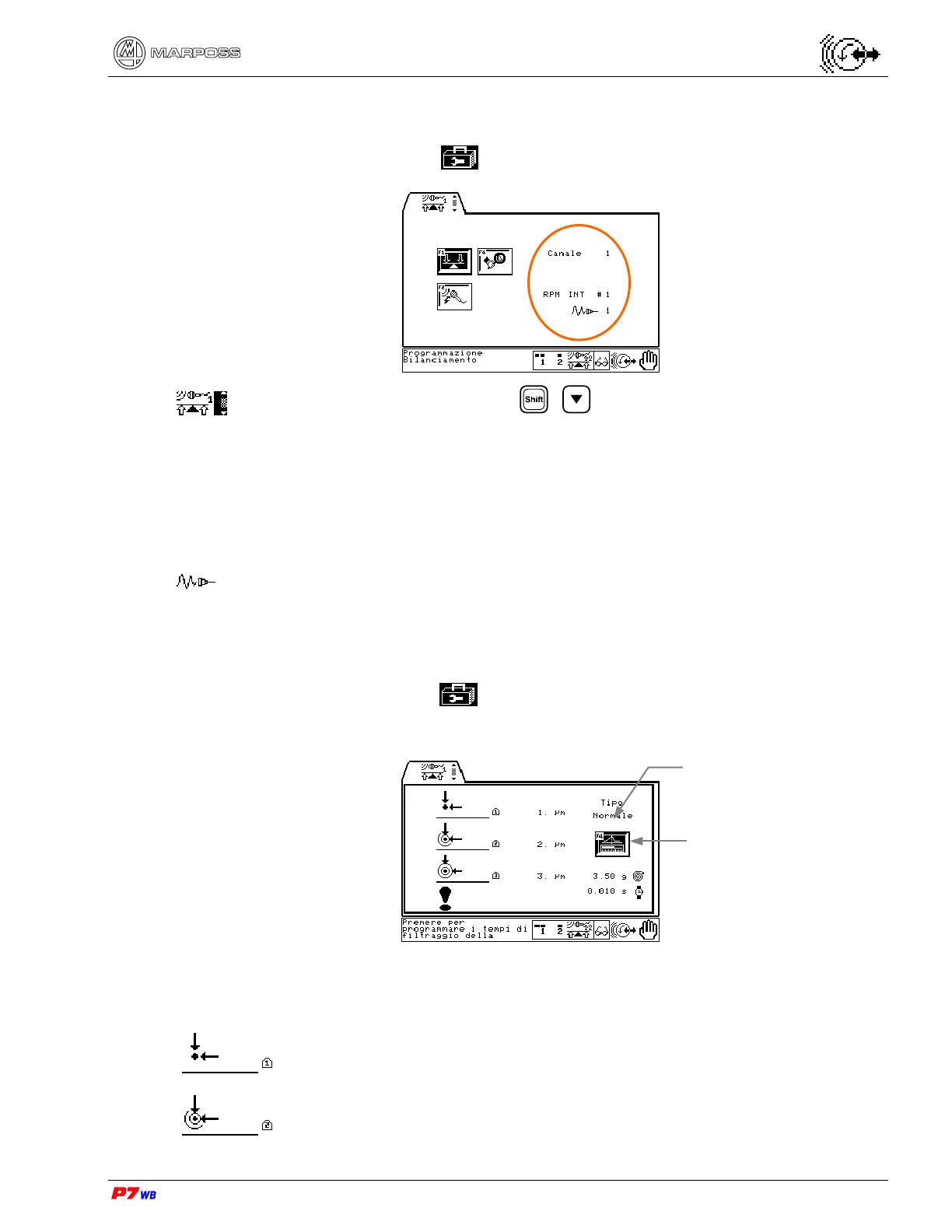
Page D3 of the “Utilities” folder menu map (section 8.1, page 3).
Application with 2 channels: press + to select Channel 1 or Channel 2.
The data displayed have the following meaning:
Channel Number of the physical channel associated to the logical channel
RPM Source of the RPM signal: INT= internal signal (rpm sensor on balancing
head); EXT= external signal (external sensor).
# Number of the physical channel of RPM signal
Number of the physical channel of vibration sensor (accelerometer).
12.2.
Viewing unbalance limit values
Page B3 of the “Utilities” folder menu map (section 8.1, page 3).
The data displayed have the following meaning:
Limit L1: wheel vibration value within which balancing is considered
OPTIMUM (vibration WITHIN TOLERANCE).
Limit L2: wheel vibration value within which balancing is considered
ACCEPTABLE (vibration APPROACHING OUT OF TOLERANCE).
Type of balancing
algorythm
View asymmetric filter
data on vibration
(Sec. 12.2.1)



 To Next Page