72 12. View data – Programming Manual
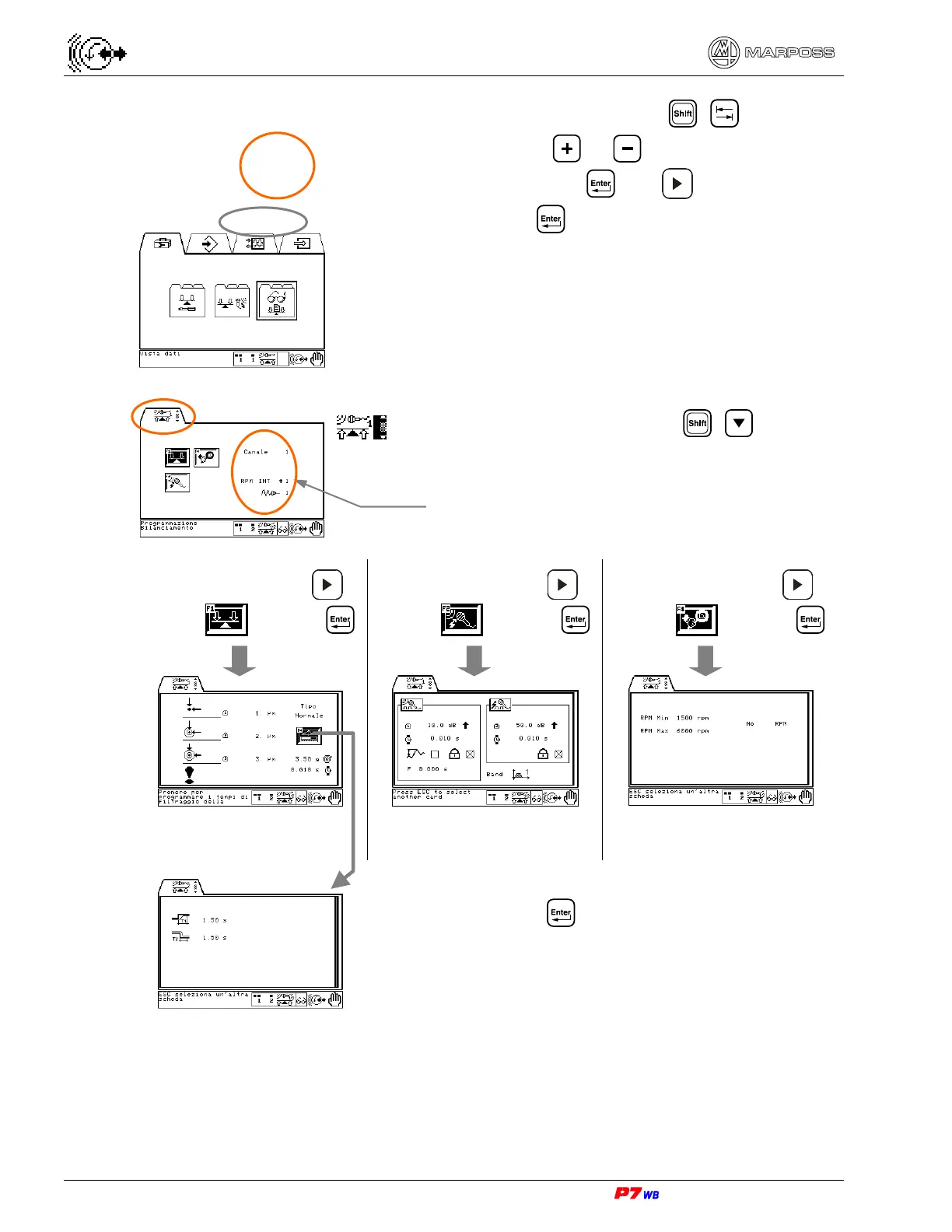
Should more Sets be programmed, press + to highlight
the set selection area: use
or to select the set whose
data are to be viewed and press
. Use to select the View
data sub-folder and press
.
Application with 2 channels: press + to select
Channel 1 or Channel 2.
Press function key F1 or to
highlight
and press
Press function key F2 or to
highlight
and press
Press function key F4 or to
highlight
and press
View unbalance
limits value
(Sec. 12.2 page 3)
View data of integrated
Gap & Crash
(Sec. 12.3 page 3)
View supervision data
(Sec. 12.4 page 3)
Press function key F4 or .
Viewing of asymmetric filter data on vibration signal
(Sec. 12.2.1 page 3).
Data relevant to the set (wheel/cycle).
Sec. 12.1 page 68.



 To Next Page