– Programming Manual 10. Unit Set-up 49
Move the weights to the angular positions indicated, then change the wheel rotation
speed bringing it to the work speed.
Stage 2 – balancing at work speed
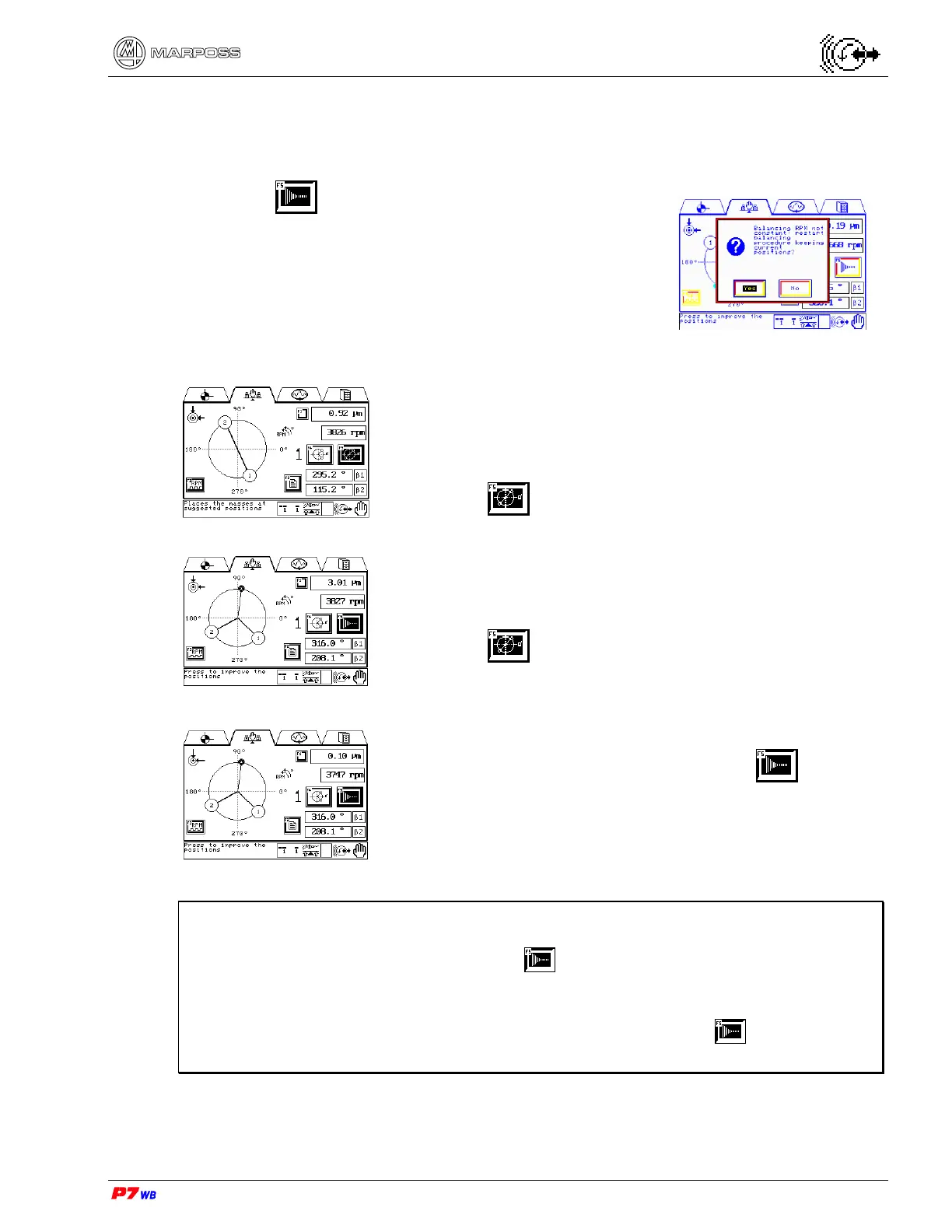
Press F5 (finishing of residual unbalance): the
display shows the message “Balancing RPM not
constant: repeat balancing procedure keeping the current
positions?": confirm with “Yes” starting in this way stage
2.
The weights positions previously indicated are the start
position of this stage of the balancing cycle.
Step 4: weight #1 and weight #2 in neutral position (e.g.:
weight #1 in the previous position and weight #2 in the
opposed position – difference 180°).
• Wheel rotating (work speed)
• Press F5 with the vibration value stabilized.
Step 5: weight #1 and weight #2 in the angular positions
indicated
• Wheel rotating (work speed)
• Press F5 with the vibration value stabilized.
Place the weights in the positions indicated and check the
residual unbalance: if necessary, press F5 again to
define new positions of the weights so as to reduce the
residual unbalance.
Note: The procedure of manual balancing with weights can be interrupted (exit
from the page) and resumed from the last step performed, the weights
position adjusting step included ( ).
In case of wheel unbalancing due to natural causes (e.g. wheel wear), it is
possible to repeat the adjustment of a new position ( stage) without
having to repeat the complete manual balancing cycle.



 To Next Page