– Programming Manual 11. Measurement adjustment 59
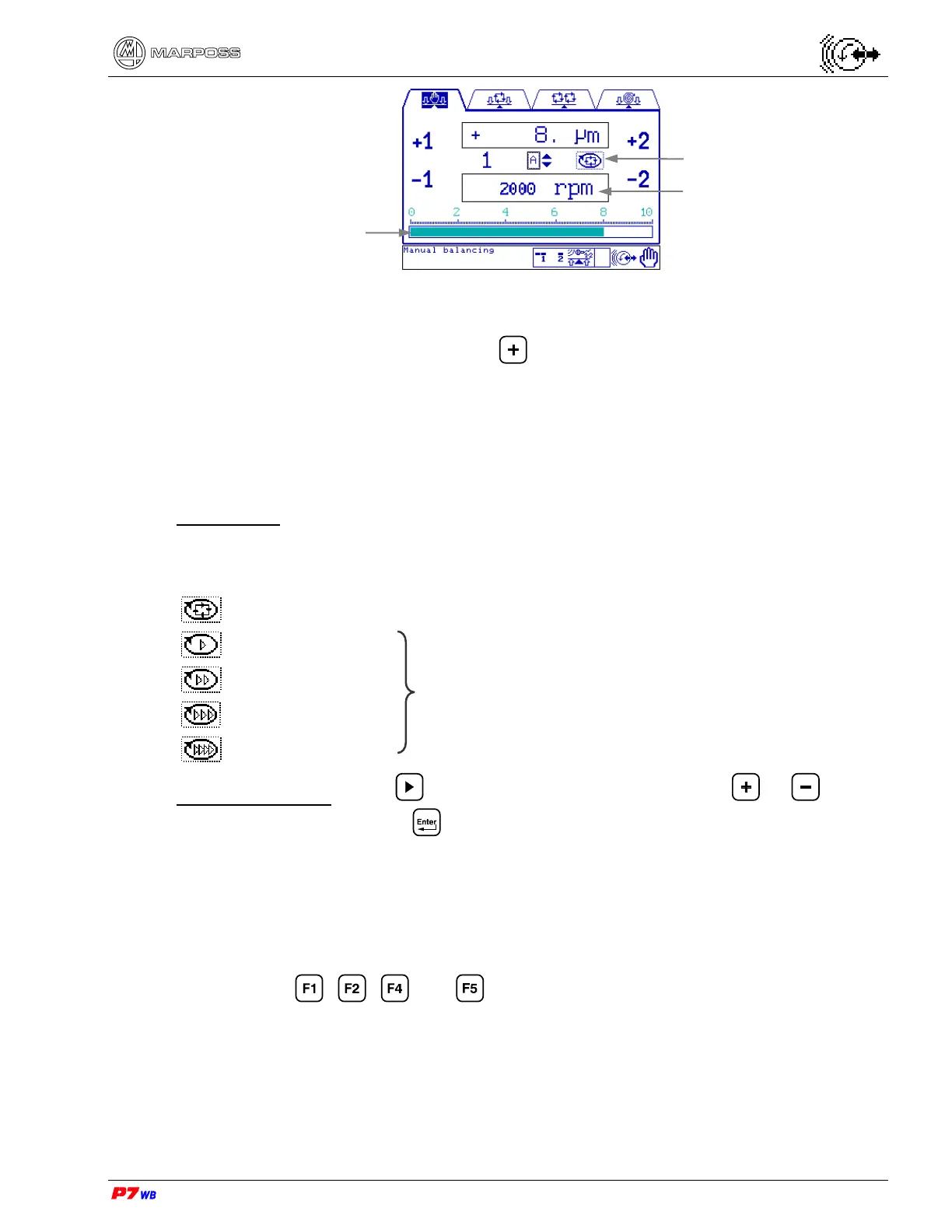
(1) Measurement selection: present only in the applications with two logical
channels.
With the field highlighted, press to select the desired measurement (the
number of the corresponding physical channel, 1 or 2, is displayed).
(2) The vibration value can be displayed either as width (unit of measure "micron" or
"inch") or speed (unit of measure "mm/sec" or "inch/sec"). The display mode is
defined upon the application configuration.
Motor speed
Speed selection for the motors that actuate the balancing masses during manual
balancing operations. The following speeds, represented by icons, can be selected:
Automatic speed chosen by the system based on the vibration value.
Low speed
High speed
Fixed pre-determined speeds.
Data programming: press to highlight the involved field, press or to view
the desired icon, then press to confirm.
Execution of the manual balancing procedure
• Select the speed of the balancing masses actuating motors
• Wheel rotating at the work speed
• Use keys , , and to control the movement of the motors relevant
to the masses movement to the desired direction, bringing the vibration value
within the desired limit.
Motor speed
Wheel rotation speed
Vibration value



 To Next Page