152 23. Gap & Crash Function – Programming Manual
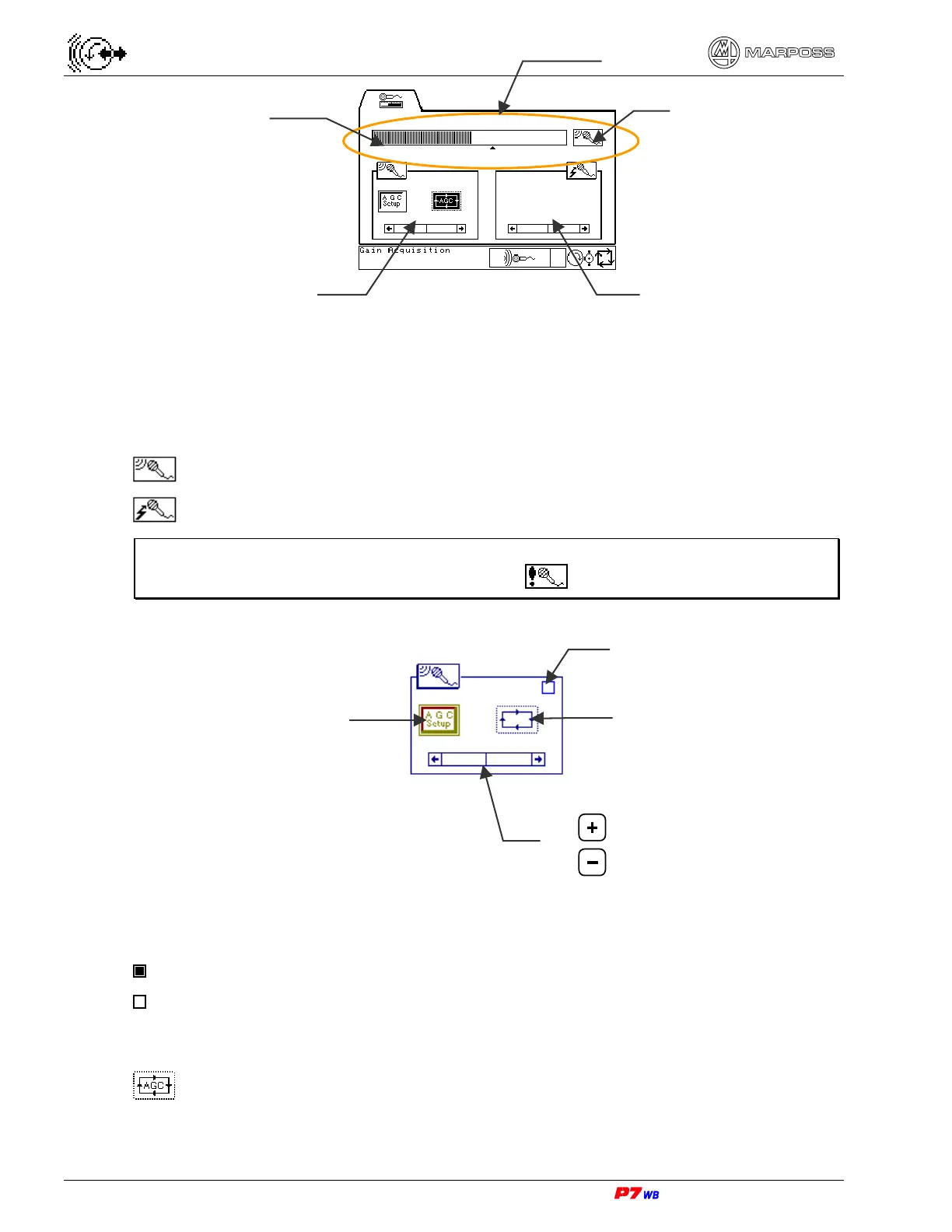
Noise display area
Noise is displayed through a bargraph, with values increasing from left to right.
Symbol V on bargraph indicates the control triggering point.
Beside the bargraph there is an icon indicating the type of control the noise displayed
refers to:
GAP control
CRASH control
Note: In case of alarm (if at least one alarm is enabled) the icon displayed in that
moment is replaced by the alarm icon that flashes.
GAP control area
Status of GAP control
The status of GAP control is indicated by a LED:
LED lit: GAP control enabled
LED not lit: GAP control triggered
Type of gain acquisition
It is possible to select two different types of gain control procedure:
automatic gain control procedure (with variable and oscillating background
noise)
Noise display area
GAP control area CRASH control area
Bargraph
Icon of control type
Scroll bar for gain value adjustment
Key
=
Key
=
Status of GAP control
Gain acquisition type
Start/Stop gain
automatic acquisition



 To Next Page