Morgana DocuMaster MFC - Service Manual 133
4. Service Procedures - Replace Components - Suction Feed Bin
Tools:
• Allen Key: 3mm
• Screwdriver: Small Flat-blade
• Pliers: Side Cutters.
Before you start:
• Remove the RH side covers (See Section 4.2.5).
Step Action Information
1 Disconnect the tray loaded sensor
ribbon cable from SK2 on the feed
bin control PCB.
Lift the socket retainer to release the
cable.
2 Cut the cable tie that secures the
sensor cable to th
e RH side plate.
3 Lift off the lower plate with a small
electrical screwdriver
.
(See Figure 4.128).
4 Remove the sensor from the
housing
.
5 Peel off the ribbon cable and
remove
it from the tray.
Record the ribbon cable route.
6 Install the replacement sensor.
• Make sure that the ribbon cable
is secured to the paper tray with
the double-sided tape provided.
• Make sure that the metalled side
of the ribbon cable faces away
from the retainer in the socket.
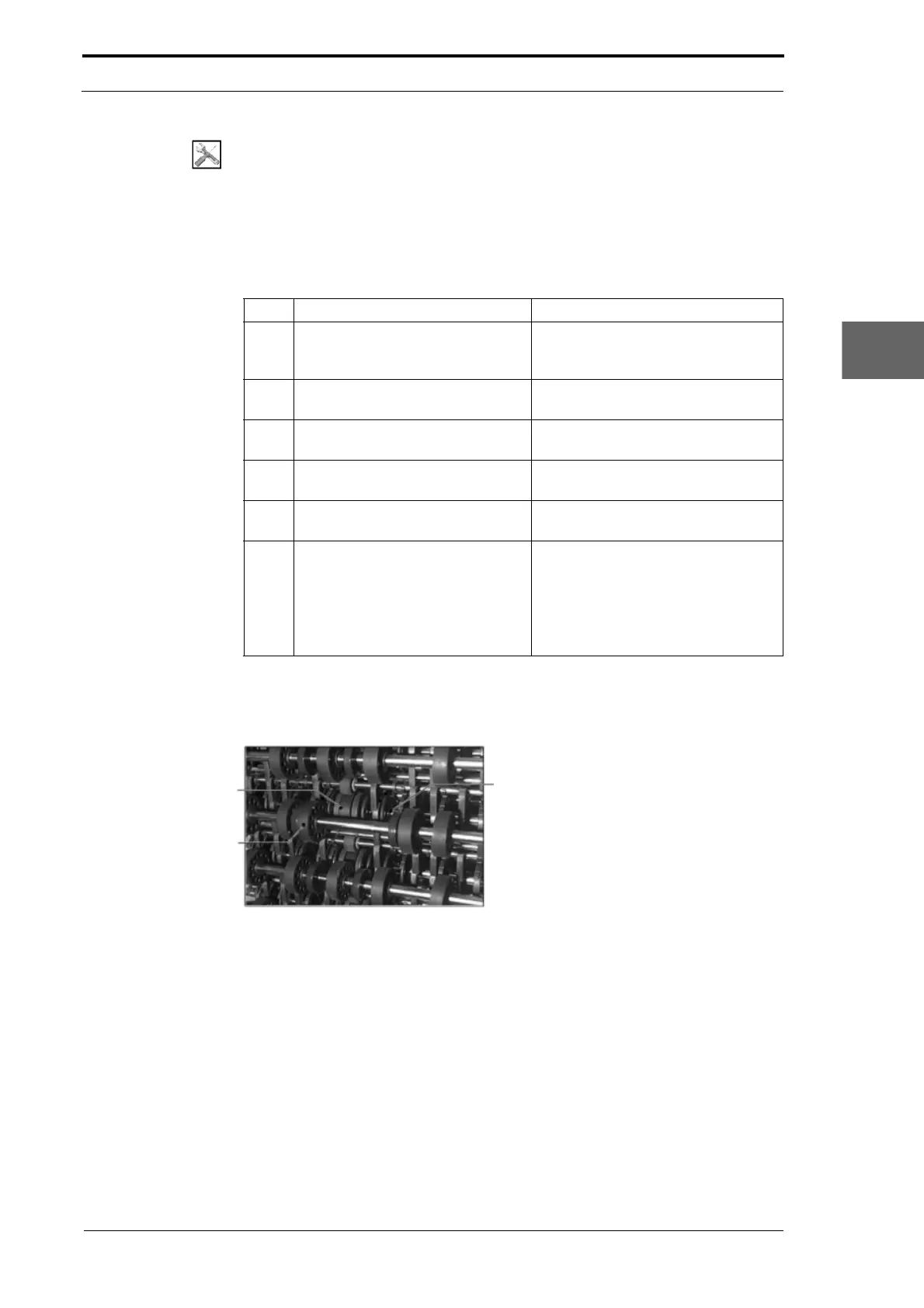
4.8.11 Replace the Outer Conveyor Wheels
Drive Shaft
Inner Conveyor Wheel
Outer Conveyor
Wheel
Figure 4.129 The outer Conveyor Wheels



 To Next Page