4. Service Procedures - Replace Components - Suction Feed Bin
132 Morgana DocuMaster MFC - Service Manual
Before you start:
• Remove the RH side covers (See Section 4.2.5).
Step Action Information
1 Remove the suction feed head. (See Section 4.8.2.1)
2 Disconnect the tray height sensor
ribbon cable from SK4 on the feed
bin control
PCB.
3 Remove the air/vacuum solenoid
valve and
blow tube.
(See Section 4.8.5.1).
4 Remove the double drive gear. (See Figure 4.122)
5 Cut the cable tie to release the
sensor ribbon
cable.
6 Slide the RH air baffle towards the
RH side plate just enoug
h that you
have room to remove the sensor.
(See Figure 4.127).
7 Remove the sensor head from the
control head.
• Push the sensor head out of the
control with the blade of a small
electrical screwdriver (see Figure
4.127).
Note: Do not damage the control
head.
8 Remove the protective foam strip
from
the lower paper guides.
9 Pull the sensor ribbon through the
lower
paper guides and remove the
sensor.
10 Install the replacement sensor. Make sure that you:
• Install the sensor head with the
lenses facing outward.
• Secure the sensor ribbon cable
(remove the bin control PCB if
required (refer to Section 4.8.7).
• Install the protective foam strip.
• Put the air baffle back in position.
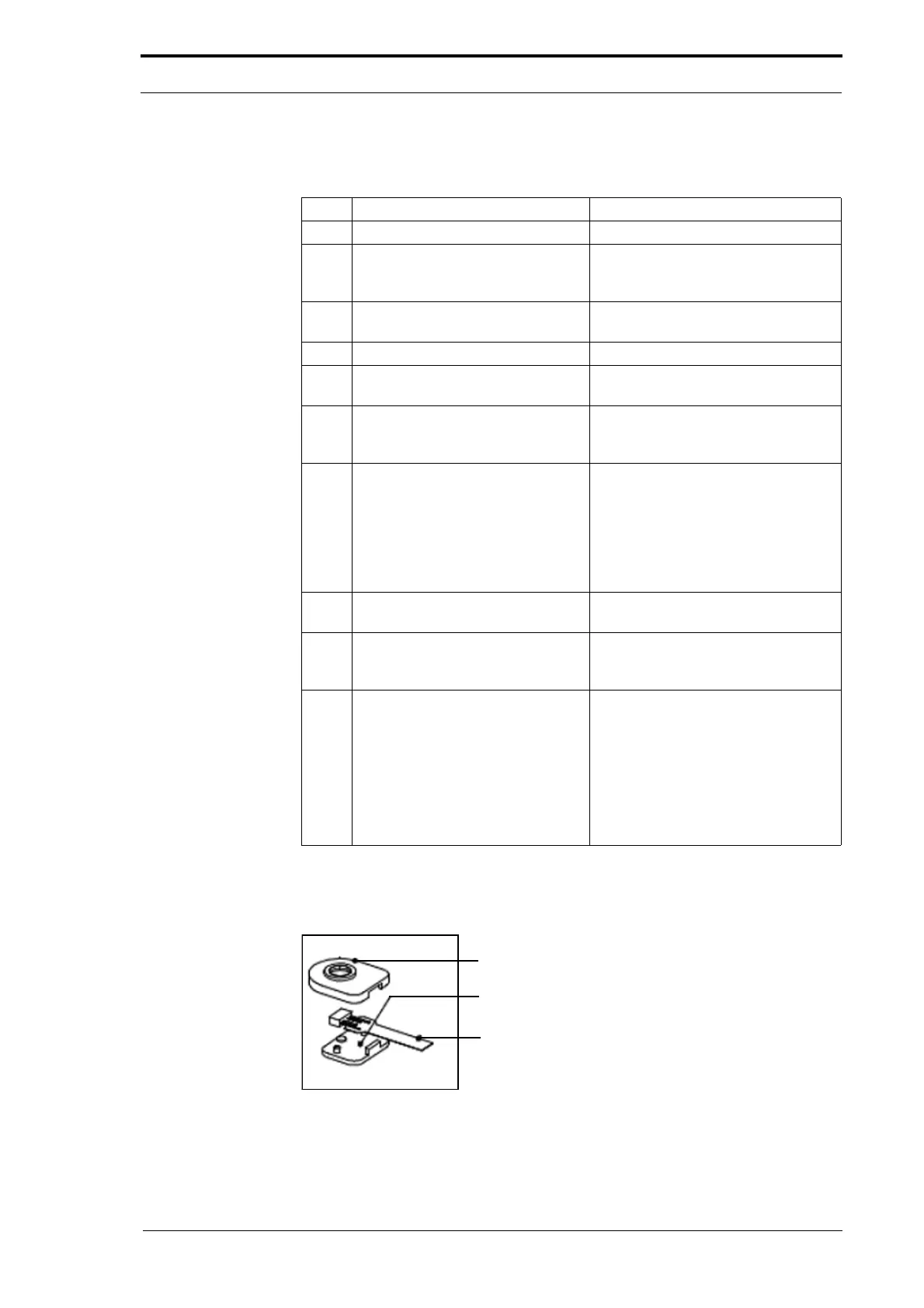
4.8.10 Replace the Tray Loaded Sensor
Sensor Housing
Lower Plate
Sensor
Figure 4.128 Sensor Housing - Exploded View



 To Next Page