4. Service Procedures - Replace Components - Creaser Module
158 Morgana DocuMaster MFC - Service Manual
4.10.8 Replace the DynaTilt Motor
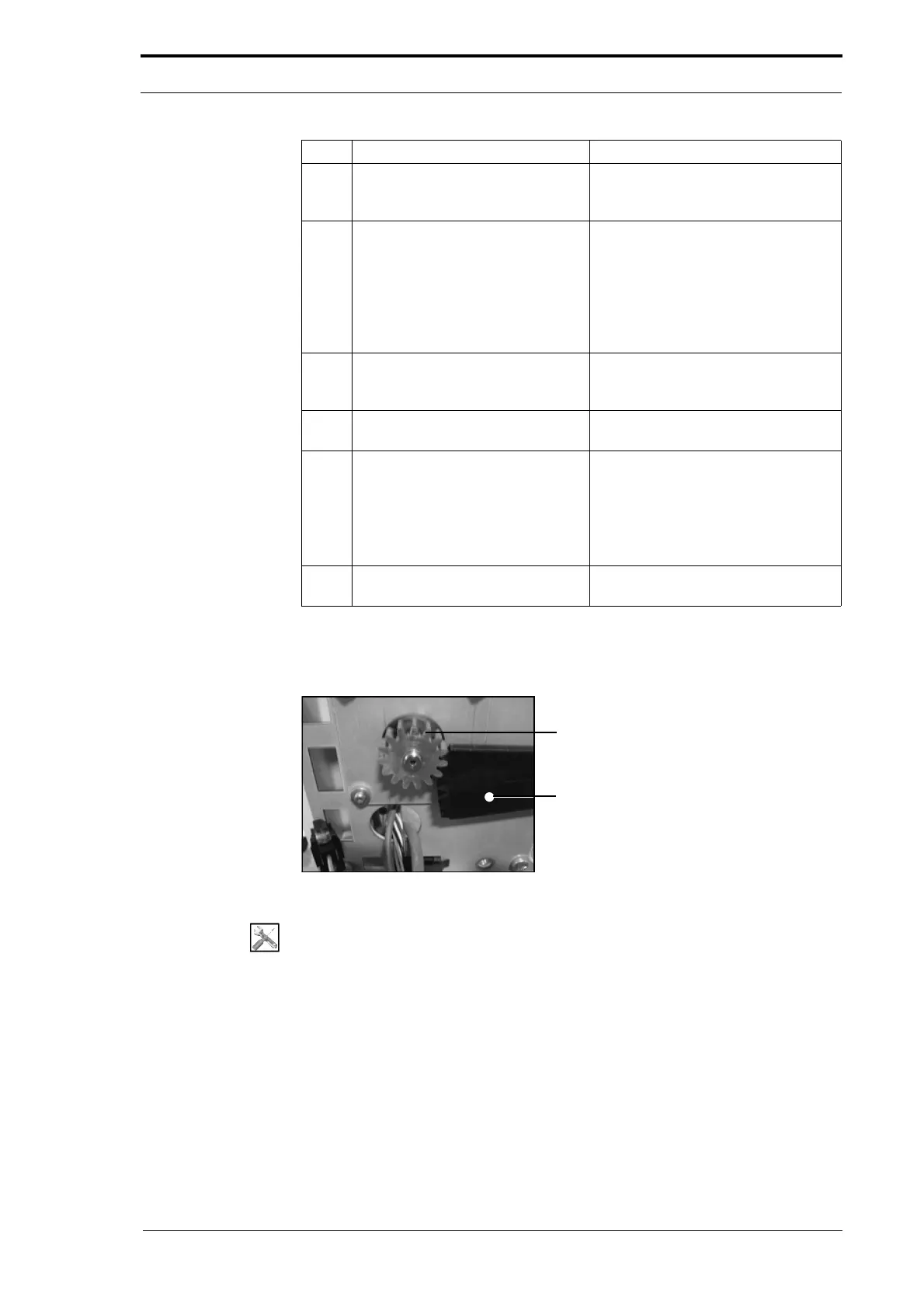
DynaTilt Motor Gear
Quadrant Assembly
Figure 4.166 The DynaTilt Motor Gear and Quadrant
Tools:
• Screwdriver: Pozidriv No. 2
• Pliers Side Cutters.
5 Remove the two screws that attach
the creaser position
sensor to the
mounting-channel.
(See Figure 4.164).
6 Remove the creaser position
sensor
.
• Cut the creaser position sensor
cable below the sensor.
• Remove the two parts from the
creaser module.
Note: Do not discard the part with the
connector attached to it.
7 Put the replacement creaser
position sensor
through the
mounting channel.
8 Attach the sensor to the mounting
channel.
9 Assembly the creaser position
sensor connector
.
• Make sure that the sensor wires
are in the correct position (refer
to the connector on the cable
that you removed).
• Push each of the prongs into the
connector housing.
10 Attach the creaser position sensor
connector to the LH side plate.
Step Action Information



 To Next Page