Morgana DocuMaster MFC - Service Manual 157
4. Service Procedures - Replace Components - Creaser Module
4.10.7 Replace the Creaser Position Sensor Assembly
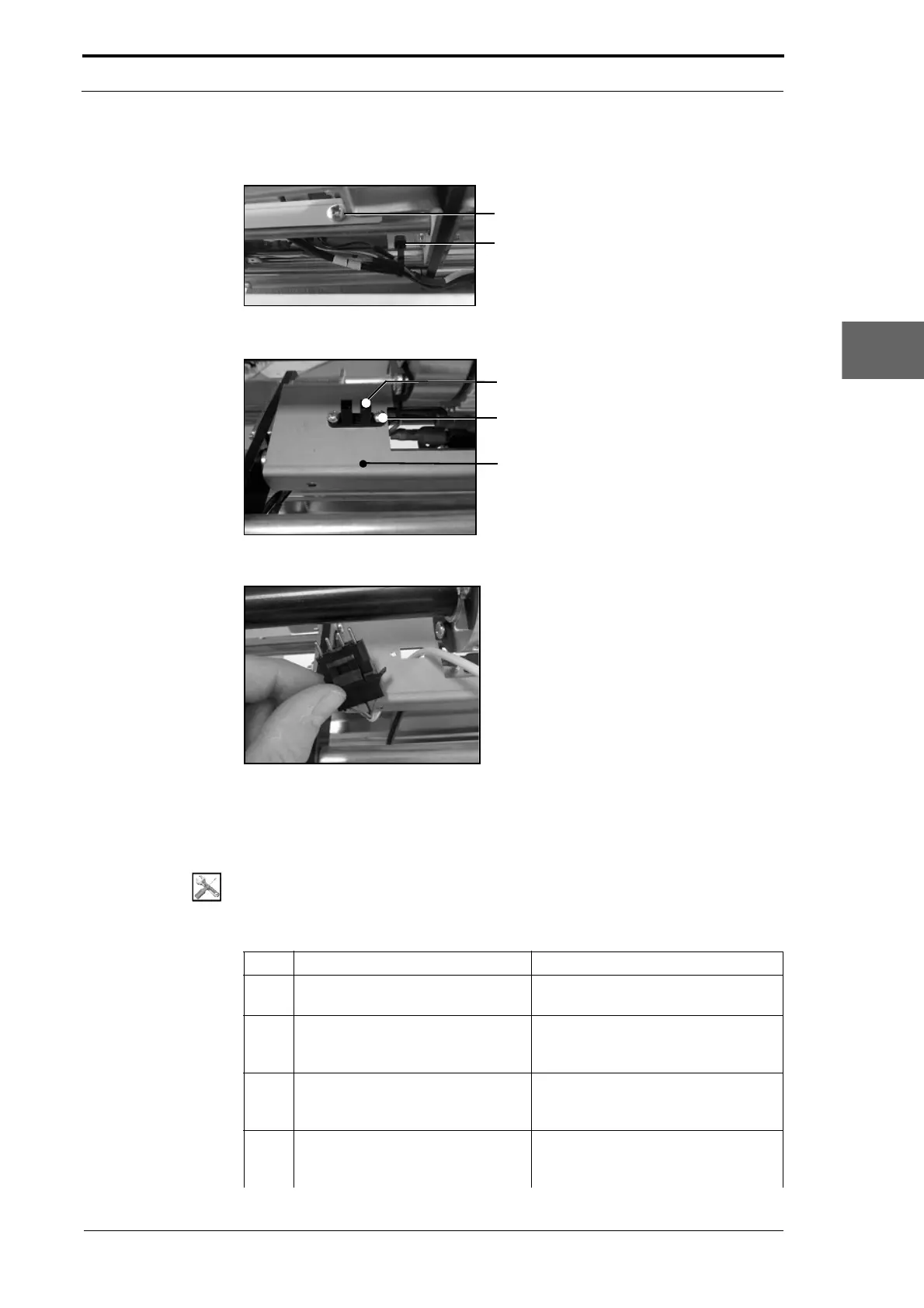
Figure 4.163 Mounting Channel and Creaser Position Sensor Cable
Creaser Position Sensor
Screw (2)
Mounting Channel
Figure 4.164 Creaser Position Sensor Assembly
Figure 4.165 Creaser Position Sensor Connector Housing
Before you start:
• Remove the creaser module (See Section 4.10.1).
Tools:
• Screwdriver: Pozidriv No. 2
• Pliers Side Cutters.
Step Action Information
1 Cut the ties that attach the creaser
position sensor cable to the tie bar.
(See Figure 4.163).
2 Disconnect the creaser position
sensor cable connector from the
LH side plate.
3 Remove the four screws that
attach the mounting-channel to the
tie bars.
(See Figure 4.163).
4 Move the mounting channel away
from the positioning-flag.
This action gives you access to the
creaser position
sensor (see Figure
4.164).



 To Next Page