4. Service Procedures - Replace Components - Creaser Module
160 Morgana DocuMaster MFC - Service Manual
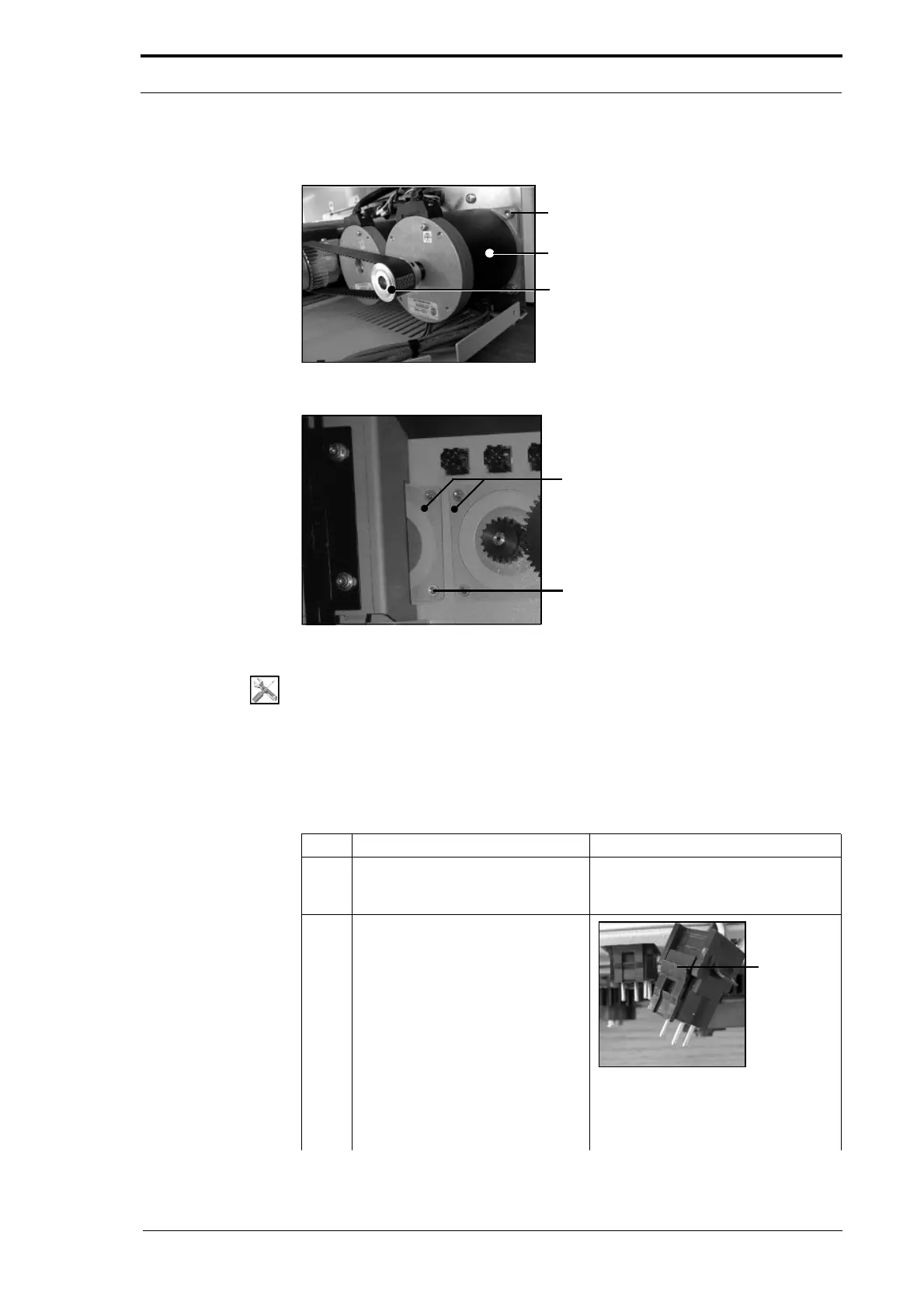
4.10.9 Replace the Crease Motor
Screw (4)
Crease Motor
Pulley
Figure 4.167 The Crease Motor
Motor Retention Plates
Screw (4)
Figure 4.168 The Motor Retention Plates
Tools:
• Allen Key: 2.5mm, 4mm
• Pliers Side Cutters.
Before you start:
• Remove the RH side covers (See Section 4.2.5)
• Remove the motor cover (See Section 4.2.9).
Step Action Information
1 Cut the cable ties that attach the
crease-motor cable to creaser
drive-motor cable.
2 Disconnect the crease-motor cable
from the
RH side plate.
Figure 4.169 Connector
Push in the latches on the two sides
of the cable connector, and pull the
cable away from the side plate.



 To Next Page