Morgana DocuMaster MFC - Service Manual 161
4. Service Procedures - Replace Components - Creaser Module
4.10.10 Replace the Creaser Drive Motor
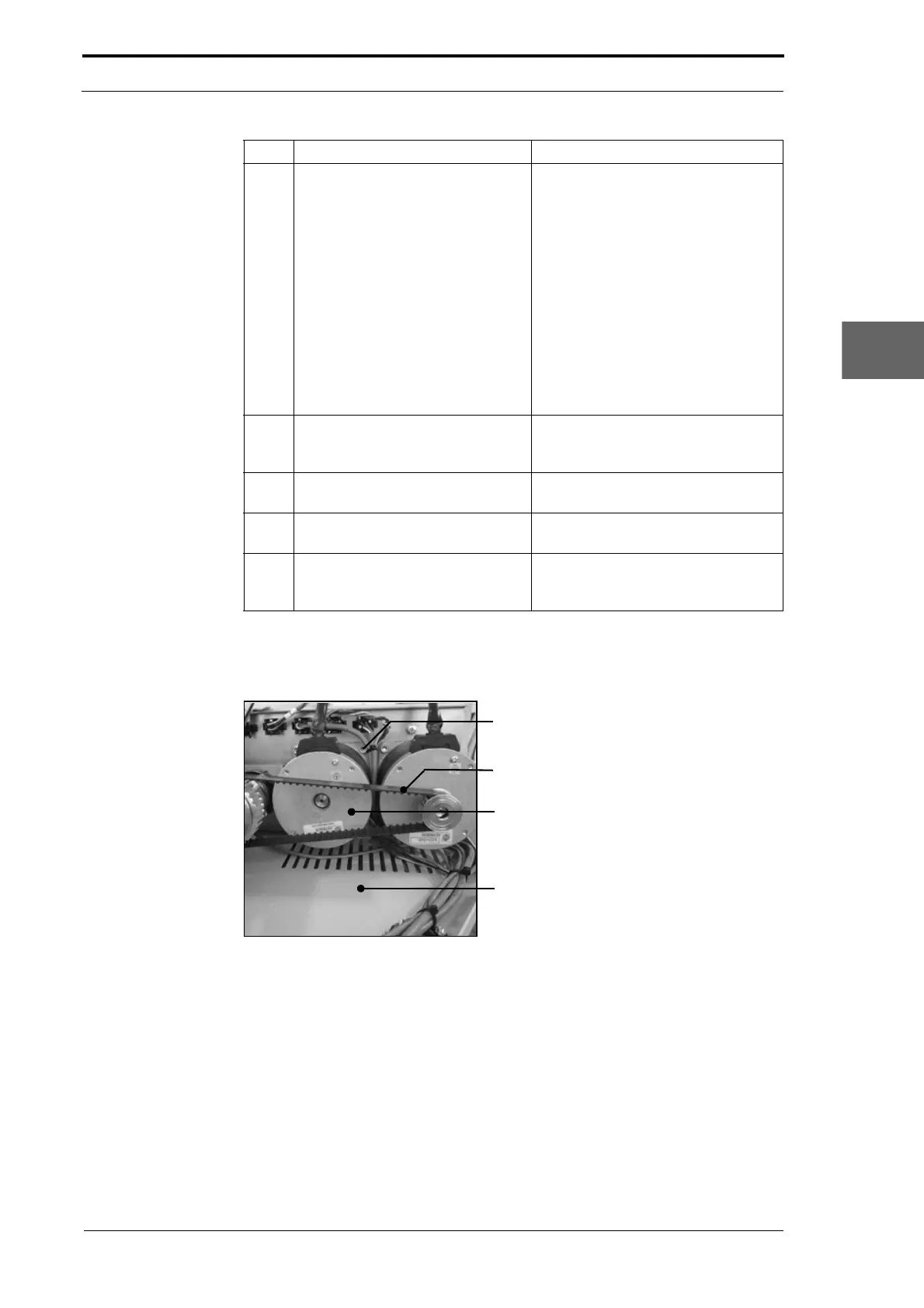
Screw (4)
Crease Motor Belt
Creaser Drive Motor
Motor Cover Base Plate
Figure 4.170 Creaser Drive Motor
3 Removed the crease-motor. Remove the four screws that attach
the crease motor to the RH side
plate.
Note: The screws are att
ached to the
motor retention-plate. Be careful that
the motor retention-plate does not fall
into the MFC when the screws are
removed (see Figure 4.168).
• Remove the crease-motor belt
from the pulley.
• Lift the crease-motor and move it
away from the RH side plate.
4 Loosen the set screws that attach
the pu
lley to the crease motor shaft
and remove the pulley.
5 Install the pulley onto the shaft of
the replacement
crease motor.
Do not fully tighten the set screws.
6 Install the replacement crease
drive.
7 Do a check of the crease motor
belt tension
and adjust as
necessary.
(See Section 4.5.12).
Step Action Information



 To Next Page