Morgana DocuMaster MFC - Service Manual 165
4. Service Procedures - Replace Components - Creaser Module
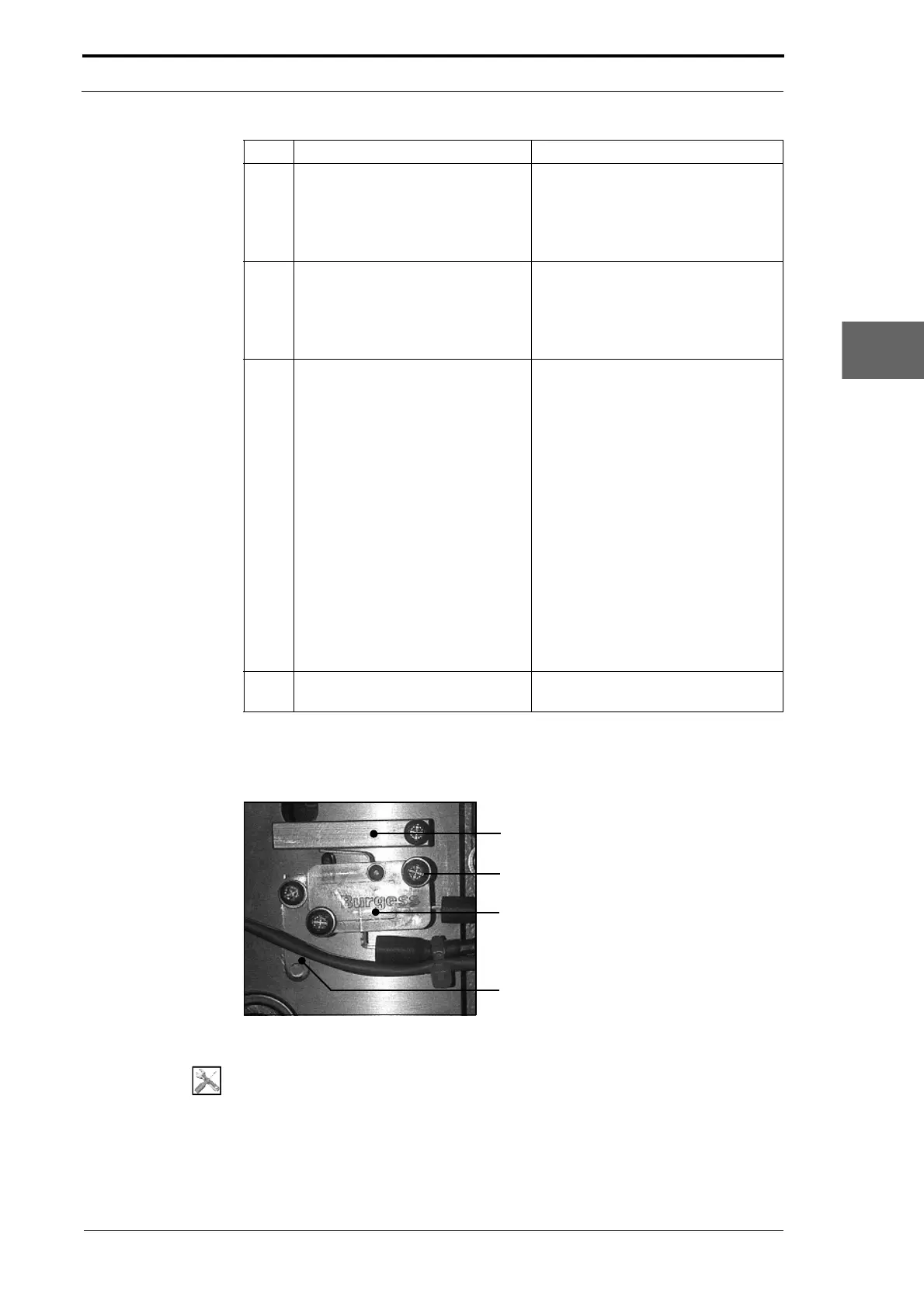
4.10.12 Replace the DynaTilt Home Switch
Switch Actuator
Screw (2)
DynaTilt Home Switch
Mounting Lever
Figure 4.176 The DynaTilt Home Switch (LH Side Plate)
Tools:
• Screwdriver: Pozidriv No. 2.
3 Remove the anti-static brushes.
• Lift the end of the brush strip.
• Use a steel-rule to lift the brush
and pull the brush strip away
from the blade-set (see Figure
4.173).
4 Clean the glue off the surface of
the blade
and matrix.
• Use a solvent cleaner to remove
the glue.
• Clean the surface with a dry cloth
to remove all the glue and the
solvent.
5 Attach the anti-static brushes to
the crease blade.
• Pull off approximately 25mm of
backing tape from the adhesive
strip at one end of the anti-static
brush.
• Align the end of the anti-static
brush with the end of the crease
blade (see Figure 4.174).
• Position the anti-static brush
onto the crease blade so that it is
2mm from the blade face (see
Figure 4.175).
• Hold the end of the anti-static
brush in position, and remove
the remaining backing tape.
• Attach the anti-static brush
across the blade so that is
parallel to the blade face.
6 Attach the anti-static brush to the
crease matrix.
Repeat Step 5 on the matrix.
Step Action Information



 To Next Page