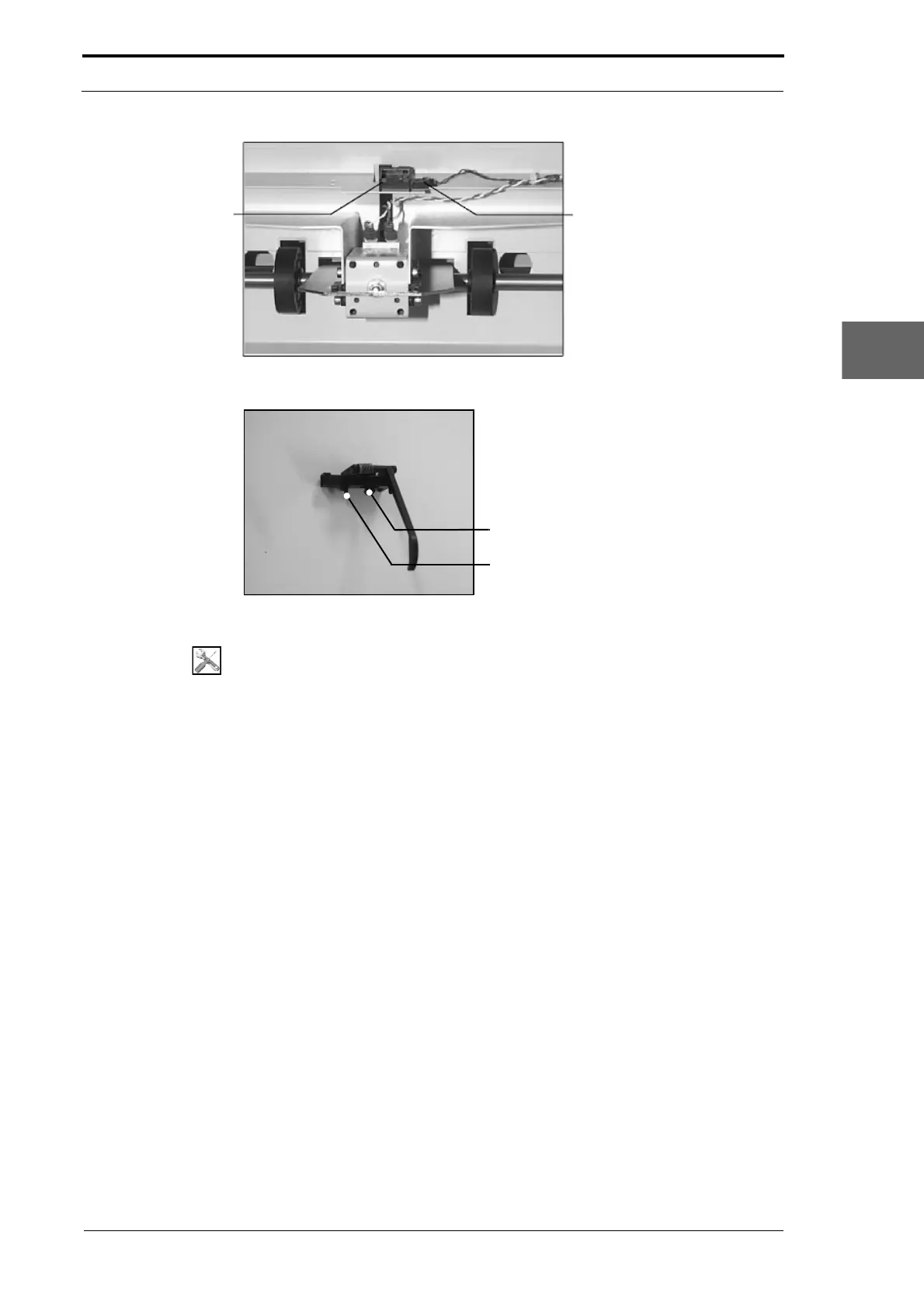
Flow Sensor
Cable Connector
Morgana DocuMaster MFC - Service Manual 169
4. Service Procedures - Replace Components - Gathering Area
Figure 4.180 Gathering Area Flow Sensor
Sensor Mounting Clip
Locating Peg
Figure 4.181 The Flow Sensor
Tools:
• Allen Key: 3mm
• Screwdriver: Small Flat Blade
• Pliers: Small Long Nose.
Before you start:
• Remove the gathering area centre guard (See Section 4.2.11).
(1) Press the latch down on the flow sensor cable connector and pull the connector
away from the flow switch.
(2) Press the latches of the sensor mounting clip together and pull the sensor away
from the mounting bracket.
(3) Push the replacement sensor into place.



 To Next Page