4. Service Procedures - Replace Components - Gathering Area
168 Morgana DocuMaster MFC - Service Manual
4.11.2 Replace the Paper Stop Solenoid
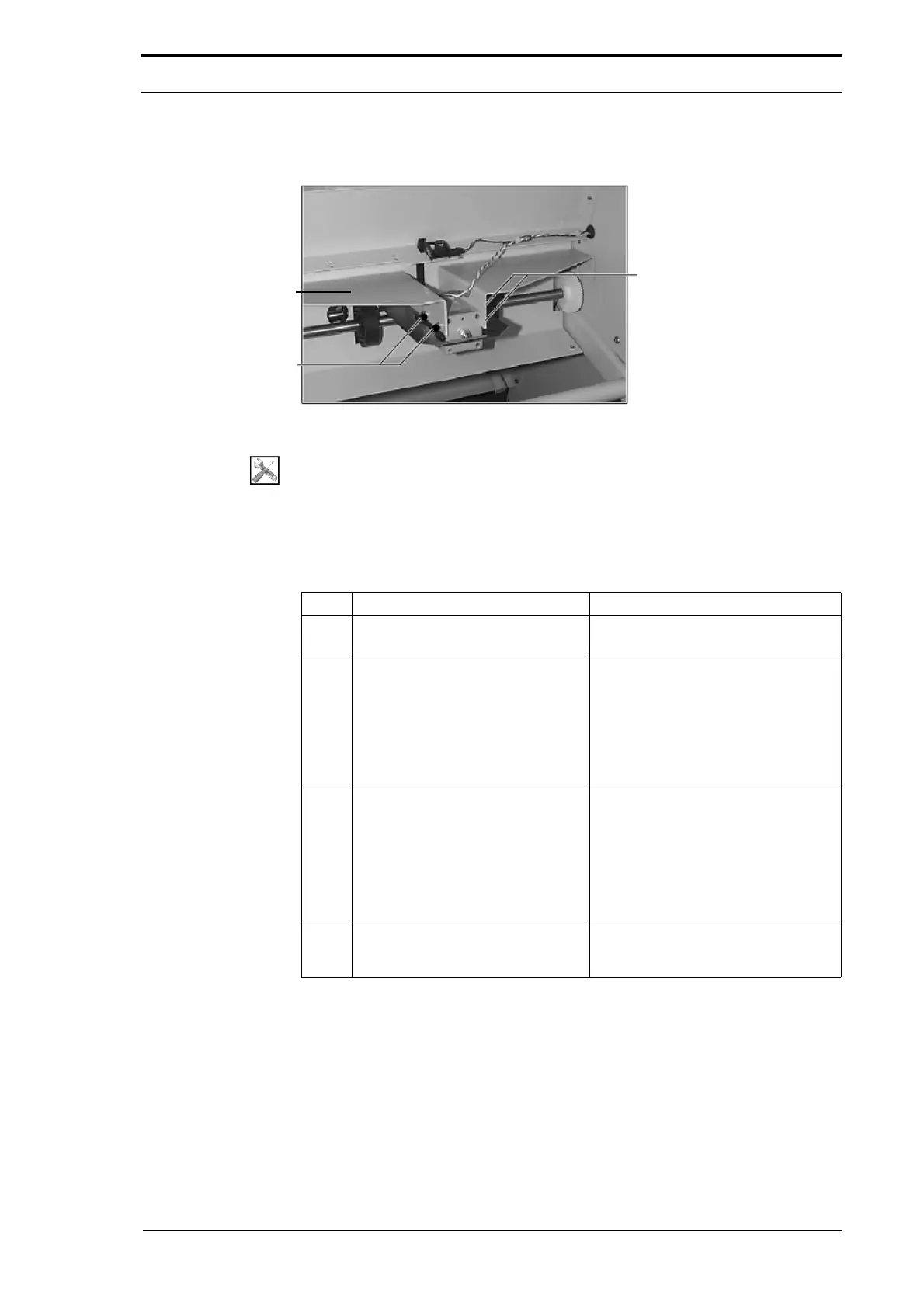
Catch Plate Bracket
Solenoid Screws
Solenoid Screws
Figure 4.179 Paper Stop Solenoid and Latch
Tools:
• Allen Key: 3mm
• Spanner: 8mm.
Before you start:
• Remove the gathering area centre guard (See Section 4.2.11).
Step Action Information
1 Disconnect the power cables from
the p
aper stop solenoid.
2 Remove the paper stop assembly.
• Remove the four screws that
attach the solenoid to the catch
plate brackets (see Figure
4.179).
• Lower the paper stop assembly
away from the catch plate
brackets and pull it towards you.
3 Remove the paper stop solenoid
from
the paper stop.
• Remove the four screws that
attach the paper stop solenoid to
the paper stop (record the
position of these screws for
reassembly).
• Slide the solenoid out of the
plastic paper stop guides.
4 Do a check of the solenoid travel
adjustment o
n the replacement
solenoid before you fit it.
Adjust the solenoid travel as
necessary (see Figure 4.178).
4.11.3 Replace the Flow Sensor
The gathering area flow sensor detects paper on the paper stop. If the sensor detects
paper at the end of the release cycle, it will stop the MFC and indicate a jam. The
sensor must be closed for the paper stop latch to return after it has released.



 To Next Page