6. General Procedures - The Diagnostic Tools Pages
200 Morgana DocuMaster MFC - Service Manual
6.6 The Diagnostic Tools Pages
6.6.1 The ERROM Contents Page
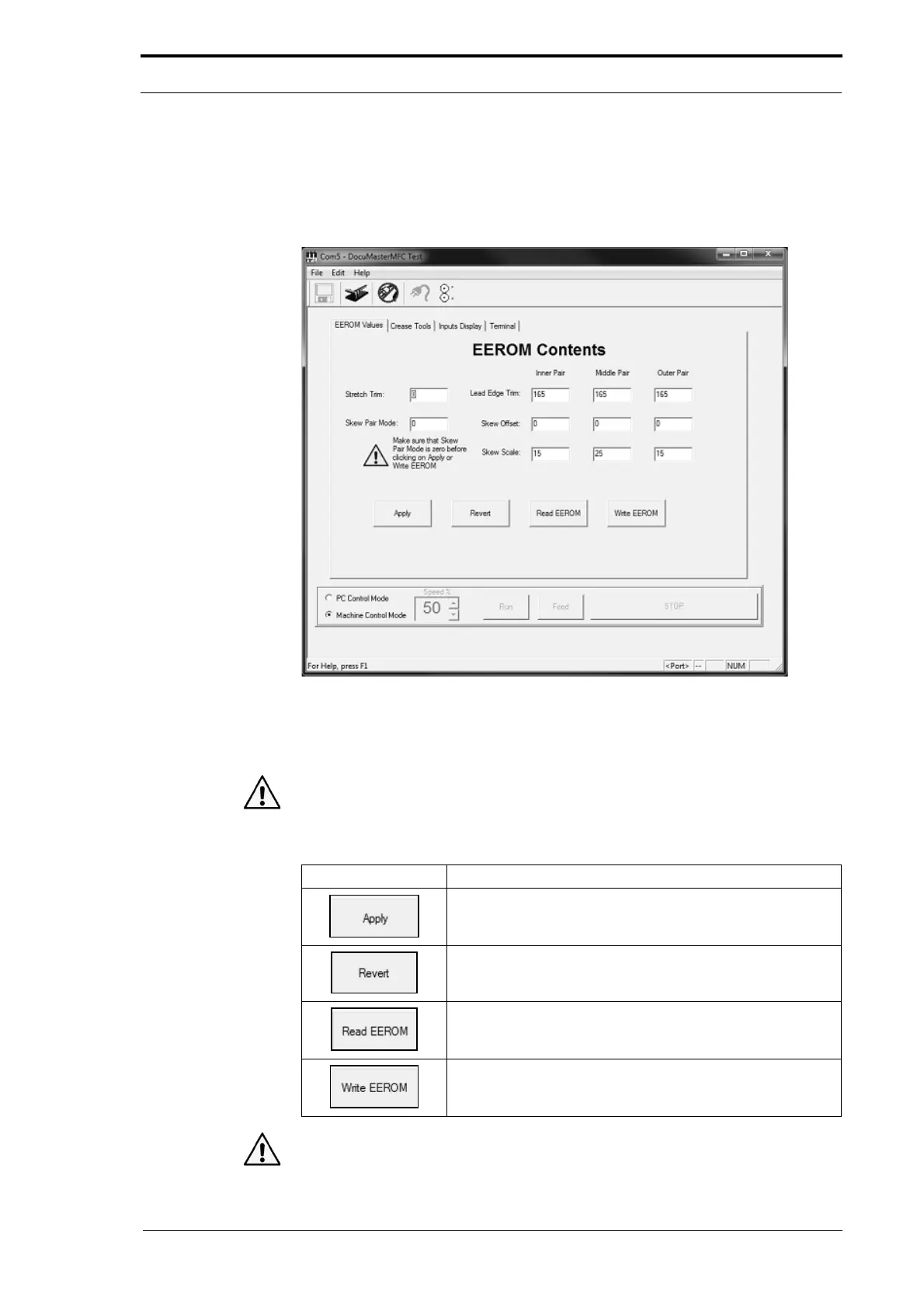
Figure 6.8 The EEROM Contents Page
The ERROM Contents page shows the creaser calibration trim values in each of the
settings fields. These values are the values that are stored on the EEROM.
Caution: We recommended that you DO NOT make changes to the EEROM values in
the EEROM Contents page. Always use the Machine Calibration Wizard to update the
EEROM values unless
advised otherwise by Morgana Systems Ltd.
Command Button Information
The 'Apply' button updates the controller PCB memory chip.
The stored ERROM values are not changed.
The 'Revert' button updates the controller PCB memory chip
with the stored values from the EEROM.
The 'Read ERROM' button shows the stored EEROM values
and updates the controller PCB memory chip with these
values.
The 'Write EEROM' button writes the values in the settings
fields to the EEROM and updates the controller PCB
memory chip.
Caution: ALWAYS make sure that the skew pair mode value is zero before you use
the 'Apply' or 'Write EEROM' buttons. The 'Skew Pair
Mode' field selects the sensor



 To Next Page