6. General Procedures - The MFC Machine Configuration Wizard Description
210 Morgana DocuMaster MFC - Service Manual
6.7.6 The Review & Save Setting Page
Skew Mode Setting
Stretch Trim
Calibration Trims
Command Buttons
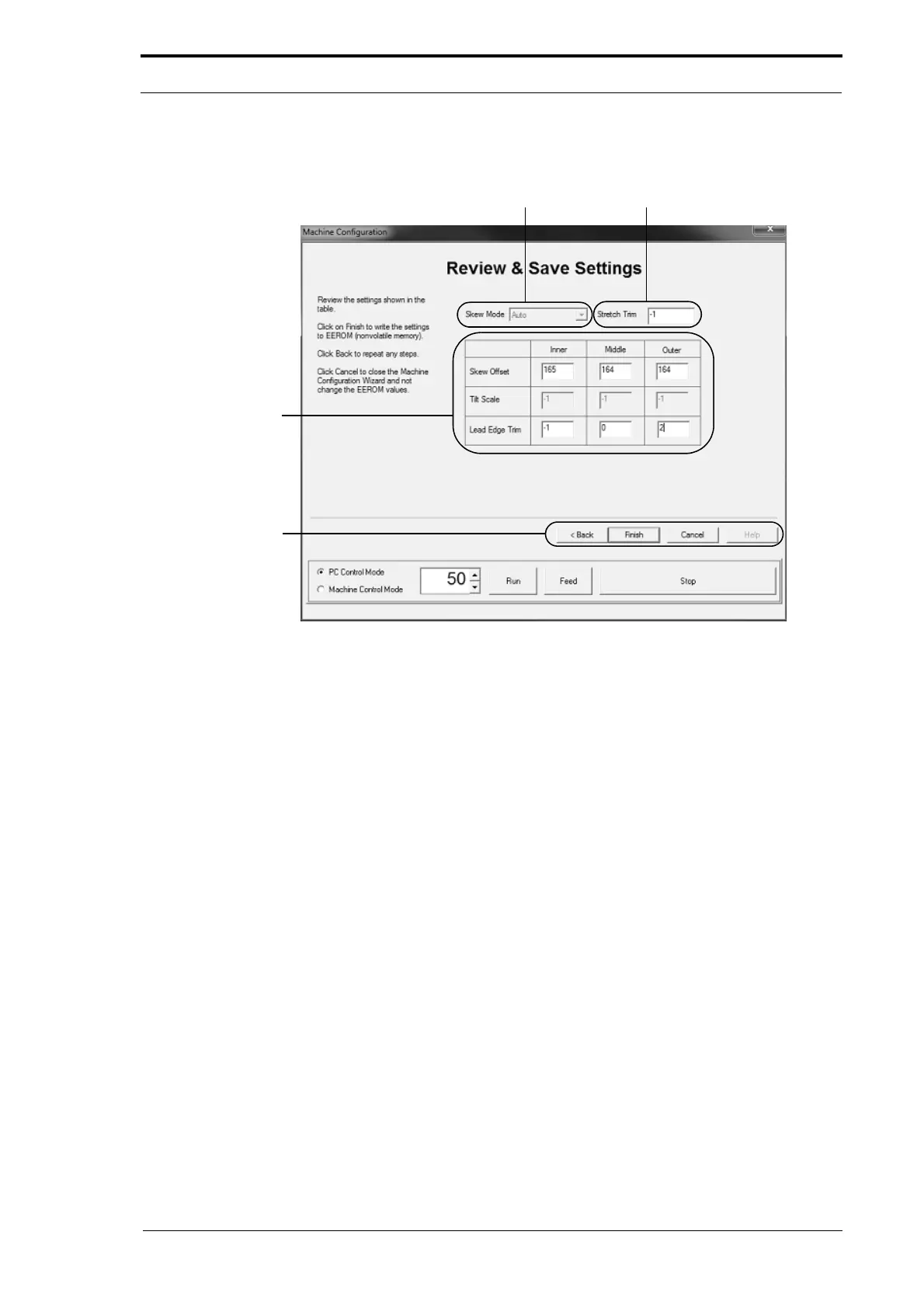
Figure 6.15 The MCW Review & Save Settings Page
Before the MCW is complete, the 'Review & Save Settings' page is shown.
When you turn on the MFC, the EEROM loads the calibration values into a run-
memory
chip on the creaser controller PCB. When the MFC operates it uses the
calibration values in the run-memory chip. When the MFC is turned off, the run-
memory chip is erased.
When you do the creaser module calibration procedure, the adjustmen
ts that you make
are automatically stored in the run-memory chip. The MFC will use these values when
it operates, but they will be erased unless they are written to the EEROM. The Review
& Save Settings page lets you store the calibration values to the EEROM.
The parts of the 'Review & Save Settings' page are:
The Calibration Trims
The calibration trims table shows the edge-sensor calibration trims
that you have set. If
the settings fields in the table are active you can change them. This is useful if you
need to replace the creaser controller PCB. You can make a note of the trim settings
and then enter them directly into the replacement PCB.



 To Next Page