Morgana DocuMaster MFC - Service Manual 237
7. Electrical and Control System - GUI PCPU Software Updates through a Network Connection
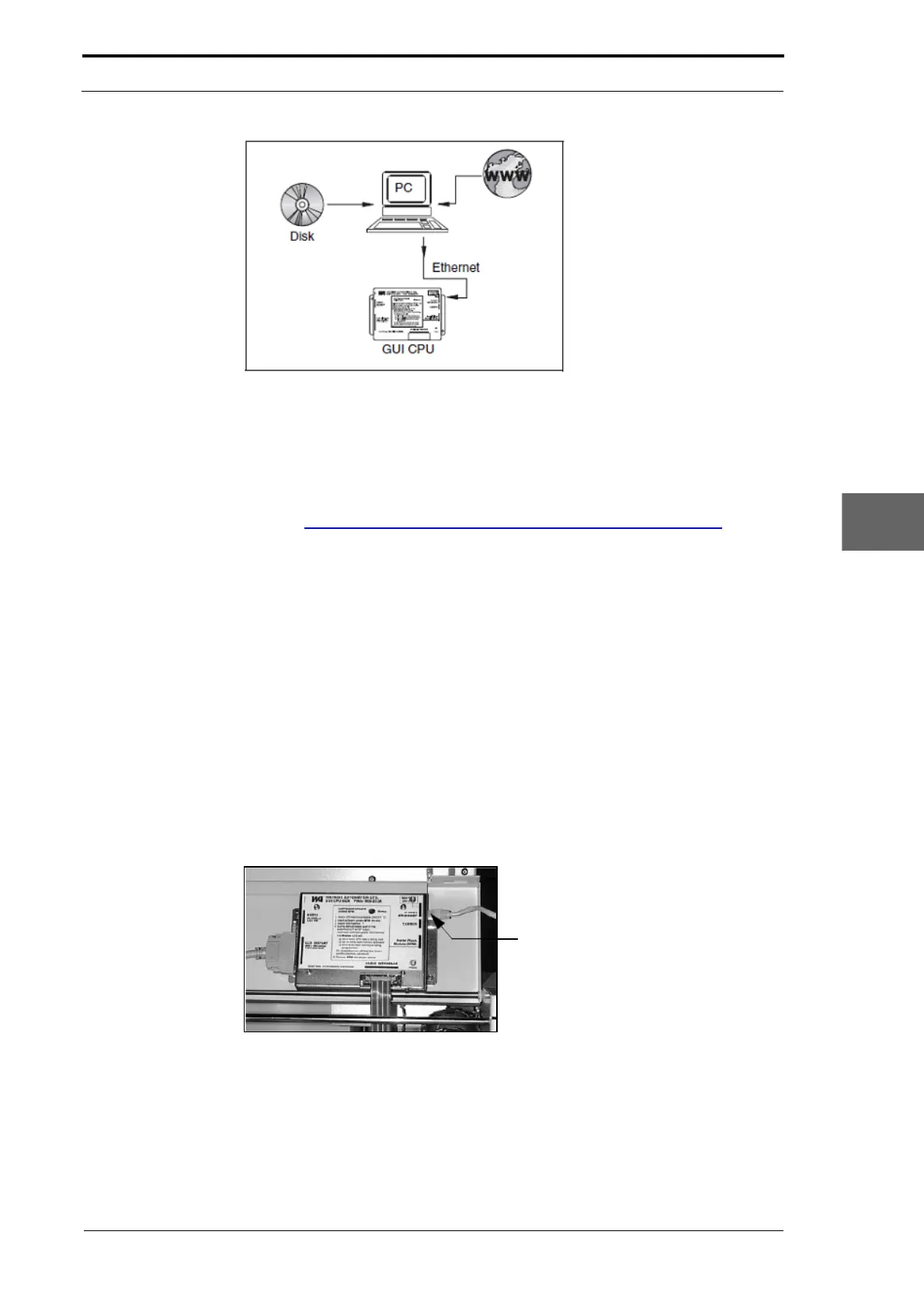
Figure 7.29 Update the GUI CPU Software with a Network Connection
You can communicate with the MFC from every computer on the network that uses a
Telnet program. The software can be downloaded to the MFC from every computer on
the network if that computer has a 'TFTP server' installed. You can download the
Solarwinds TFTP server from:
http://www.solarwinds.com/products/freetools/free_tftp_server.aspx
This software update method has these advantages
• Two or more MFCs on a network can be updated at any one time.
• MFCs connected to a network can be configured remotely
• Service-engineers or distributors can update the application software remotely
• The application software can be downloaded with greater speed.
To update the software by this method (see Section 7.7.1).
7.7.1 Install the Software through an Ethernet Connection
The Ethernet connection on the GUI CPU lets the MFC connect directly to a computer
network or a stand-alone computer with an Ethernet card. Either connection uses a 10
Base T cable. The cable connects directly with the GUI CPU.
10 Base T Cable Connection
Figure 7.30 GUI Network Connection
This chapter refers to software that is available for computers that run Microsoft
Windows 95 or later versions. You can use other operating-systems to update the MFC
application software. This chapter focuses on Microsoft Windows because Windows is
widely available.



 To Next Page