Morgana DocuMaster MFC - Service Manual 241
7. Electrical and Control System - GUI PCPU Software Updates through a Network Connection
7.7.6 Update the MFC Software through an Ethernet Connection
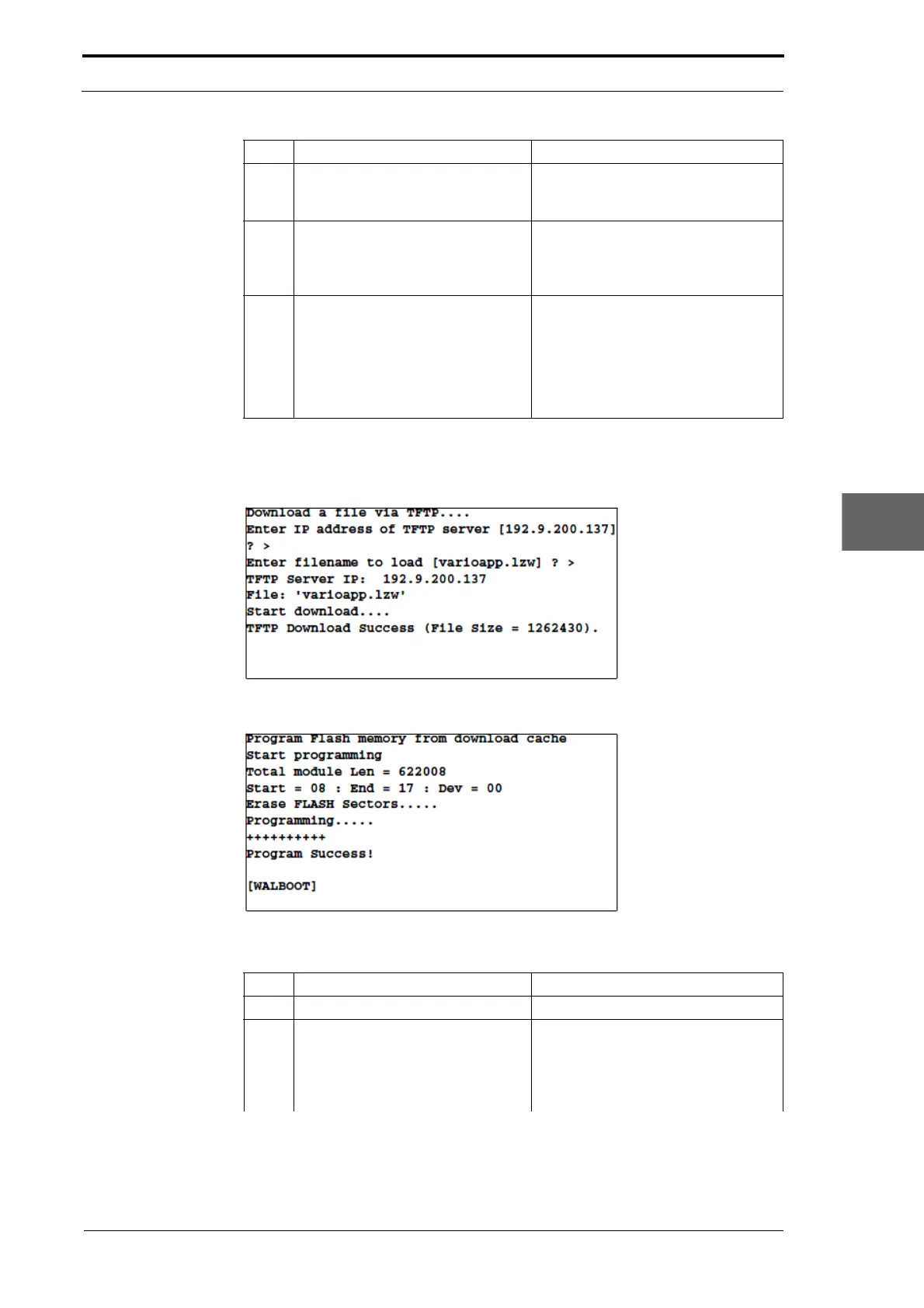
Figure 7.36 Download The Application Software To The Download Cache
Figure 7.37 Transfer The Application Software To The Flash Memory
5 If you use Windows95 or later,
open the 'Run…' window from the
Start menu.
6 Type t
elnet:
xxx.xxx.xxx.xxx (where you
replace the x characters with the
MFC IP address.
7 Press Return.
• Windows 2000. When the Telnet
window goes blank, press
Return again.
• Windows 95 or 98. Press Return
again when the Telnet window is
shown.
Step Action Information
Step Action Information
1 Create an Ethernet connection. (See Section 7.7.5).
2 Type D in
the Telnet window and
press Return to download the new
MFC software to the machine.
This prompt is shown.
Enter IP address of TFTP
s
erver
[xxx.xxx.xxx.xxx]?>



 To Next Page