Morgana DocuMaster MFC - Service Manual 73
4. Service Procedures - Machine Adjustments and Calibration
Before you start:
• Remove the creaser module (See Section 4.10.1)
• Adjust the creaser-drive belt (See Section 4.5.10).
• Open the Input Rollers when you adjust the Output Rollers (See Figure 4.42).
Step Action Information
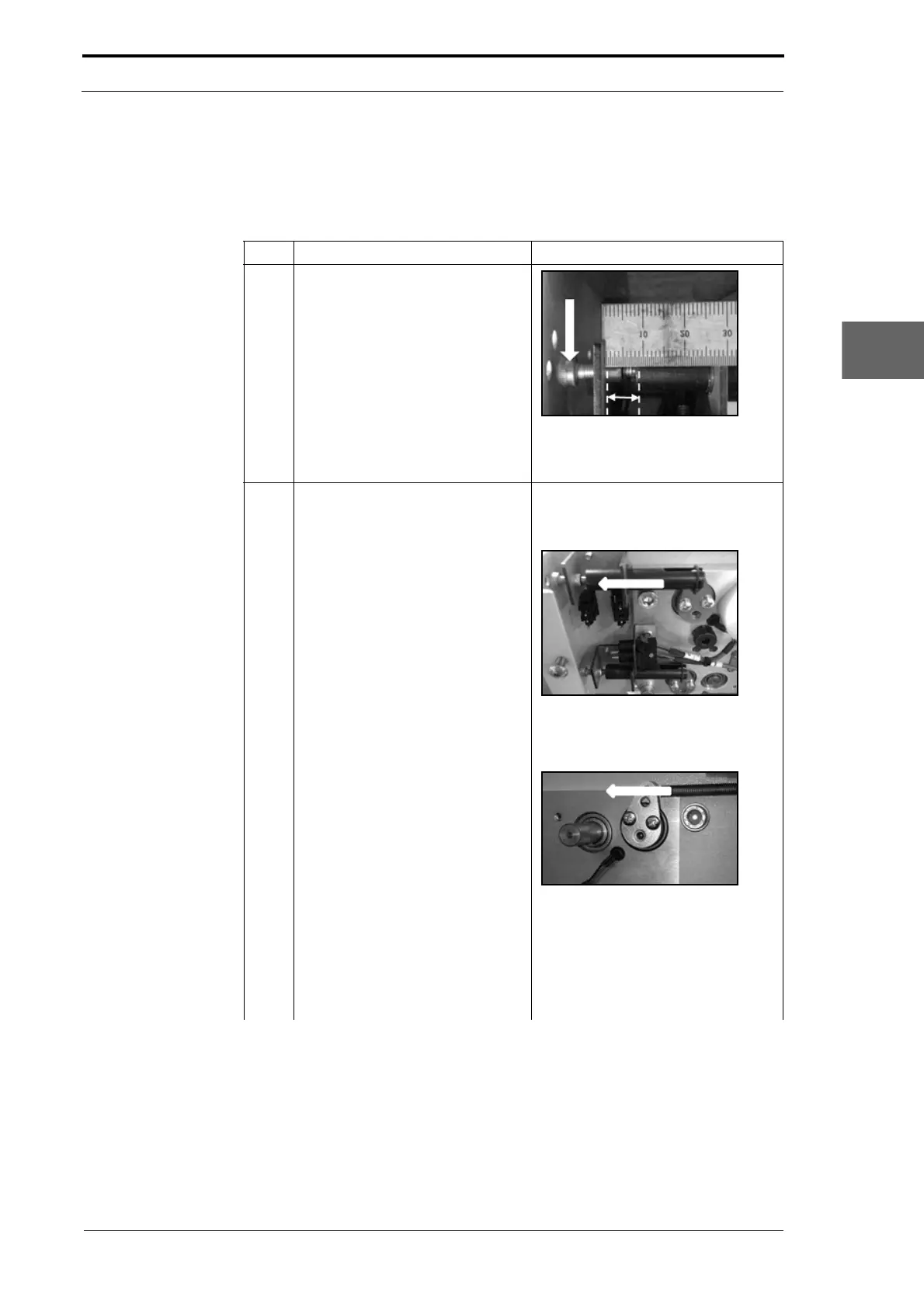
1 Adjust the roller gap adjustment-
screw until
there is an 8mm gap
between the roller stop-rod and the
support bracket.
Figure 4.43
Roller gap adjustment-screw start
position.
2 Increase the roller gap at the RH
end of the
rollers.
Loosen the set screw that attaches
the RH operating-lever hub to the
roller shaft (see Figure 4.41).
Figure 4.44
Hold the stop-rod against the
adjustment-screw.
Figure 4.45
Turn the RH operating-lever
assembly counterclockwise.
Tighten the set screw just enough so
that the
spring cannot pull the
operating lever back.



 To Next Page