Morgana DocuMaster MFC - Service Manual 81
4. Service Procedures - Machine Adjustments and Calibration
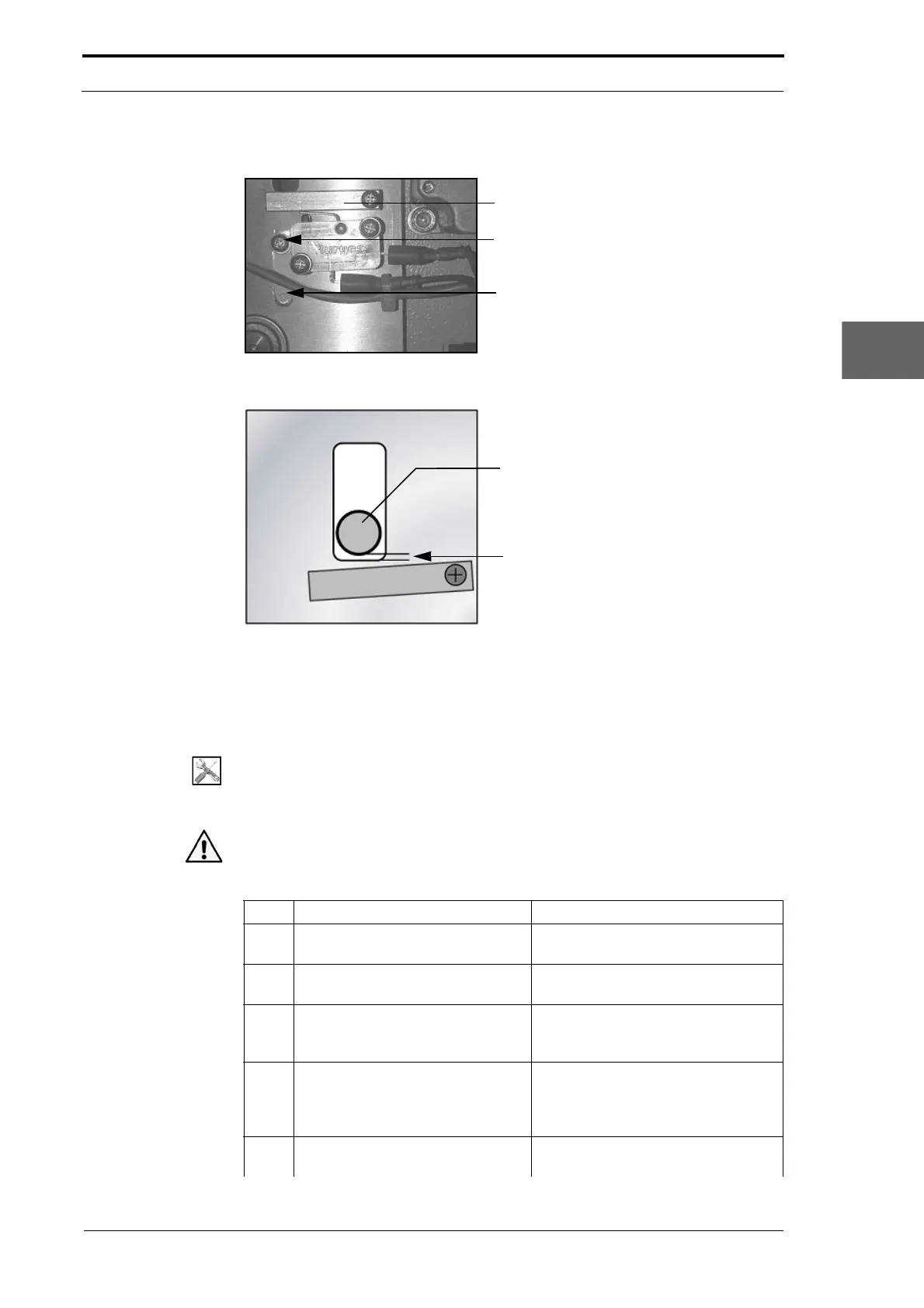
4.5.16.2 Adjust the DynaTilt Home Switch
Switch Actuator
Locking Screw
Mounting Lever
Figure 4.55 Adjust the DynaTilt Home Switch
5mm Clearance Gap
Creaser Unit Dowel Pin
Figure 4.56 Dowel Pin Clearance Gap
Before you start:
• Remove the motor cover (See Section 4.2.9)
• Remove the LH side cover (See Section 4.2.6).
Tools:
• Screwdriver: Pozidriv No. 2
• Electrical Multimeter.
Warning: Use extreme caution not to touch any electrical or mechanical components
when you operate the MFC with the
side covers removed.
Step Action Information
1 Set the main input switch to the
OFF
(O) position.
2 Disconnect the two wires from the
DynaT
ilt home switch.
(See Figure 4.55).
3 Loosen the locking screw, and
move the mounting
lever down
fully.
(See Figure 4.55).
4 Set the creaser-unit dowel-pin
0.5mm above the bearing housing.
Use your hand to operate the
DynaT
ilt drive mechanism and move
the dowel-pin into position (see
Figure 4.56).
5 Connect the Multimeter across the
DynaT
ilt home switch terminals.
Turn on the Multimeter, and adjust it
to test circuit continuity.



 To Next Page